Customize View Tab in Client Planner

Prokurio’s Client Planner allows you to customize how your charts and spreadsheets appear using the display and layout options in the Customize View tab.


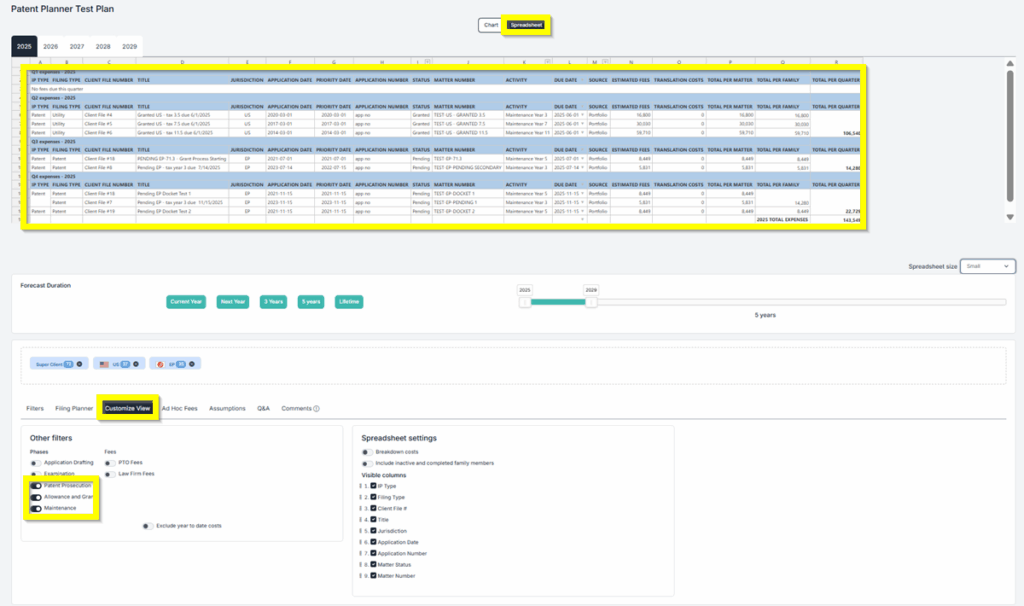
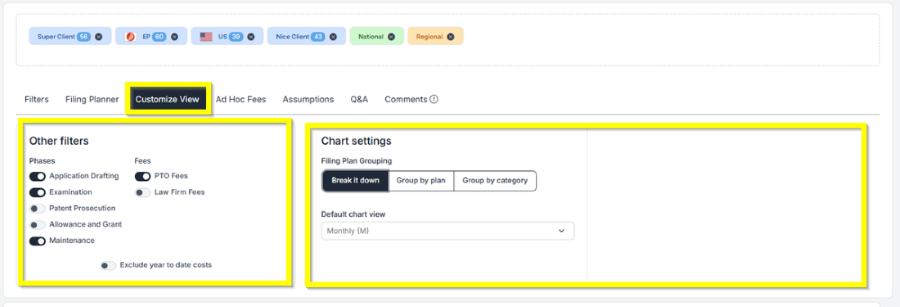
Under the Other filters area, you can customize what will be included in your chart or spreadsheet. Just switch the toggle buttons for the phases or fees that you want to add or remove.

  • Other Filters allow you to add or remove Phases and Fees on your Chart. Just switch the toggle buttons for the phases or fees that you want to add or remove.
  • You can also choose if you want to add or remove Exclude year to date costs and Project future costs by switching the toggle buttons.
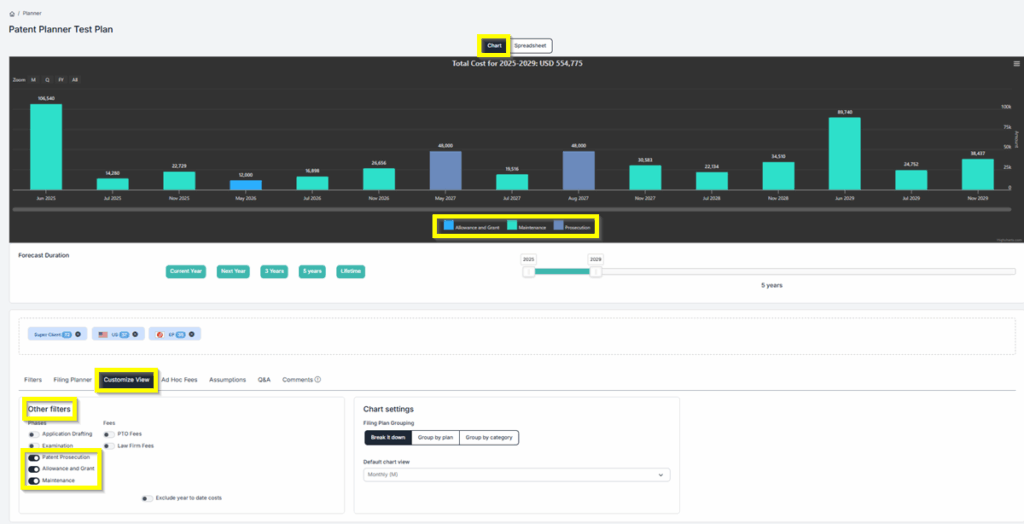
 

  • Under Chart Settings (only for patents), you can select the “Filing Plan Grouping”.  You can choose from “Break it down”, “Group by plan”, or “Group by Category”.
  • Also in the Chart Settings, you can select the ” Default Chart View”. You can choose from Monthly, Quarterly, Fiscal Year, or All (Daily).
Customize View 1


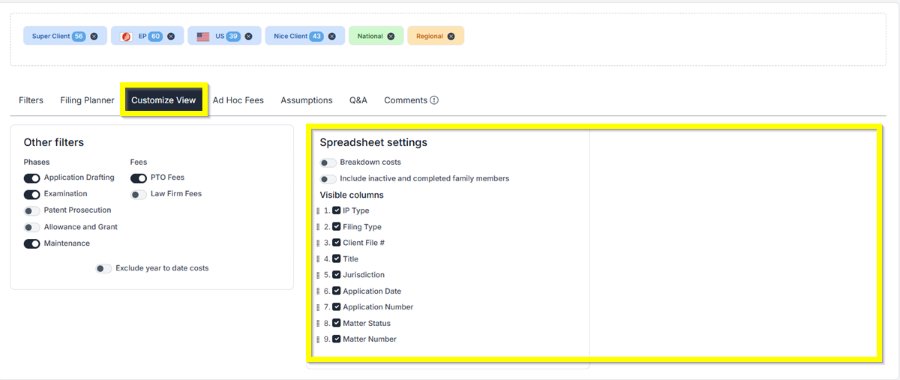
  • Under Spreadsheet Settings, you can select whether to Breakdown Cost and Include inactive and completed family members by clicking the toggle button.
  • In the Spreadsheet Settings, you can select the Visible Columns that you want to include by turning on the toggle switch.
Customize View 2

If you need any additional assistance, please contact us at support@prokurio.com, and we’ll get you the answers you need!

How's our content?
Full logo

We've Got a Lot To Share!

Sign up for quick IP-focused updates every once in a while. 
small c popup

Let's Do It!

Give us your email if you’d like to try out IP Forecaster. We’ll shoot you a confirmation email and get you set up quickly – check your SPAM folder if you don’t see an email within 10 minutes.

There’s no cost or long-term obligation.
small c popup

Let's Do It!

Give us your email if you’d like to try out our Firm Planning Bundle. We’ll send you a confirmation email and get your trial started. If you don’t see an email within 10 minutes, check your spam folder.

There’s no cost or long-term obligation.
small c popup

Let's Do It!

Give us your email if you’d like to try out Client Planner. We’ll shoot you a confirmation email and get your trial started – check your SPAM folder if you don’t see an email within 10 minutes.

There’s no cost or long-term obligation.
Full logo

We need a little info...

Give us some contact info and we’ll email you the program details. No SPAM, no hassles. 
Full logo

You're All Set!

You should receive a confirmation shortly.
Check your SPAM folder if you don’t see an email.
small c popup

Let's Do It!

Give us your email if you’d like to try out IP Forecaster. We’ll shoot you a confirmation email and get you setup quickly – check your SPAM folder if you don’t see an email within 10 minutes.

There’s no cost or long-term obligation.