
TRUSTED BY:









Choose your Use Case:
KEY FEATURES:
See a live demo
Your new co-pilot:
The Future of IP Cost
Forecasting - Today.
Ditch the spreadsheets and outdated cost estimation tools, Prokurio is modernizing the IP cost forecasting industry.
The platform makes it easier than ever for you to get accurate cost forecasts for any type of IP — so you can focus on your clients, not spreadsheets.

Unlimited Forecasts,
One Price
Run as many forecasts as you want. Refine and revise freely at no extra cost.
Time-Saving Automations
Enter a publication number and automatically download your application details.
Modern & Responsive
Live chat support and a client-focused roadmap that delivers new features every week.
Stand out from other firms:
Client Budgeting, Simplified
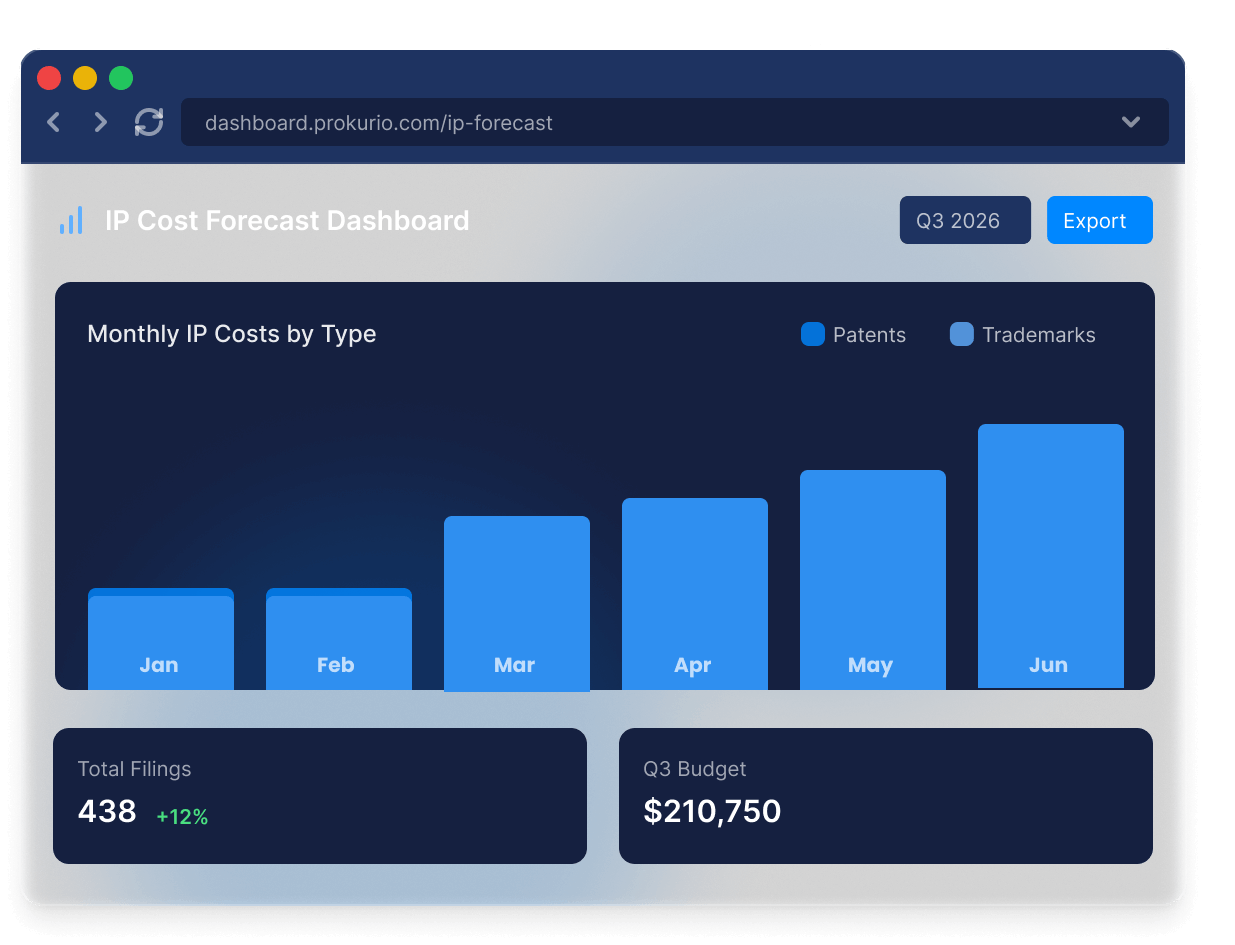
With Client Planner, your firm can build quarterly or annual budgets using real portfolio data. Generate visually rich plans, “what‑if” scenarios, and exports in moments — no spreadsheets required.
Whether your clients need to analyze filing strategies across multiple jurisdictions or prepare comprehensive budget forecasts, Prokurio delivers the professional-grade tools your clients expect from their trusted IP counsel.

Budget in Seconds, Impress for Years
Import a client’s IP portfolio and instantly produce professional budgets with charts and Excel exports.
Automated Planning That Adapts
Enable the new Auto‑Budget mode to create a portfolio-level budget automatically—based on filing policies and timelines.
Flexible Modeling for Real Decisions
Use advanced “what‑if” tools to tweak decisions, simulate pruning or deferred timelines, and export user-friendly visuals or data summaries.
No more suprises:
Take Control of Foreign Associate Fees
Managing foreign associate costs shouldn’t feel like guesswork. Prokurio uploads and maintains up to 50 of your firm’s foreign associate fee schedules (and more on higher tiers), giving you a clear, centralized view of global rates. Benchmark your associates, compare costs across jurisdictions, and build client trust with more accurate forecasts.

Benchmark with Confidence
Compare your foreign associate fees to the market and identify opportunities for savings or negotiation.
Always Current, Always Accurate
Fee schedules are maintained for you—no more chasing down updates or working from stale spreadsheets.
Client-Ready Transparency
Provide clients with clear, defensible cost estimates that include your exact associate fees.
KEY FEATURES:
See a live demo
Your new co-pilot:
Catch excessive fees
automatically
Hidden markups, excessive fees, and billing violations add up fast. Most companies don’t catch them in time.
Prokurio’s automated invoice control checks every line item against industry benchmarks, PTO fees, and your billing guidelines. Most clients save 10-20% the first year by catching charges that would otherwise slip through the cracks.

Line-Item Analysis
Every bill is checked against currency benchmarks, PTO fees, and your billing guidelines automatically.
Detailed Billing Intelligence
Get actionable insights that can be used to hold vendors accountable and improve cost transparency.
Visual Dashboards
Clear visual insights show exactly where your spending stands. Simple, data-driven comparisons make it easy to spot trends.
ACT WITH CONFIDENCE:
Smarter IP budgeting starts
with Planner IQ
Filing decisions shouldn’t take days or weeks — or surprise you later.
Planner IQ instantly models filing, pruning, and jurisdiction strategies using your portfolio, real-world PTO and law-firm fees. See the lifetime cost impact of every option before you commit, so your IP strategy is always informed, predictable, and defensible.

What-If Strategy Modeling
Easily compare the costs of different filing strategies in an easy-to-use graphical workbench.
Long-Term Impact Analysis
See the real, long-term effects that portfolio decisions will have over your portfolio.
Achieve Your Goals
Quickly build IP plans that align with your organization’s financial and strategic goals.
trust & Impact
Leading with insight
Leaders anticipate. Stragglers react.
Tomorrow’s most successful IP firms aren’t just estimating costs — they’re mastering them. Forward-looking leaders use data-driven intelligence to plan, forecast, and deliver exceptional value for clients

Andy Newland
IT Director, Mewburn Ellis

“As a forward-thinking IP firm, Mewburn Ellis strives to adopt the latest technologies to deliver best-in-class service to our clients.
The Prokurio suite of products fits squarely into this bracket, enhancing client service by providing fast, efficient, and accurate cost forecasting.”
Why Partner with Prokurio?
More features, less cost.
Global IP Estimator
Global IP Estimator
Gold Subscription (300 Estimates)
$18K
40% reduction in cost
Prokurio
Essentials (Unlimited Estimates)
$10K

What They Do
- Charge you for each estimate
- Give you basic flexibility with foreign associate costs
- Offer limited integration options
- Deliver few features outside of forecasting
- Periodic feature updates
What We Do
- Utilize a transparent, fixed pricing strategy that scales
- Deliver advanced, granular fee configuration at every level
- Offer extensive integration options via imports and APIs
- Provide currency tools, translation tools, budgeting, and more!
- Update our modern platform weekly
Security
Built for compliance.
We protect sensitive IP and financial data with enterprise-grade controls and independent audits.
- Encryption in transit (TLS 1.2+) and at rest
- Regular third-party penetration testing
- Data backup & recovery with defined RPO/RTO
SOC-2 Certified
Verified
GDPR Compliant
Verified
CCPA Compliant
Verified
Trust
Led by experience.
Our team brings decades of leadership in IP management and software, with proven track records at Thomson Reuters, IPAN, and IPfolio. Their deep industry expertise make them the right team to transform how companies forecast and manage IP costs.

Getting Started
Here’s what you can get done with
Prokurio in just 15 days.
Book a demo
We’ll give you a tour of the software and answer any questions! If you like it, start your free 14-day trial period!
Enjoy 2 week free trial
You’ll have 2 weeks to try out the software and make sure it’s the right fit for you.
Ask why you didn’t switch years ago!
9 out of 10 customers choose Prokurio after the free trial period. It’s that easy!
Let us be your competitive advantage.
Join the world-class IP firms and owners using Prokurio to take control of IP costs in record time.

