

February Feature Highlight – IP Type Country Groups

Building on our February feature highlights, we’ve added functionality to country groups for both our Patent and Trademark users.
When creating country groups, you can now select one or more IP Types to associate to the group and select a Usage Type in IP Forecaster when the group is selected.
Let’s take a look!
ip type country groups
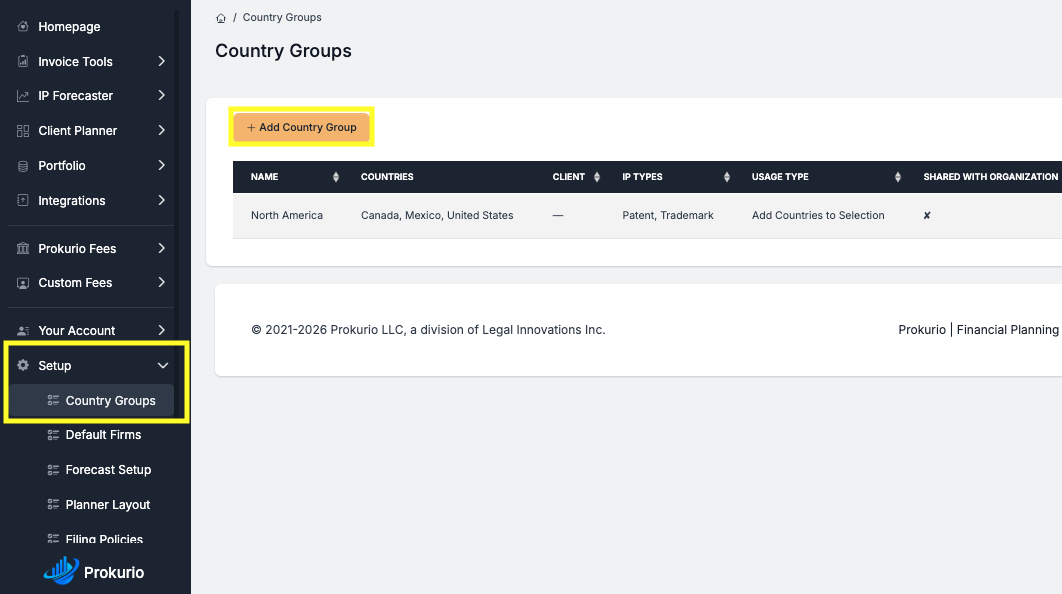
Under Setup in the sidebar, click on the Add Country Group button to create a new group.
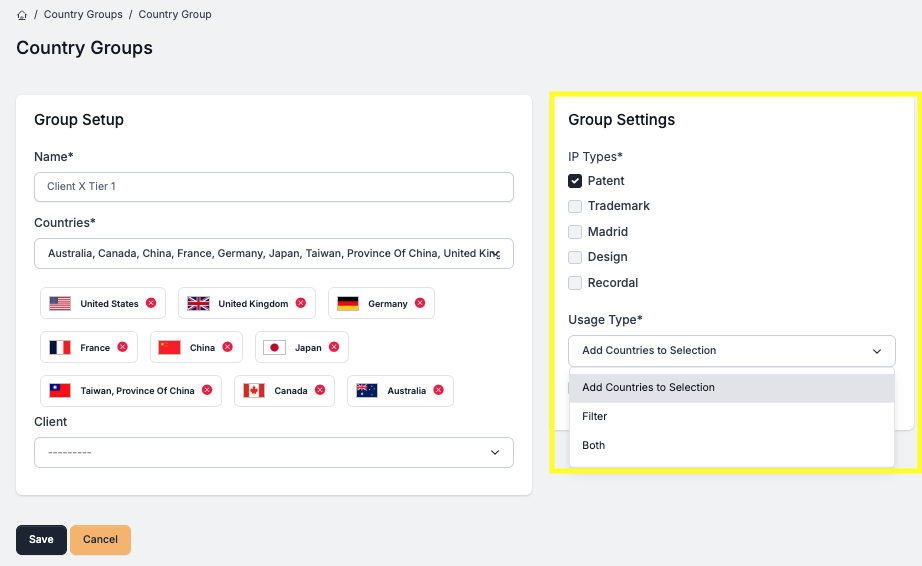
After entering a name and selecting the countries to include, under the new Group Settings section, you can select the IP Types were the group should be available. Optionally, you can change the default Usage Type from “Add Countries to Selection” to be filtered (currently new TM Forecaster only) or both. Then click the Save button.
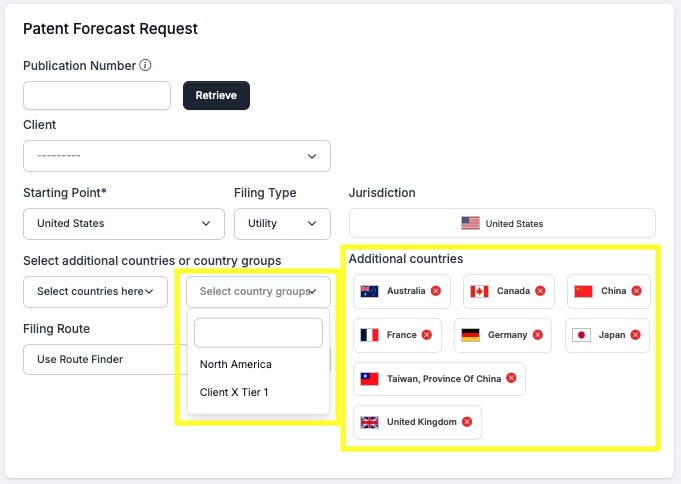
Now when running a forecast for that IP Type, your new country group is available to be selected and all countries included in that group are loaded with a single click.
Have feedback or enhancement ideas? Email us at support@prokurio.com
Like this kind of stuff?
We release product updates every weekend!
Check out all our 2026 updates here: 2026 Updates
Want to learn more about our IP cost planning tools?
Learn more here: Prokurio Cost Estimation Tools
Want to learn more about our IP budget planning tools?
Learn more here: IP budgeting tools