

Our spotlight of the week is an older feature, but it can be a real timesaver when running forecasts across many countries.
Do you find yourself selecting the same countries over and over when creating forecasts? Personal country groups can make running your IP cost forecasts quick and painless.
Let’s take a look!
Personal Country Groups
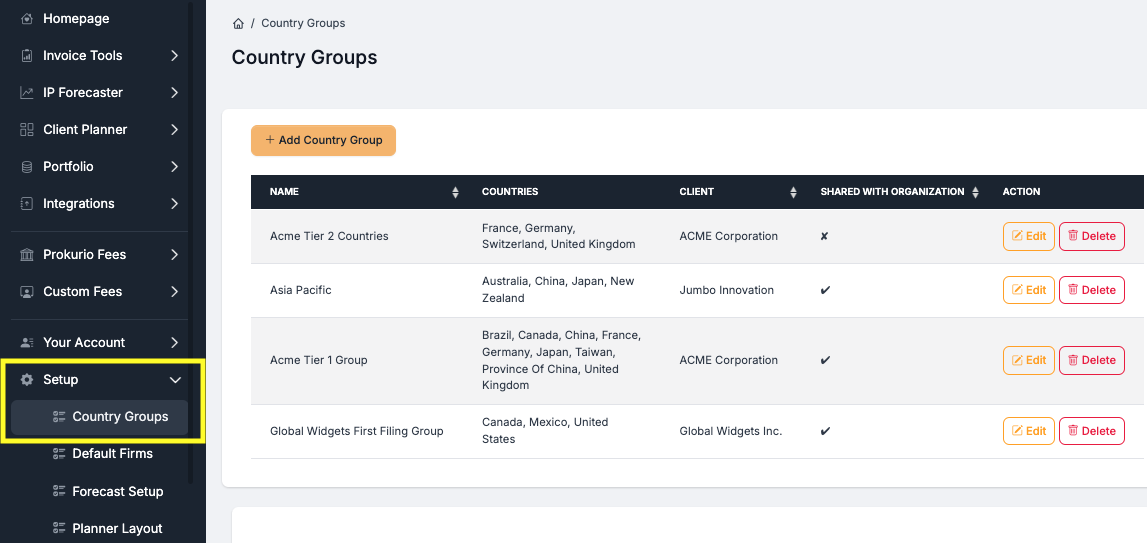
Country groups in Prokurio allow you to create an unlimited number of quick-loading collections of jurisdictions to be used when running IP cost forecasts. Each user can create their own groups, share them with other users in the system and even assign them to a client.
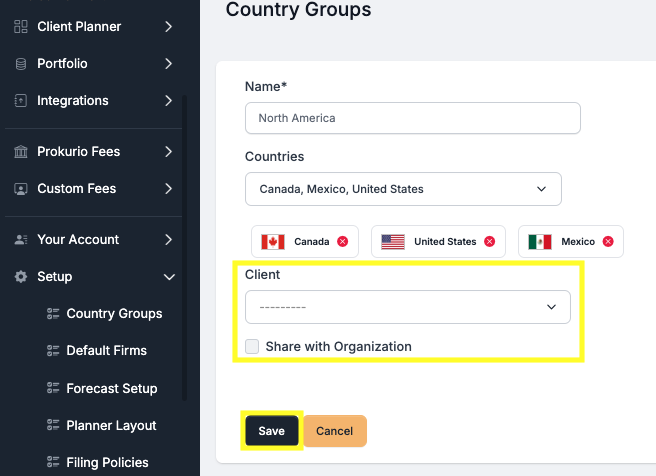
Adding a new country group is as simple as entering a name and selecting all the countries you want included. Optionally, you can select a client for the group as well. Lastly, the share checkbox makes it visible to all users of the system; leaving it unchecked makes the group only visible to you.
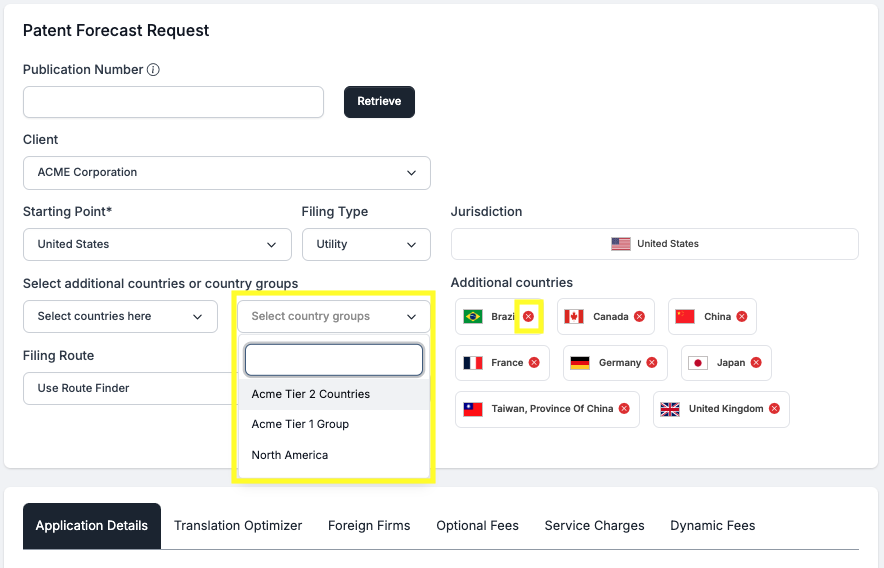
In IP Forecaster, you will now see a country group selection field. If any groups are assigned to a client, they will be visible when that client is selected. Groups with no assigned client will always be visible. You can stack multiple country groups and individual countries can be easily removed by clicking the red X beside them.
Have feedback or enhancement ideas? Email us at support@prokurio.com
Like this kind of stuff?
We release product updates every weekend!
Check out all our 2025 updates here: 2025 Updates
Want to learn more about our IP cost planning tools?
Learn more here: Prokurio Cost Estimation Tools
Want to learn more about our IP budget planning tools?
Learn more here: IP budgeting tools