

Prokurio’s IP Forecaster can quickly and intuitively create design forecast estimates on the fly. These forecasts can be Saved, Emailed, and/or Exported for later use or distribution to team members or clients to review.
Let’s estimate the cost to get a National Design in the United States.
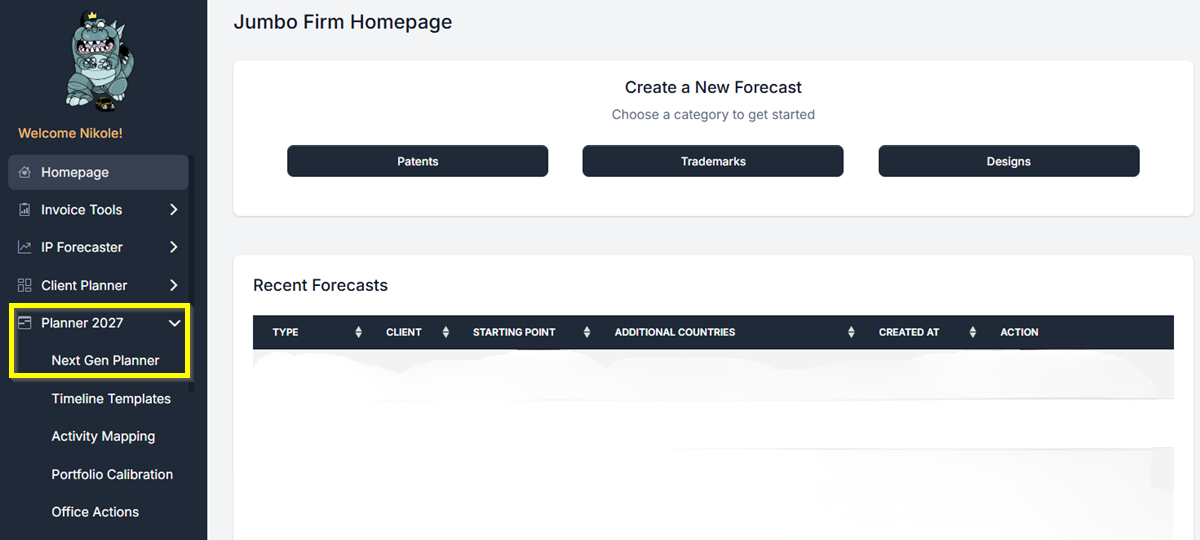
- From your Homepage, find Planner 2027 in the left-hand navigation and click it. Then click Next Gen Planner.
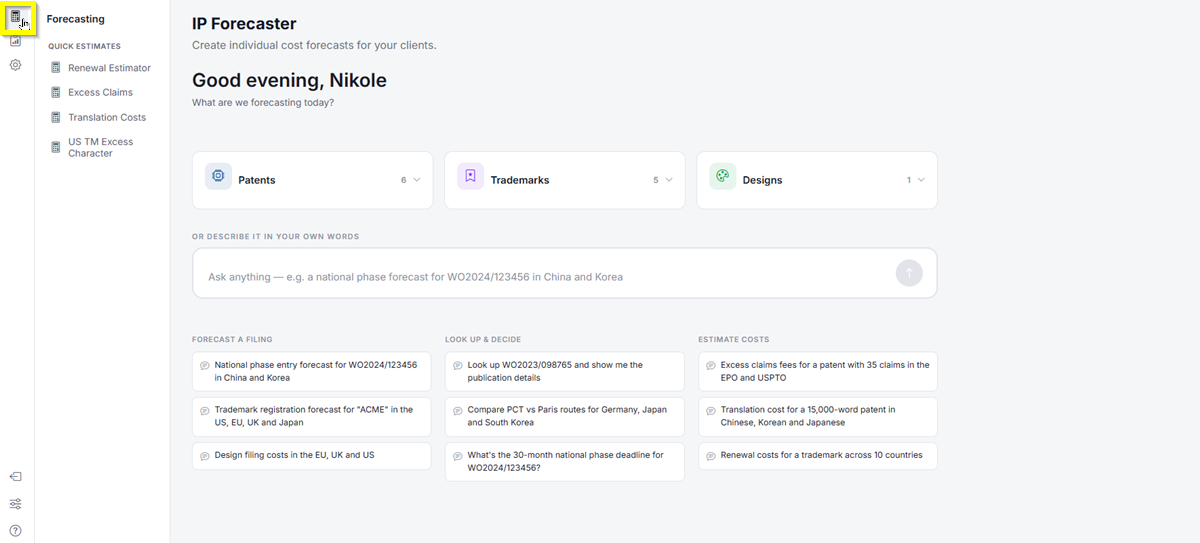
- The Next Gen Planner loads and takes you to the IP Forecaster page. In the top-left icon rail, click the Forecasting icon.
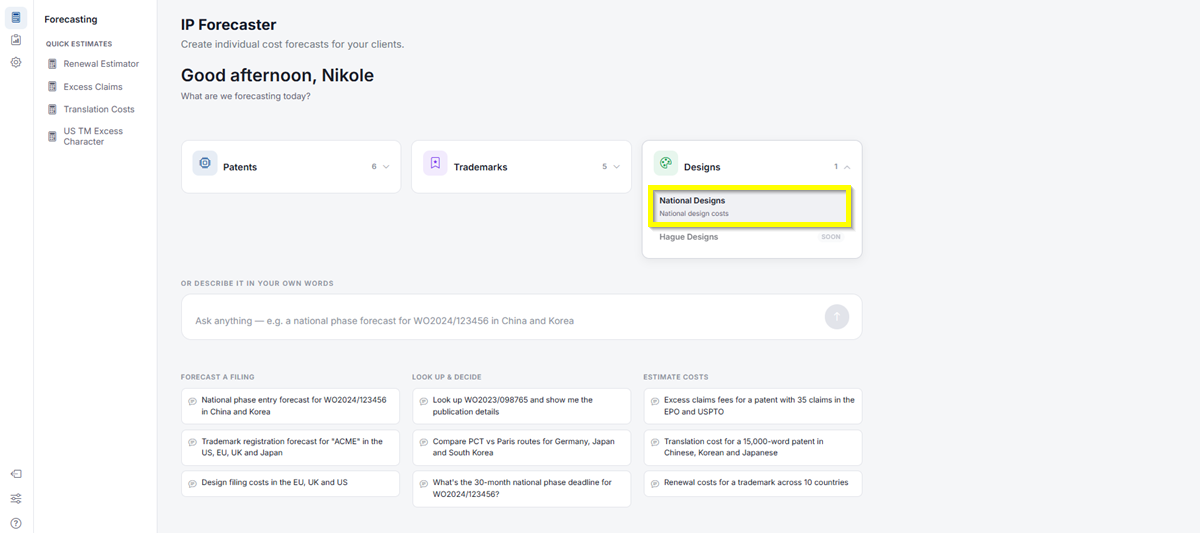
- Click Designs, then select National Designs. This will take you directly to the Design Forecast Request screen.
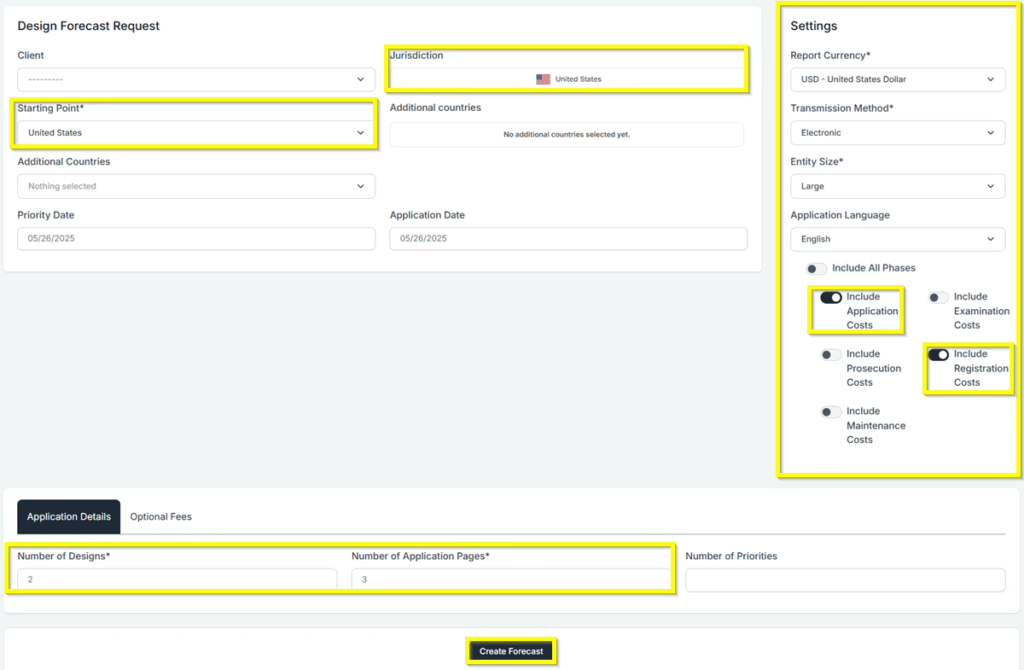
- Select your Starting Point of “United States” from the National Designs Forecast Request screen. You can use type-ahead to narrow the list, and either use the arrow keys to select your choice or press Enter. Repeat the same for any other countries you need to add.
- Note: The Include All Phases toggle is optional. Turn it on to view all fees across each stage, or leave it off to include only the fees you want to see.
- Under the Application Details tab, enter your application details. For this example, we will enter 2 designs, with 3 application pages.
- Click Create Forecast to proceed.
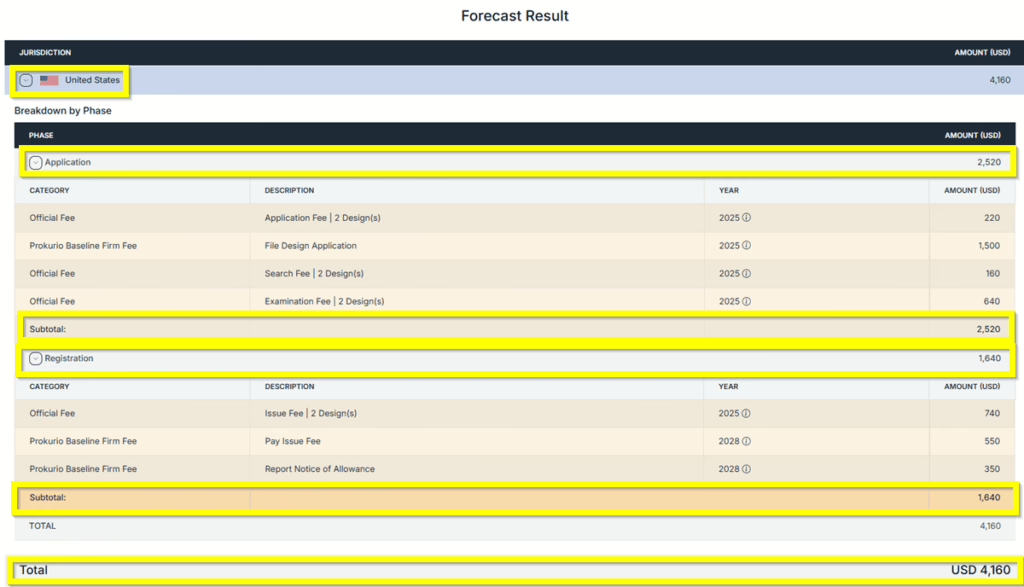
Forecast Results: You are now at your forecast results screen. You may click on the expansion arrows on each phase to view more details.
Saving and Sharing (bottom left) allows you to Save, Edit, Export, Create New, or Send by Email your forecast results.
If you need any additional assistance, please contact us at support@prokurio.com, and we’ll get you the answers you need!