

IP Forecaster makes it simple to create PCT application forecasts and add direct national filings in a single forecast. These forecasts can be Saved, Emailed, and/or Exported for later use or distribution to team members or clients to review.
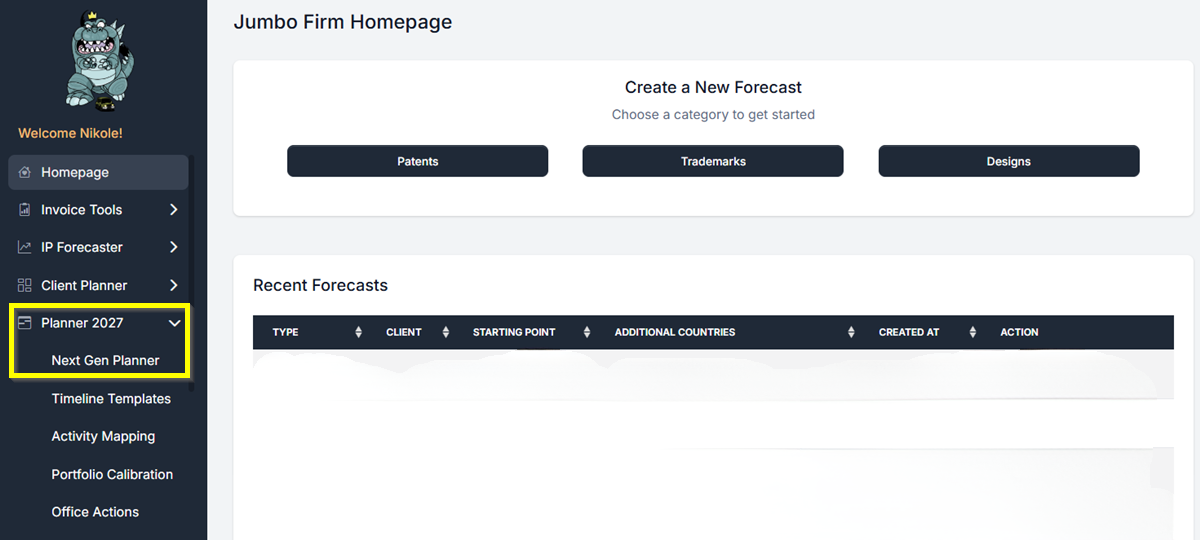
- From your Homepage, find Planner 2027 in the left-hand navigation and click it. Then click Next Gen Planner.
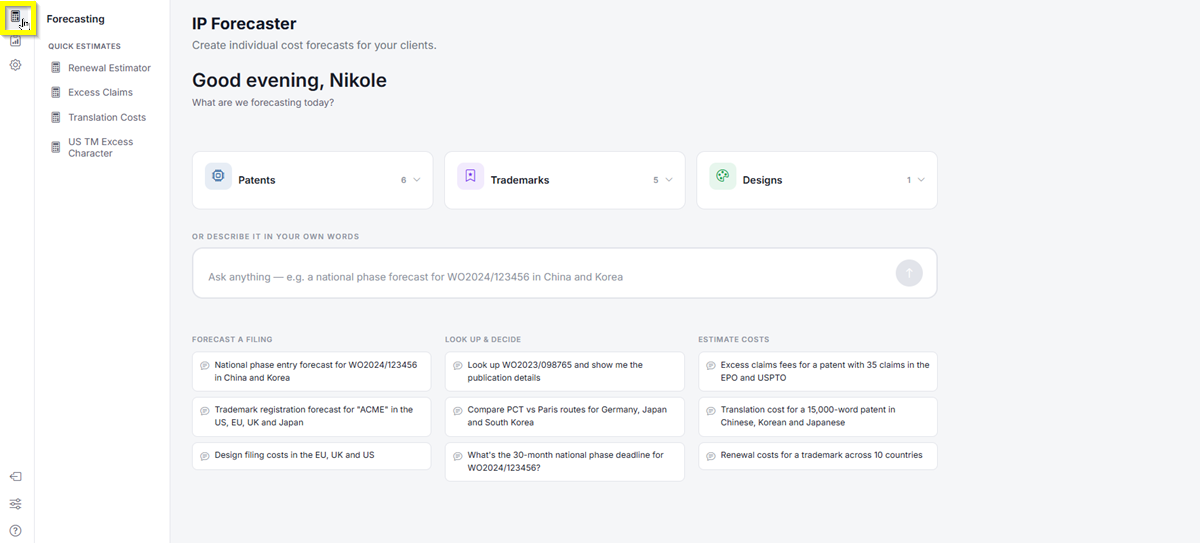
- The Next Gen Planner loads and takes you to the IP Forecaster page. In the top-left icon rail, click the Forecasting icon.
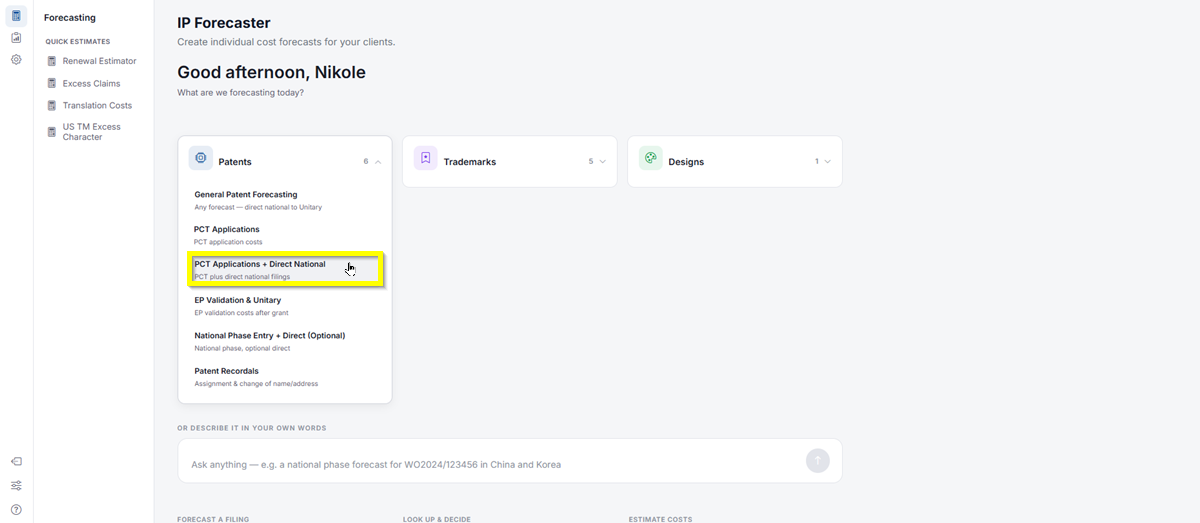
- Click Patents, then select PCT Applications + Direct National. This will take you directly to the Patent Forecast Request screen.
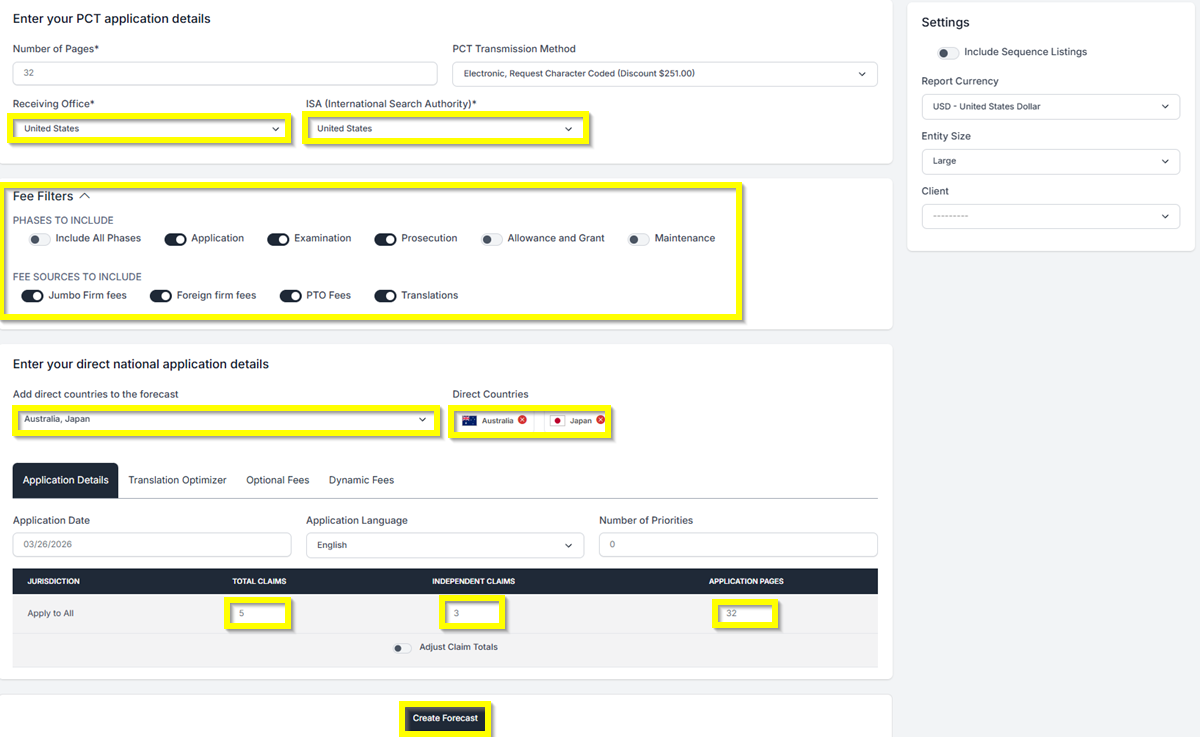
- Under the PCT Application details, select the countries that will act as the Receiving Office and as the International Search Authority (ISA).
- Enter the number of pages needed.
- Then, under the Direct National Application details, add the countries you want to be included in the filing.
- For this example, let us add Japan and Australia as the Direct national Countries. Then we will select the “United States” as both the Receiving Office and the Search Authority.
- Let’s also apply 5 Total claims and 3 independent claims.
- Under Fee Filters, select the Phases and Fee Sources you want to include in the Forecast. Just click the toggle on/off button to turn off fees that may not be relevant to your forecast or that you don’t want to include.
- Then click Create Forecast to generate your forecast.
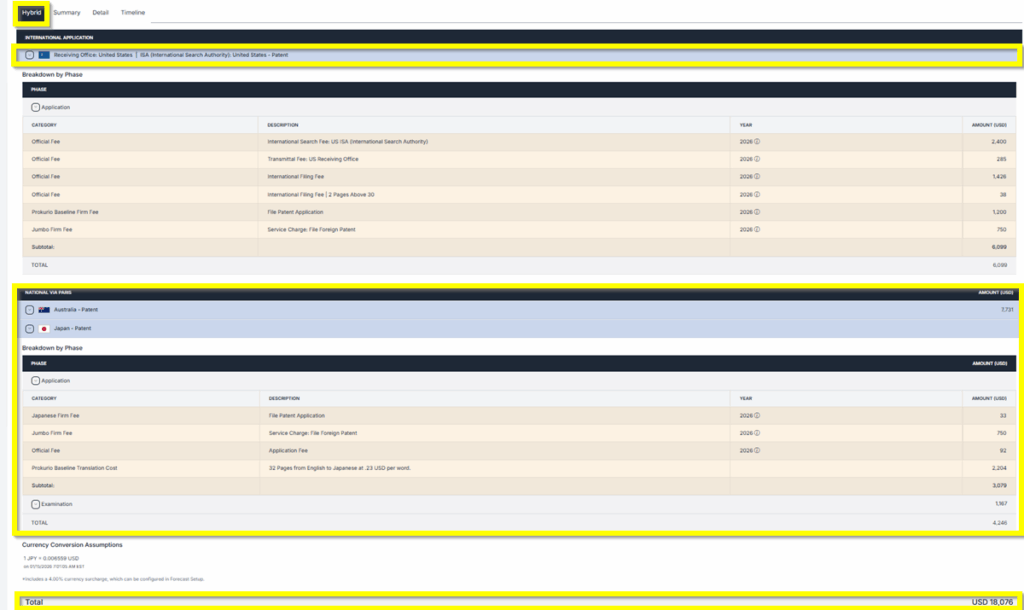
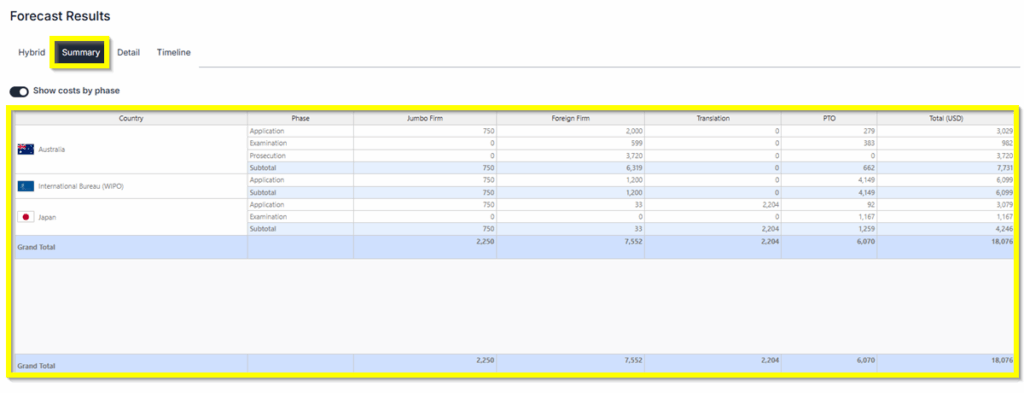
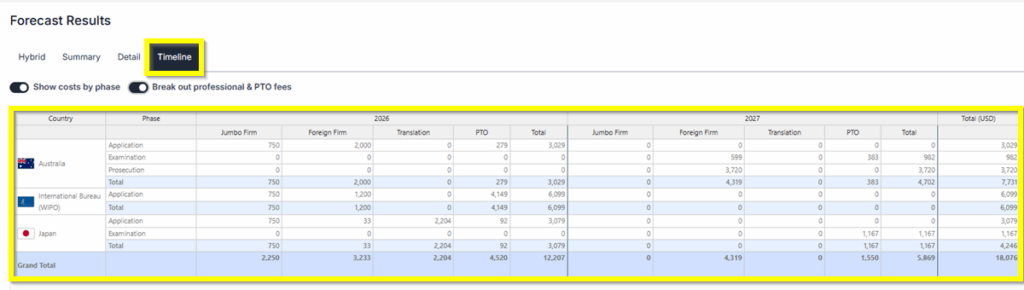
- Forecast Results: You will have 3 different views of the results: Hybrid, Summary, and Detailed Timeline.
- Saving and Sharing (bottom left) allows you to Save, Edit, Export, Create New, or Send by Email your forecast results.

If you need any additional assistance, please contact us at
support@prokurio.com, and we’ll get you the answers you need!