
Prokurio’s Domain Name Forecaster helps you quickly estimate the cost of registering and maintaining domain names (websites) across multiple countries.
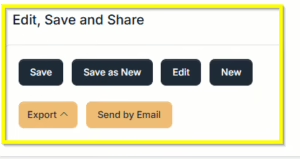
These forecasts can be Saved, Emailed, and/or Exported for later use or distribution to team members and clients
Let’s estimate the cost to register and maintain a set of domain names across multiple countries.
- From your Homepage, at the top under Create a New Forecast, click the button labeled Trademarks. Then select Domain Forecaster. This will take you directly to the Domain Forecaster Request screen.
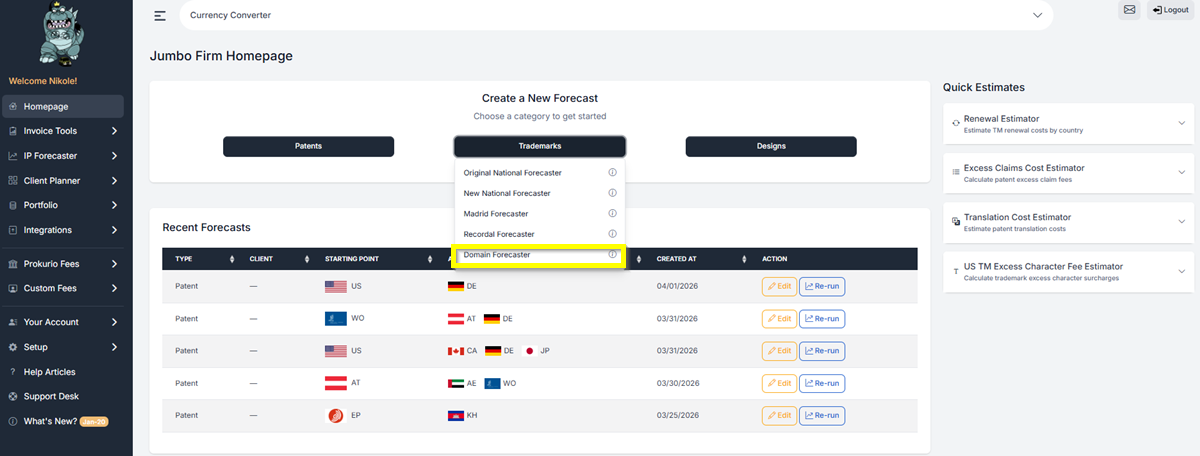
- Once on the forecaster screen, click Add Domain Forecast.
- Create a name for your forecast.
- Set your Time Horizon. Choose the number of years you want to forecast — for example, 5 years or 10 years. The tool will calculate both first-year costs and total cumulative costs over your selected period.
- Currency: Select the currency for your forecast. The default is US or United States Dollar.
- Agent / Law Firm Markup: If you are working through an agent or law firm, you may add their markup on top of the base domain costs. You can also set the Markup Rate (e.g., 0.15 = 15%). Leave this blank if not applicable.
- Escalation Override: Leave blank to use the per-TLD rates, or enter a value to override.
- ICANN Fees: Enabled by default.
- WHOIS Privacy: Check to include WHOIS privacy fees in your forecast.
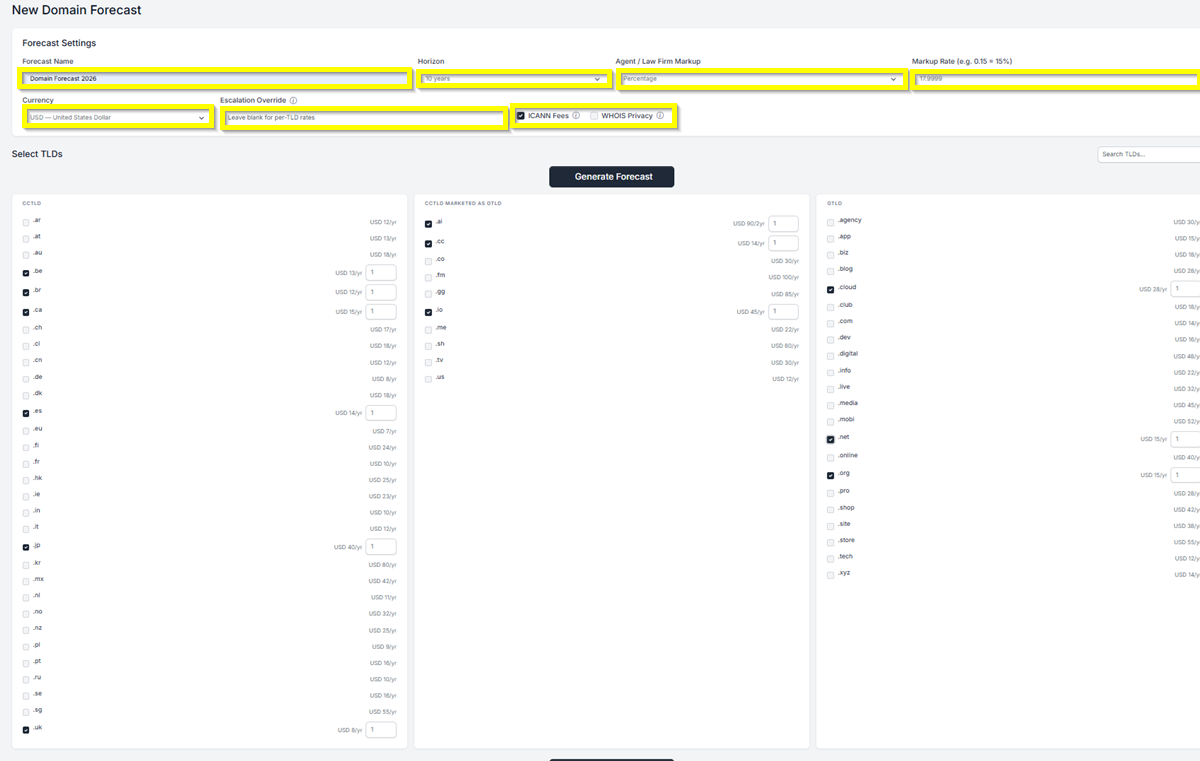
- Select your TLDs. TLDs are organized into three columns:
- ccTLD — Country code top-level domains (e.g., .ar, .au, .br, .ca, .de, .jp, .uk)
- ccTLD Marketed as gTLD — Country code domains commonly used as global extensions (e.g., .ai, .co, .io, .me, .tv, .us)
- gTLD — Generic top-level domains (e.g., .com, .net, .org, .app, .store, .tech)
- You can use the Search TLDs field at the top right to quickly find a specific domain extension. Each TLD displays its annual cost. Check the box next to each TLD you want to include in your forecast. Once selected, a quantity field will appear — enter the number of domains you need for that TLD (e.g., 2 for two .ie domains).
- Click Generate Forecast to proceed.
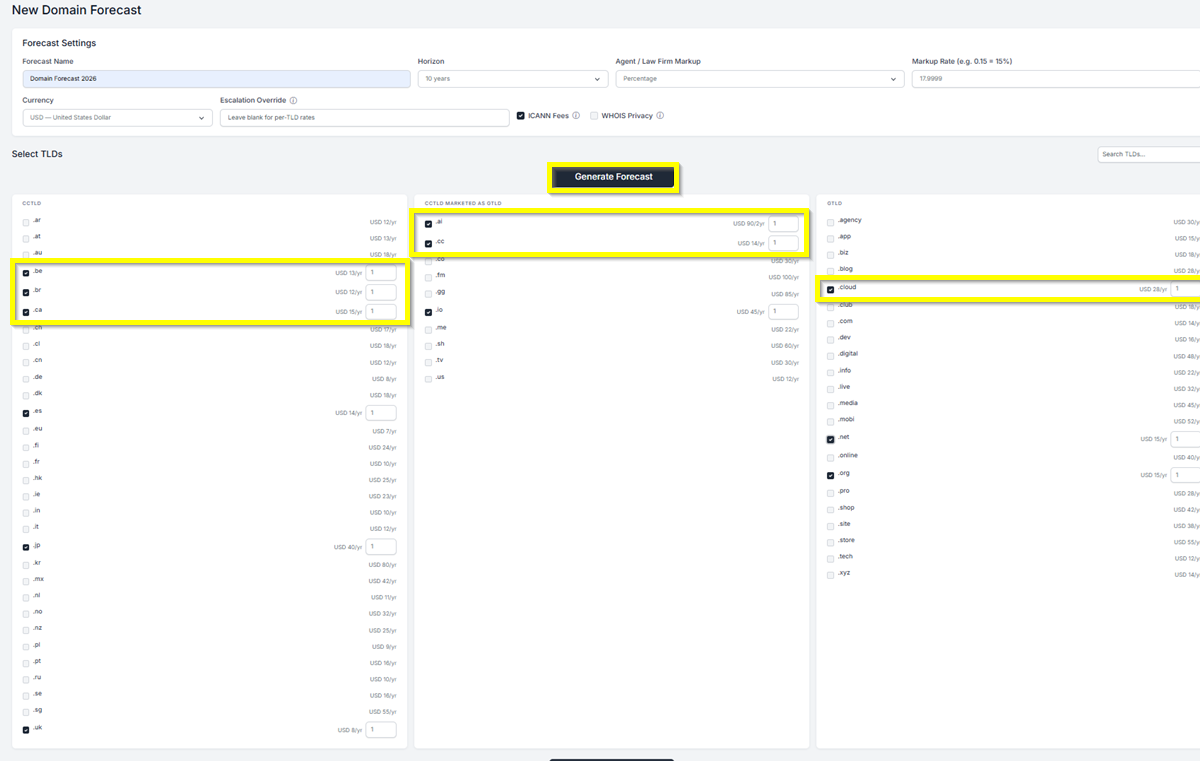
FORECAST RESULTS – You will see a detailed breakdown of your domain registration costs.
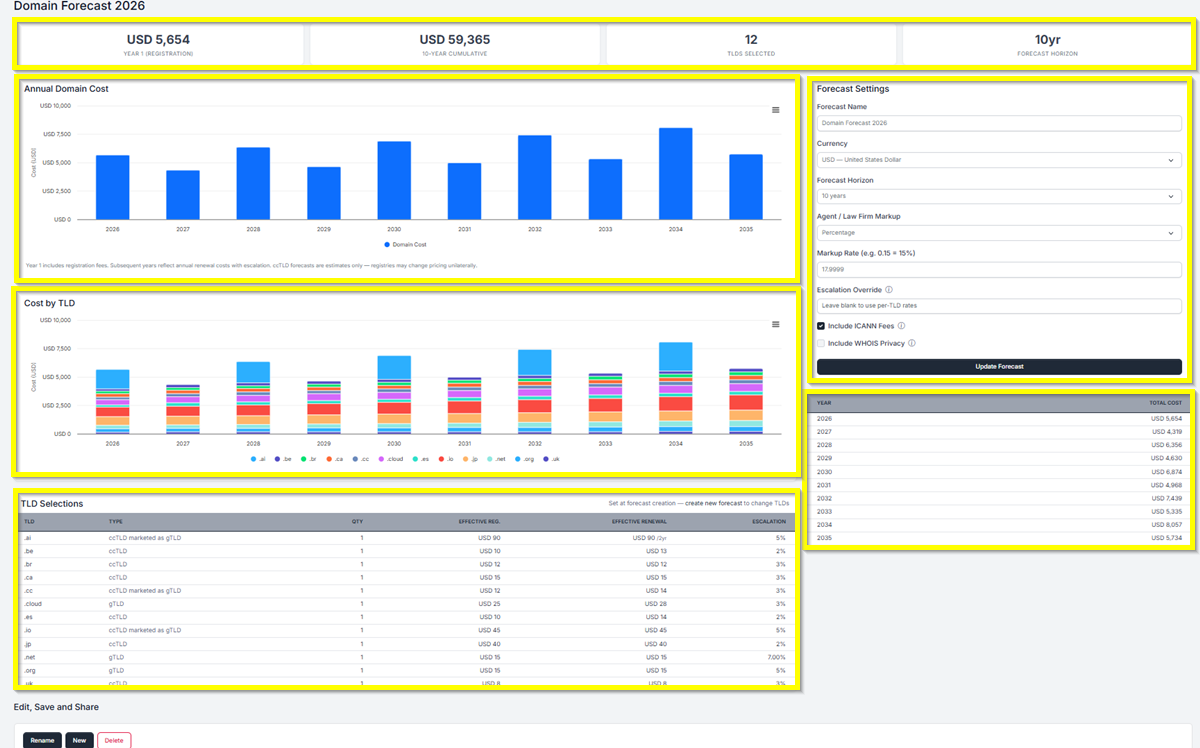
After clicking Generate Forecast, you are now at your forecast results screen. At the top, you will see a summary of four key figures:
- Year 1 (Registration) — The total first-year registration cost across all selected TLDs.
- Cumulative Cost — The total cost over your selected forecast horizon (e.g., 10-Year Cumulative).
- TLDs Selected — The number of TLDs included in your forecast.
- Forecast Horizon — The time period covered by your forecast.
The results screen also includes:
- Annual Domain Cost chart — A bar chart showing your projected domain costs year by year. Year 1 includes registration fees; subsequent years reflect annual renewal costs with escalation. Note that ccTLD forecasts are estimates only — registries may change pricing unilaterally.
- Cost by TLD chart — A stacked bar chart breaking down annual costs by individual TLD.
- TLD Selections table — A detailed table listing each selected TLD with its type (ccTLD, ccTLD marketed as gTLD, or gTLD), quantity, effective registration cost, effective renewal cost, and escalation rate.
- Year-by-year cost table — Found on the right side of the screen, showing the total cost for each year in your forecast horizon.
- Forecast Settings panel — Also on the right, allowing you to update settings such as currency, horizon, markup, escalation override, ICANN Fees, and WHOIS Privacy. Click Update Forecast to apply any changes.
Saving and Sharing (bottom left) allows you to Save, Edit, Export, Create New, or Send by Email your forecast results.
If you need any additional assistance, please contact us at support@prokurio.com, and we’ll get you the answers you need!

