

Prokurio's National Forecast without Priority helps you estimate the cost of a first filing in many countries at once, with no priority claim. This forecast type covers direct filings only.
Let's create a National Forecast without Priority.
From your Homepage, at the top under Create a New Forecast, click the button labeled Patents. Then, under National Filings, select National Forecast without Priority. This will take you directly to the National Forecast without Priority screen.
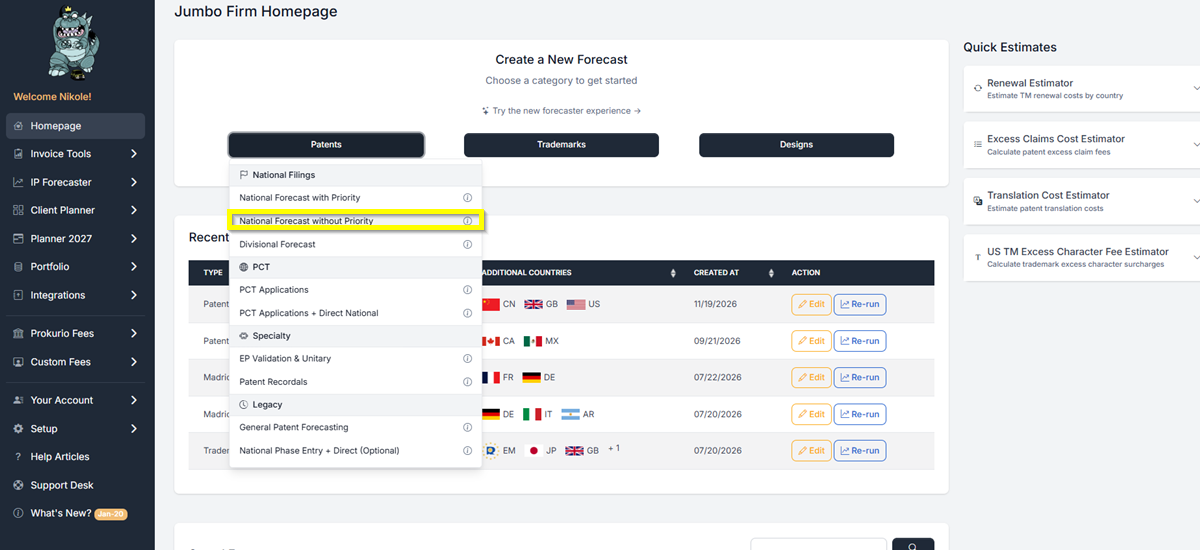
- Enter the Reference number, Applicant, and Title of the invention for your forecast. (If Applicable)
- Use the search icon in the Applicant field to look up an applicant.
Enter or review the Total claims, Independent claims, and Application pages (for official fees).
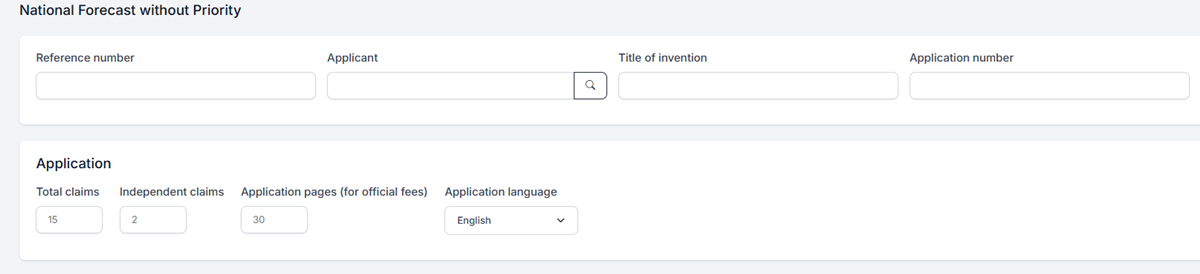
- Filter countries: If you already have a filtered list of countries, select it here and choose your countries from that list. Select countries: Search for and enter countries manually. Add from country groups: If you have an existing country group, select it to add its countries.
- Click Save these countries as a group to reuse your current selection later.
- Once your countries are selected, each one appears in its own row. A status line at the top (for example, 4 countries · ready) shows how many countries are set up.
- Filing Type: Choose the filing type, such as Patent or Utility.
- Review the Claims, Independent Claims, and Pages, and set the Entity Size where it applies.
- Foreign Associate: Choose the associate to price that country with. Some countries show a Standard rate instead.
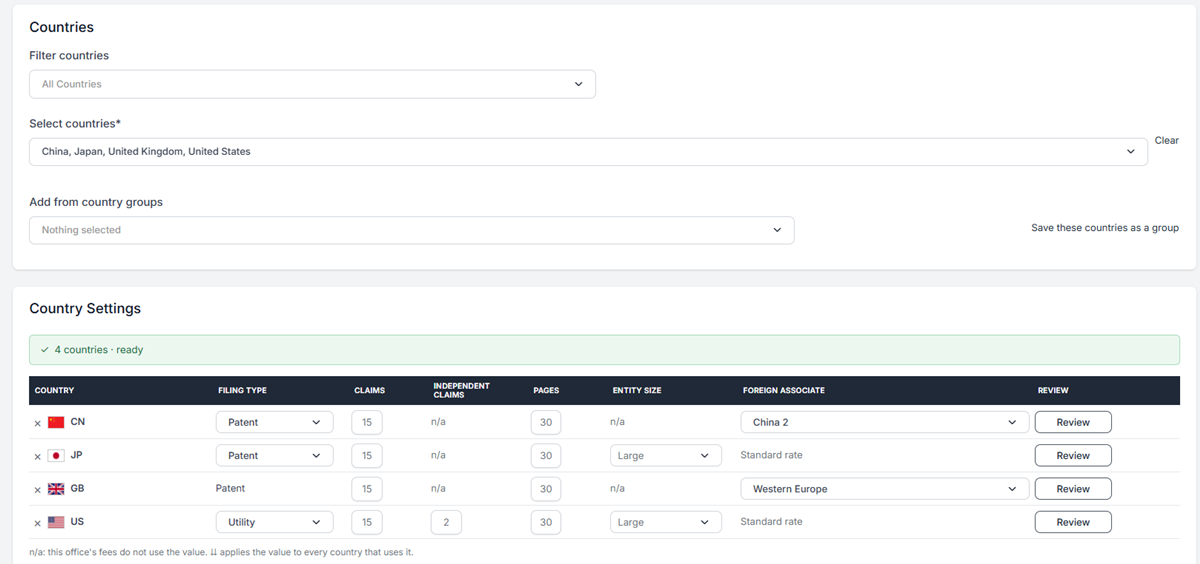
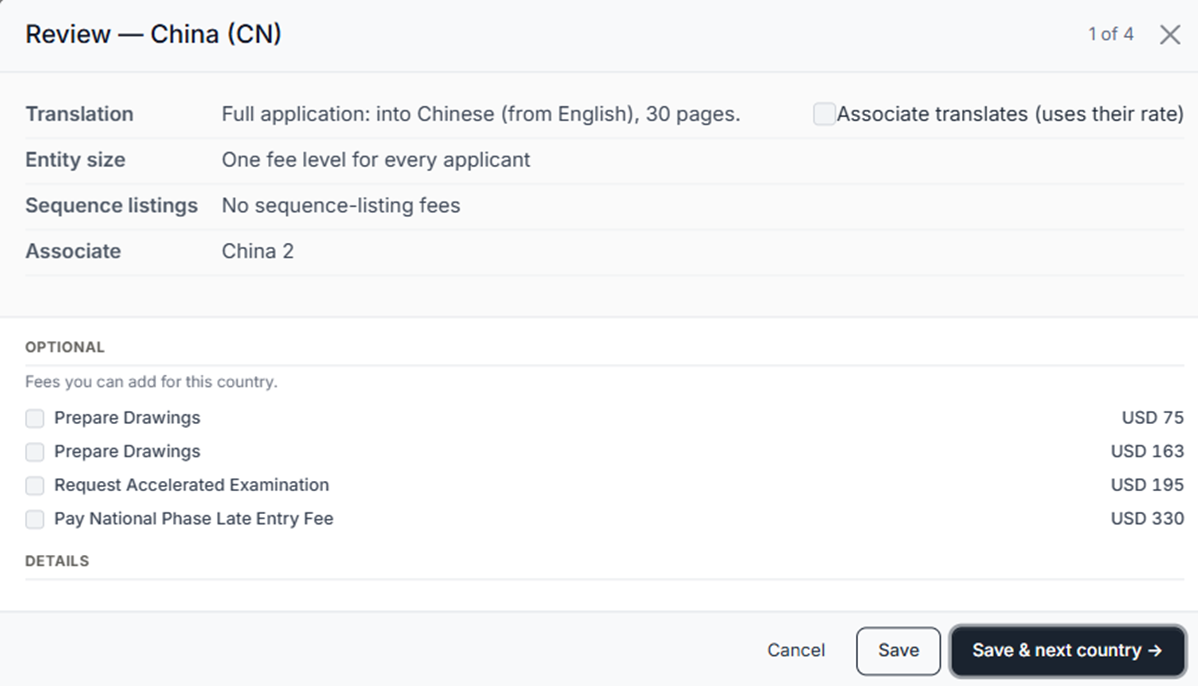
- Click Review next to a country to open its Review window. The top of the window summarizes that country's Translation, Entity size, Sequence listings, and Associate.
- Check Associate translates (uses their rate) to use the associate's rate for translation.
- Optional: Check any optional fees you want to add for that country, such as Prepare Drawings, Request Accelerated Examination, or Pay National Phase Late Entry Fee. The amount for each fee is shown on the right.
- Click Save, or click Save & next country to move on to the next country's review. The counter at the top (for example, 1 of 4) shows which country you're on.
- Click Review next to a country to open its Review window. The top of the window summarizes that country's Translation, Entity size, Sequence listings, and Associate.
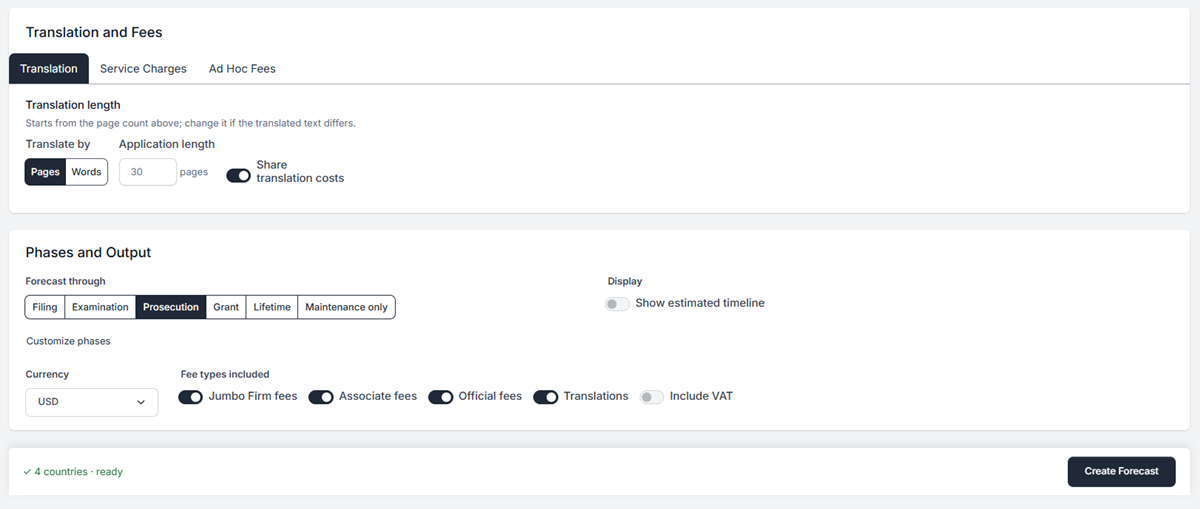
- Translation and Fees: Use the Translation tab to set the Translation length, the Service Charges tab for service charges, and the Ad Hoc Fees tab to add any ad hoc fees.
Phases and Output: Under Forecast through, choose Filing, Examination, Prosecution, Grant, Lifetime, or Maintenance only.
- Click Customize phases to select the phases you want to be included.
- Display: Turn on Show estimated timeline to include an estimated timeline.
- Currency: Select the currency for your forecast.
- Fee types included: Use the toggles to choose which fees appear: [Your Firm] fees, Associate fees, Official fees, Translations, and Include VAT.
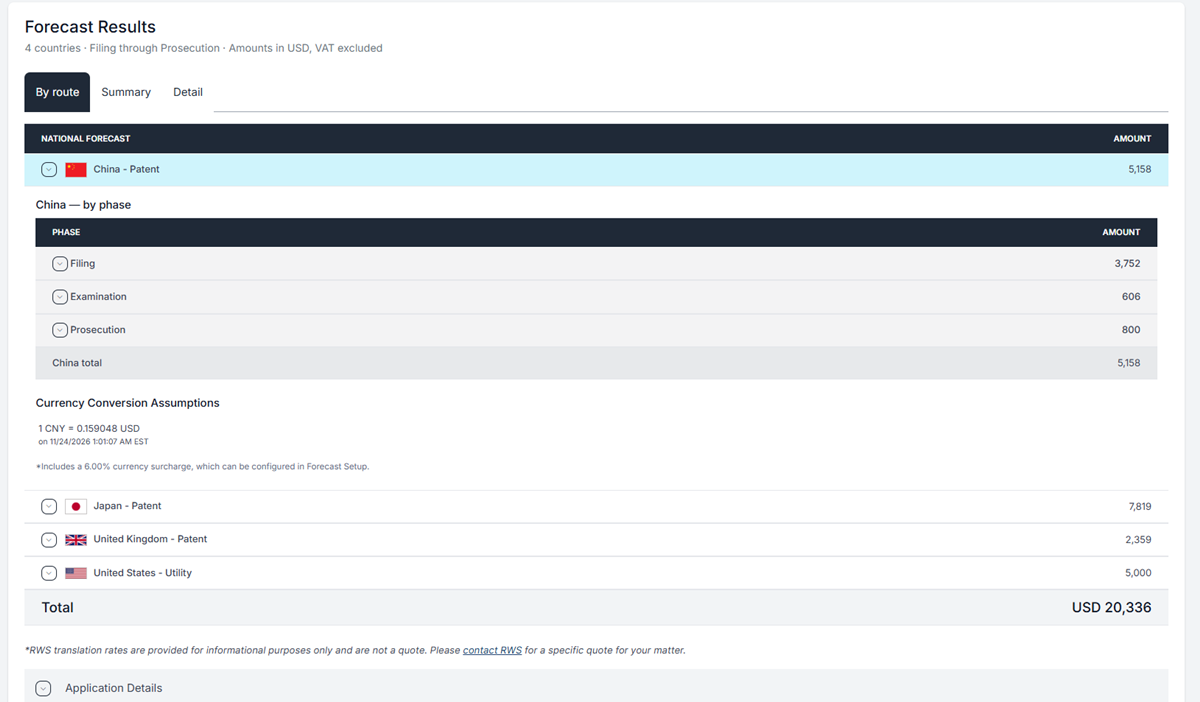
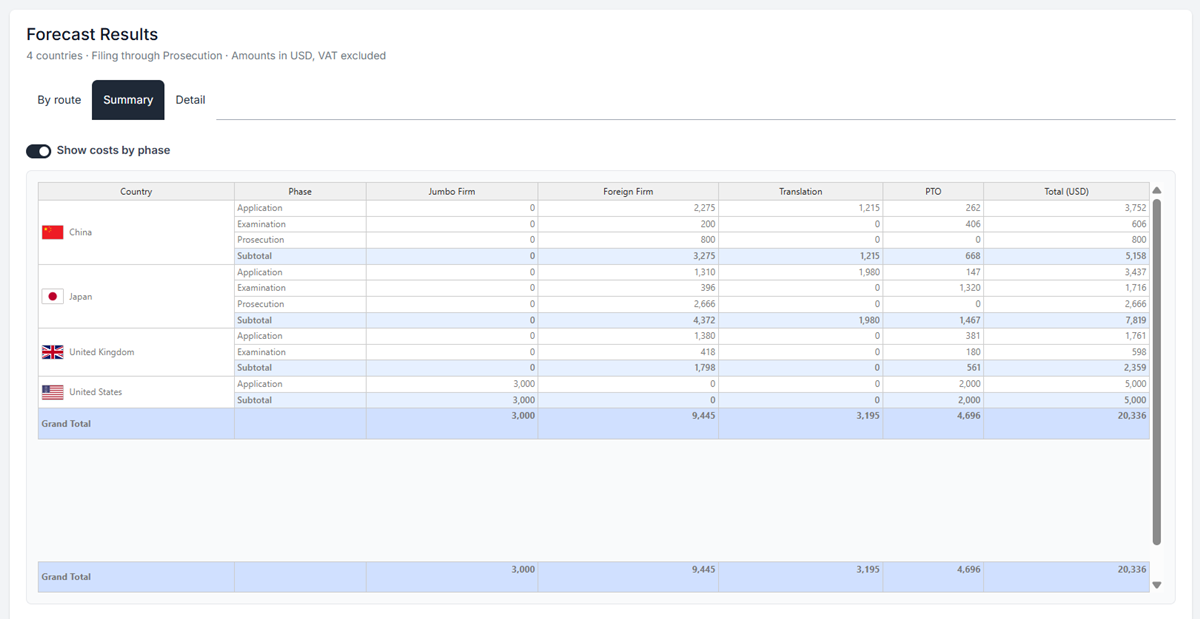
- Forecast Results - there will be 2 forecast results: Results by Route and Results by Summary.
Results by Route
Results by Summary
Once your forecast is created, use the Edit, Save, and Share section to save, edit, export, or email your forecast.
If you need any additional assistance, please contact us at support@prokurio.com, and we'll get you the answers you need!