

The FX Rate Schedule lets you automate when Prokurio pulls live exchange rates. Your existing rates are only replaced when a download succeeds, and manually entered rates are never overwritten.
Let’s set up an FX Rate Schedule.
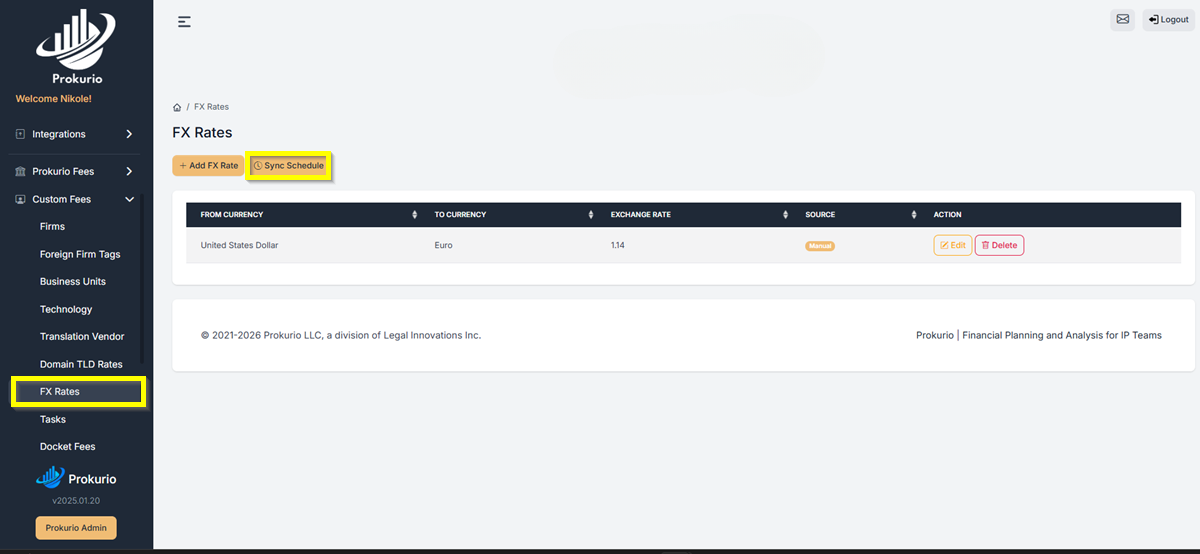
- From your Homepage, go to Custom Fees in the left sidebar, then select FX Rates and click Sync Schedule.
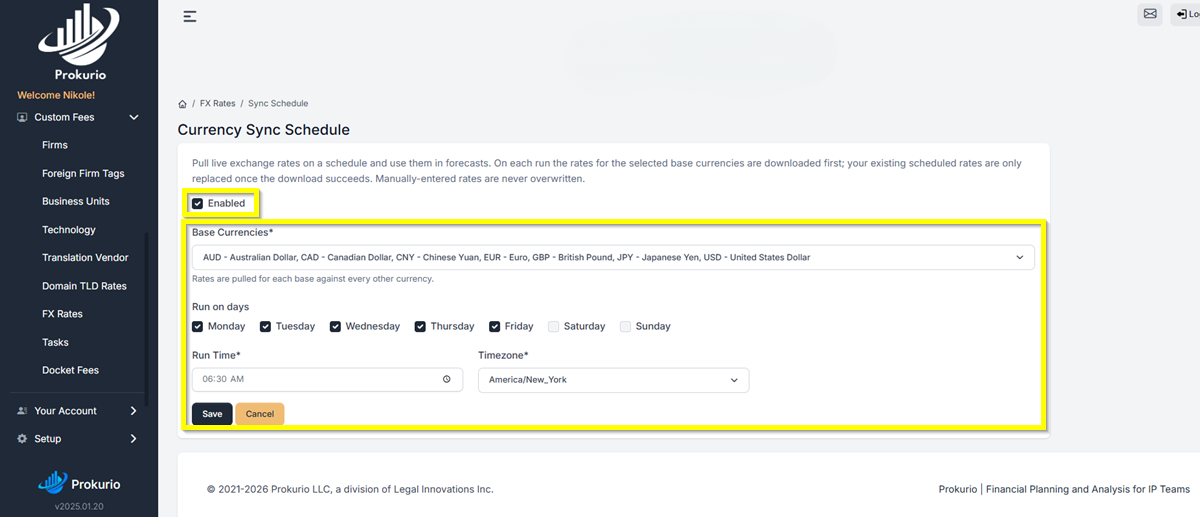
- On the Sync Schedule screen, check the Enabled box to activate the schedule.
- Under Base Currencies, select the currencies you want rates pulled for. (Prokurio pulls each base rate against every other currency.)
- Under Run on days, check the days you want the sync to run. Set your Run Time and select your Timezone.
- Click Save when done.
Note: If a download fails, your existing rates remain in place until the next successful sync.
If you need any additional assistance, please contact us at support@prokurio.com, and we’ll get you the answers you need!