

Docket Fee Coverage compares your mapped lifecycle events against every country in your portfolio and shows you exactly what’s left to set up.
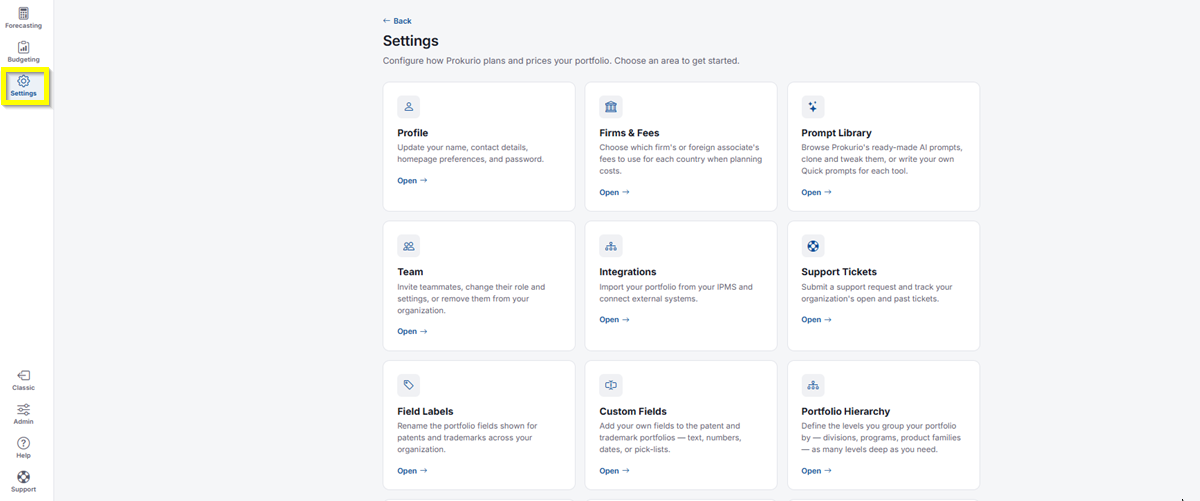
- In the top-left icon rail, click the gear icon to open Settings.
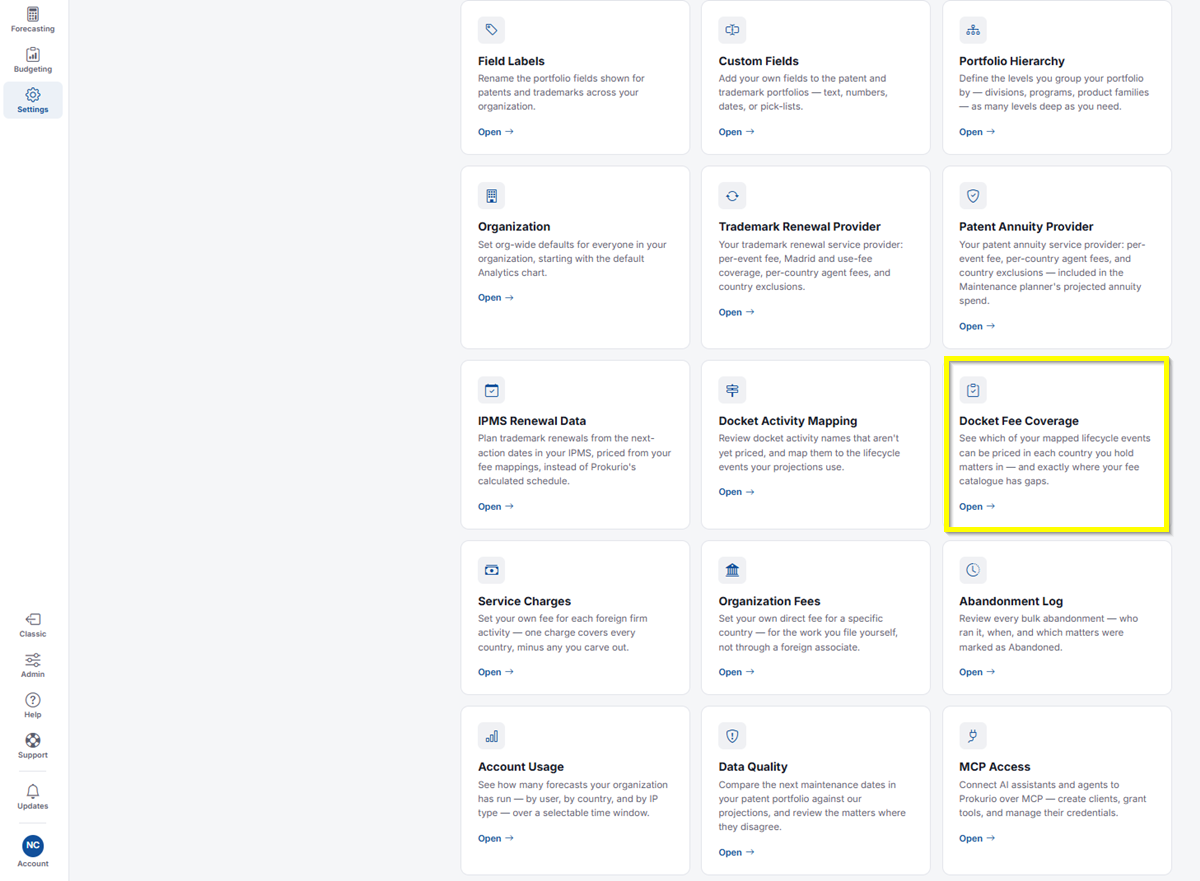
- Click Docket Fee Coverage.
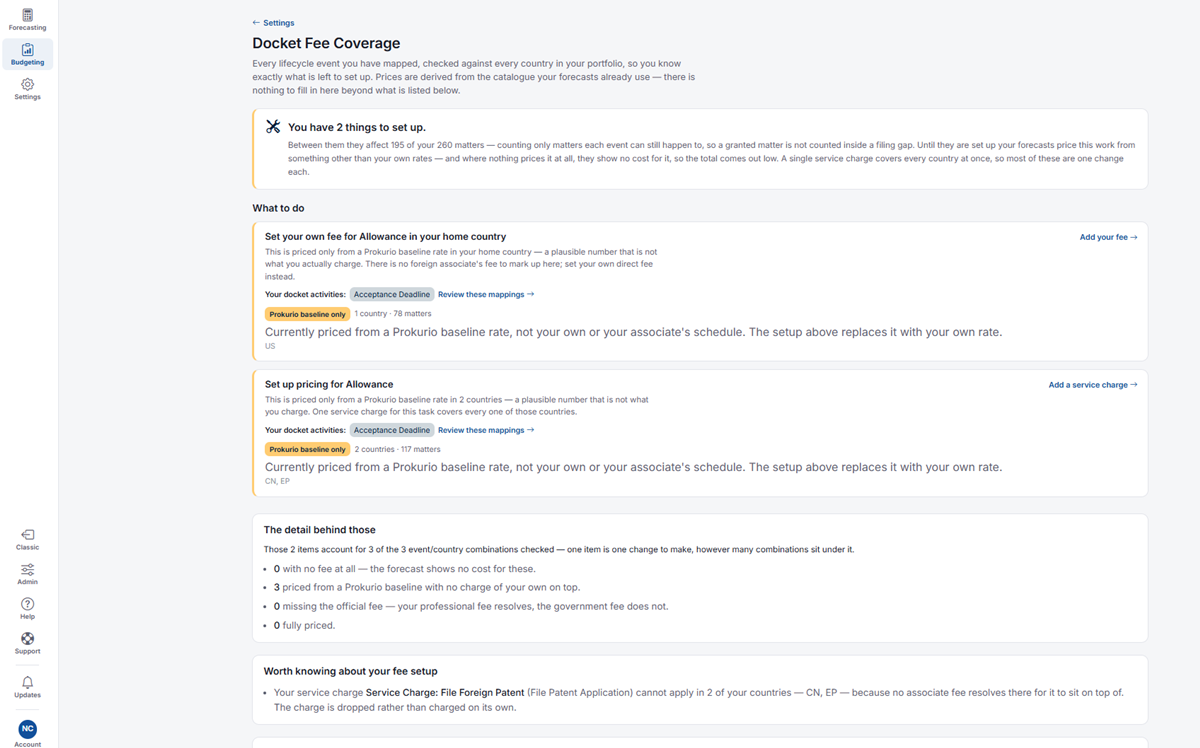
- At the top, you’ll see a summary such as “You have 2 things to set up,” explaining how many of your matters are affected, counting only matters each event can still happen to, so a granted matter isn’t counted inside a filing gap. Until you set these up, your forecasts price this work from something other than your own rates, and where nothing prices it at all, it shows no cost, so the total comes out low. A single service charge covers every country at once, so most of these are one change each.
- Under What to do, each card names a task, for example, Set your own fee for Allowance in your home country or Set up pricing for Allowance:
- Each card shows the docket activities involved, for example, Acceptance Deadline, with a link to Review these mappings.
- A badge, such as Prokurio baseline only, shows the countries and matter count affected.
- Click Add your fee or Add a service charge in the top right of a card to resolve it.
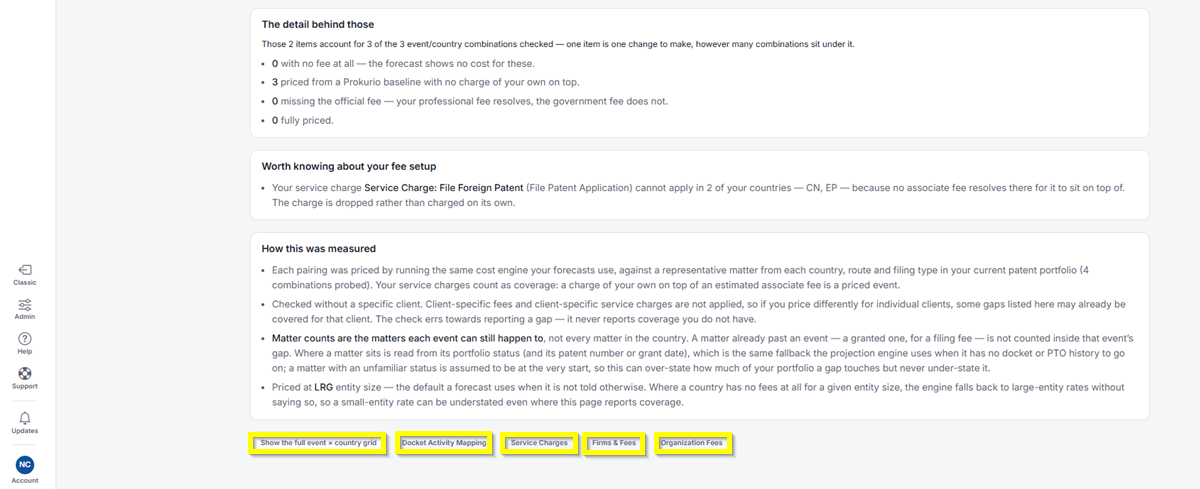
- The detail behind those breaks down how many event/country combinations were checked, and how many fall into each category:
- With no fee at all: The forecast shows no cost for these.
- Priced from a Prokurio baseline with no charge of your own on top.
- Missing the official fee: Your professional fee resolves, but the government fee doesn’t.
- Fully priced.
- Worth knowing about your fee setup flags anything unusual, like a service charge with no associate fee to sit on top of in a particular country. In that case, the service charge is dropped, not charged on its own.
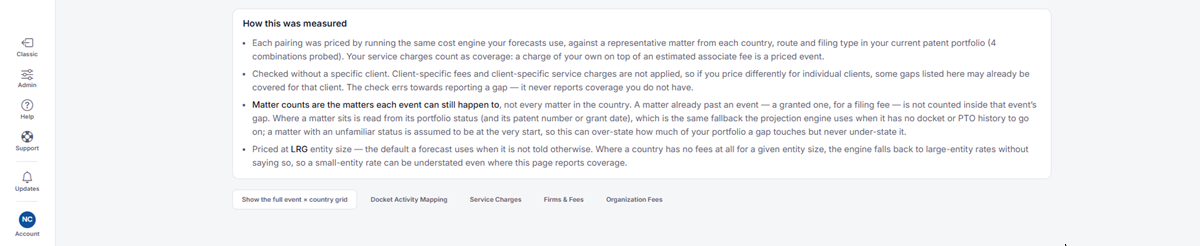
How This Was Measured
- Each pairing was priced by running the same cost engine your forecasts use, against a representative matter from each country, route, and filing type in your current patent portfolio. Your service charges count as coverage: a charge of your own on top of an estimated associate fee is a priced event.
- This was checked without a specific client. Client-specific fees and client-specific service charges aren’t applied, so if you price differently for individual clients, some gaps listed here may already be covered for that client. The check errs toward reporting a gap; it never reports coverage you don’t have.
- Matter counts are the matters each event can still happen to, not every matter in the country. A matter already past an event, for example, a granted one for a filing fee, isn’t counted inside that event’s gap. Where a matter sits is read from its portfolio status (and its patent number or grant date), which is the same fallback the projection engine uses when it has no docket or PTO history to go on. A matter with an unfamiliar status is assumed to be at the very start, so this can overstate how much of your portfolio a gap touches, but never understate it.
- Priced at LRG entity size, the default a forecast uses when it isn’t told otherwise. Where a country has no fees at all for a given entity size, the engine falls back to large-entity rates without saying so, so a small-entity rate can be understated even where this page reports coverage.
-
At the bottom of the page, you’ll find the following options:
- Show the full event × country grid: Expands the Every combination table, which lists each event (such as Allowance or Acceptance Deadline) against your countries (such as CN, EP, and US). Each cell shows a colored dot for that event and country pairing: No fee at all, Prokurio baseline only, No official fee, Priced, or No separate charge expected.
- Docket Activity Mapping: Takes you straight to Docket Activity Mapping in Settings.
- Service Charges: Takes you straight to Service Charges in Settings.
- Firms & Fees: Takes you straight to Firms & Fees in Settings.
- Organization Fees: Takes you straight to Organization Fees in Settings.
If you need any additional assistance, please contact us at support@prokurio.com, and we’ll get you the answers you need!