

Custom Fields let you add your own fields to patent and trademark portfolios. They appear as additional columns in the portfolio grid and are visible to everyone in your organization. You can rename, reorder, or remove them at any time, with up to 15 active fields per portfolio.
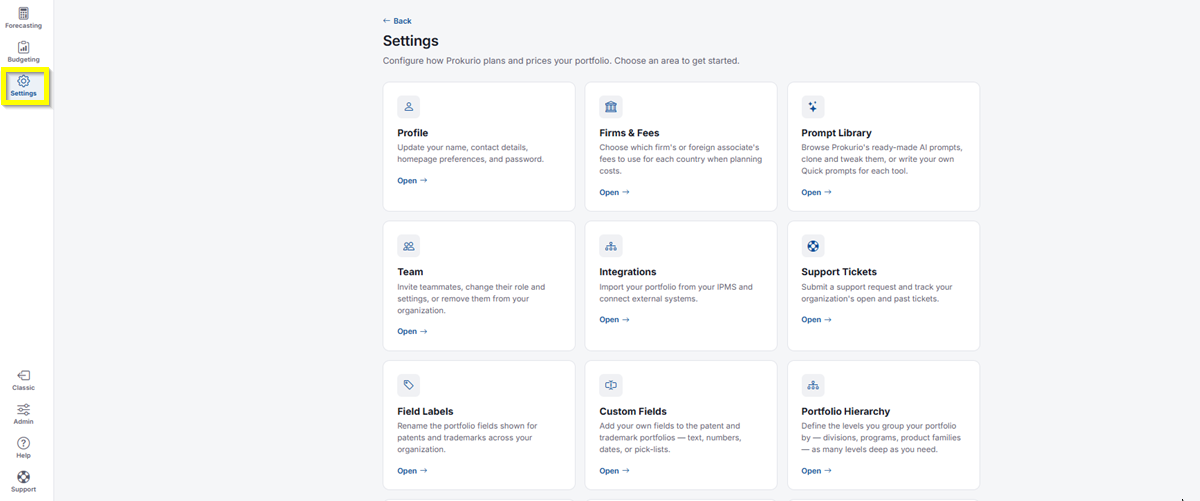
- In the top-left icon rail, click the gear icon to open Settings.
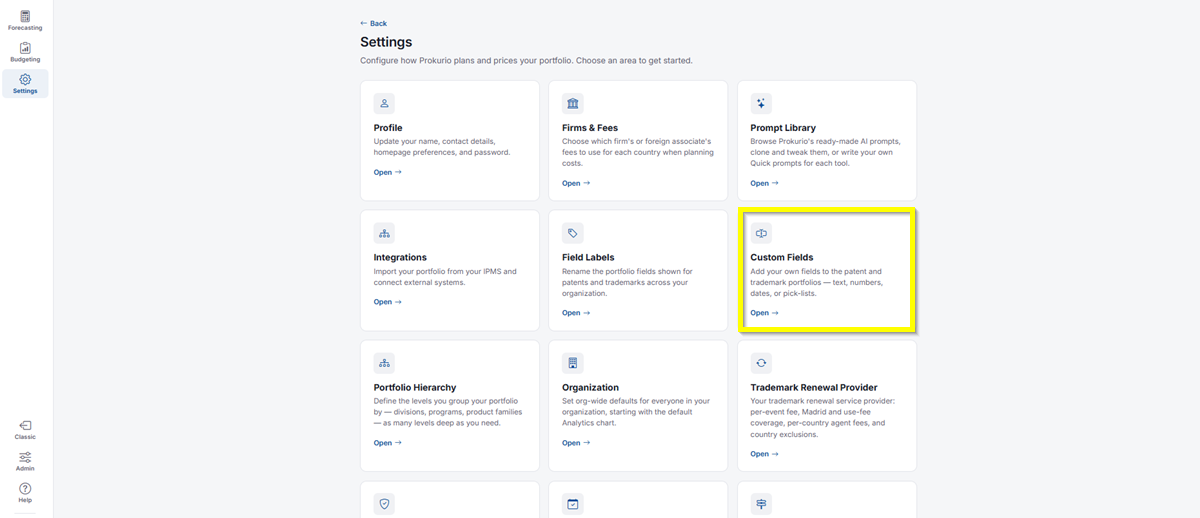
- Click Custom Fields.
-
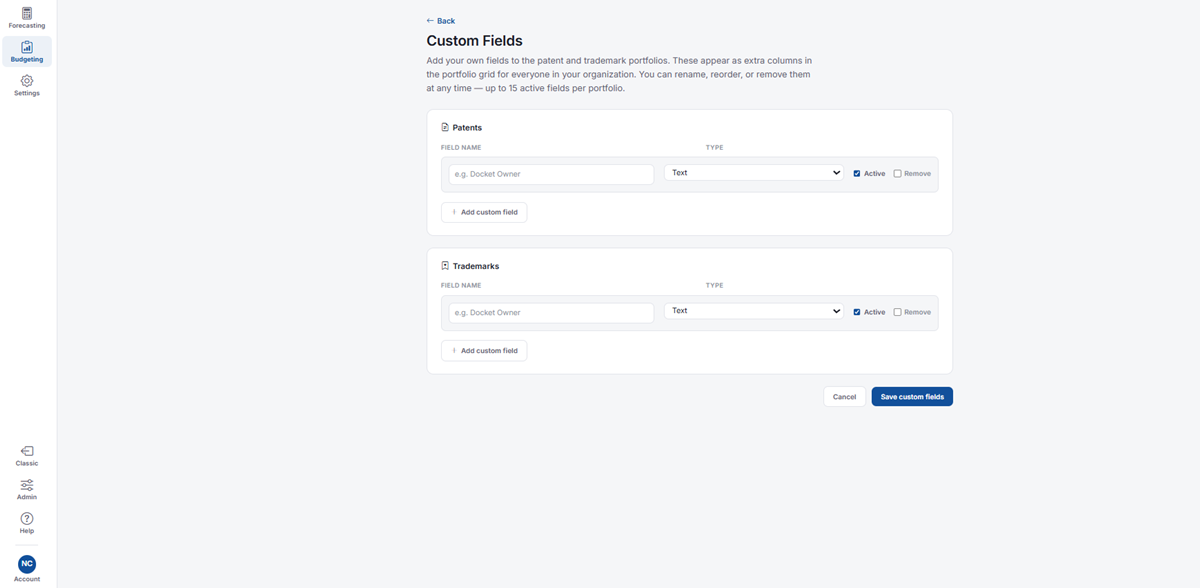
Adding a Custom Field – Patents and Trademarks each have their own section:
- Field Name: Enter a name for your custom field, for example “Docket Owner.”
- Type: Select the field type from the dropdown, for example Text.
- Active: Checked by default. Uncheck to hide the field from the portfolio grid without deleting it.
- Remove: Check this to delete the field entirely.
- Click Add custom field to add another row for that portfolio.
- Click Save custom fields once you’re done, or Cancel to discard your changes.
If you need any additional assistance, please contact us at support@prokurio.com, and we’ll get you the answers you need!