

Once your European patent is granted, you can easily forecast the costs of validating it in the EP member states you have selected. These forecasts can be Saved, Emailed, and/or Exported for later use or distribution to team members or clients to review.
Let’s create your EP Validation forecast for validation costs in the United Kingdom, Germany, and Cambodia. The European Patent Organization is already automatically selected.
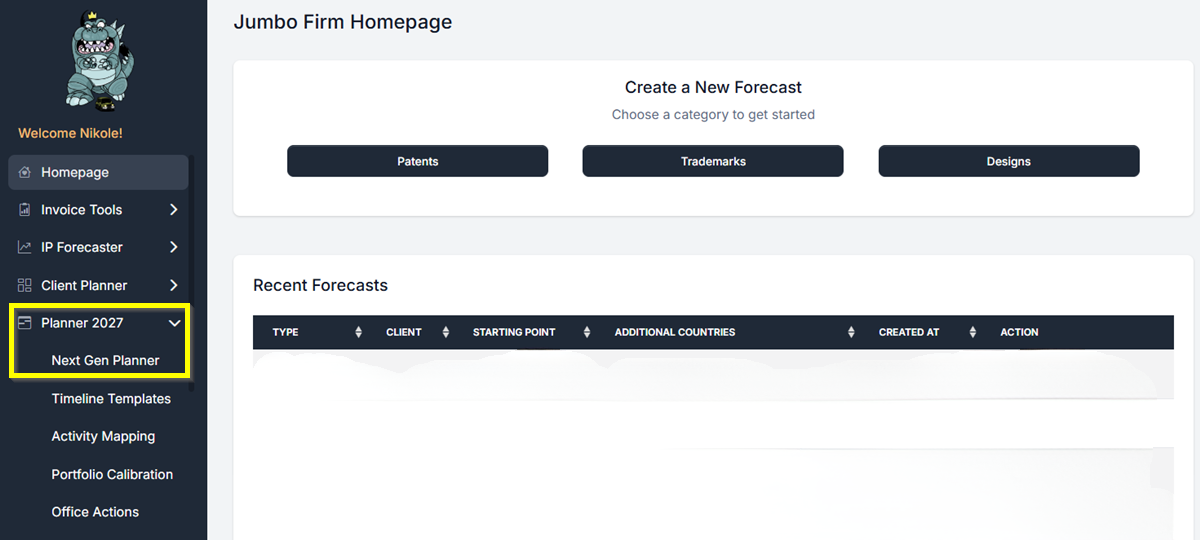
- From your Homepage, find Planner 2027 in the left-hand navigation and click it. Then click Next Gen Planner.
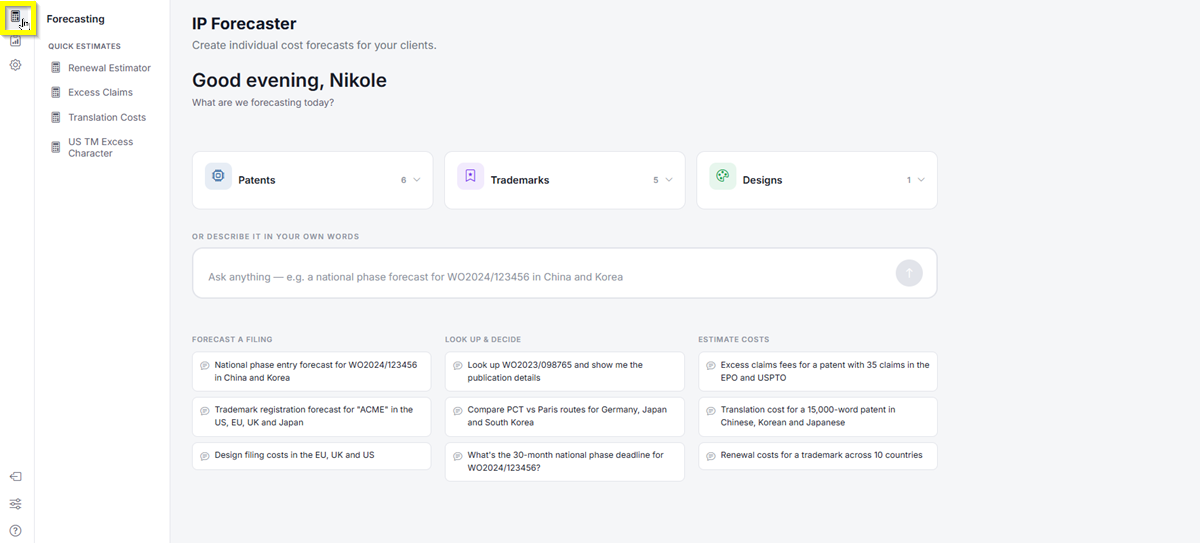
- The Next Gen Planner loads and takes you to the IP Forecaster page. In the top-left icon rail, click the Forecasting icon.
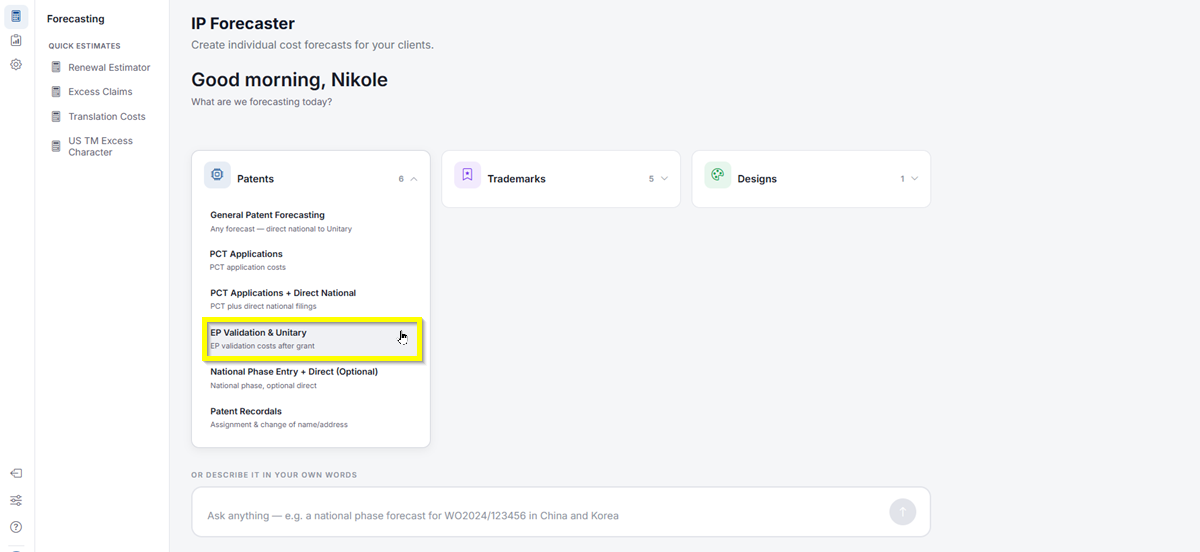
- Click Patents, then select EP Validation & Unitary. This will take you directly to the Patent Forecast Request screen.
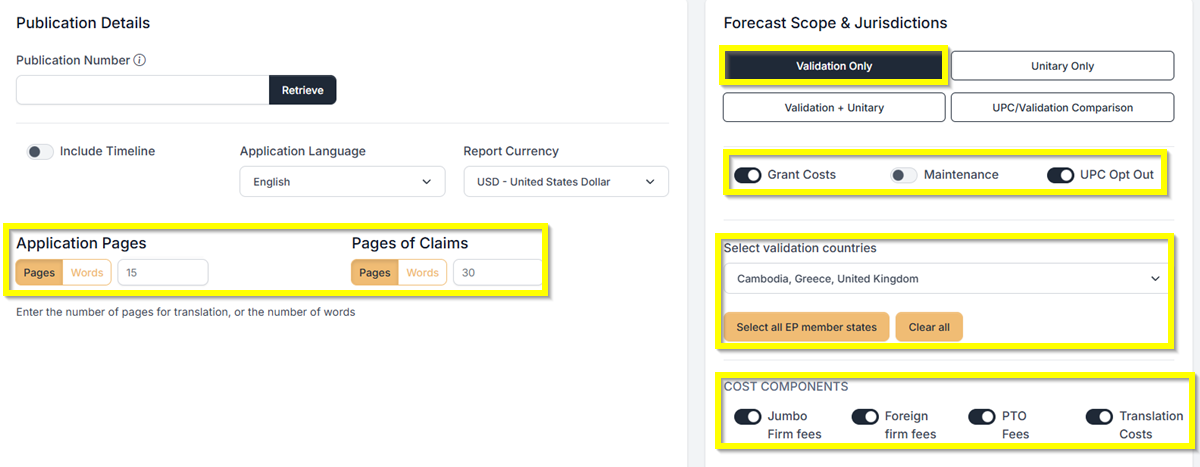
- Under Forecast Scope and Jurisdiction, select Validation Only. Then, under Select Validation Countries, choose the specific countries you want to include. If you want to add all EP member states, simply click Select All EP Member States.
- Under Application Pages, enter 15, and under Pages of Claims, enter 30 for this example. You can also toggle Grant Cost, Maintenance UPC Opt Out, and other applicable fees.
- Click Create Forecast to proceed.
Forecast Results Screen: You will have 3 different views of the results: Hybrid, Summary, and Detailed Timeline.
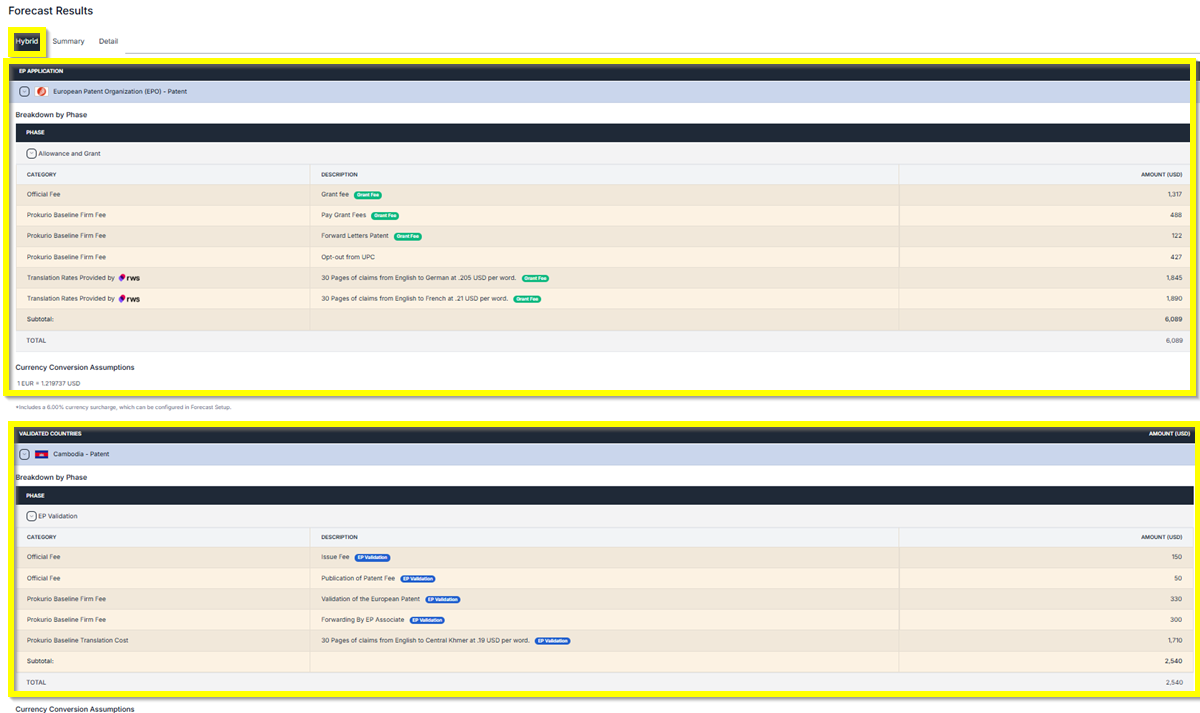
- Hybrid Results – Detailed results of the forecast.
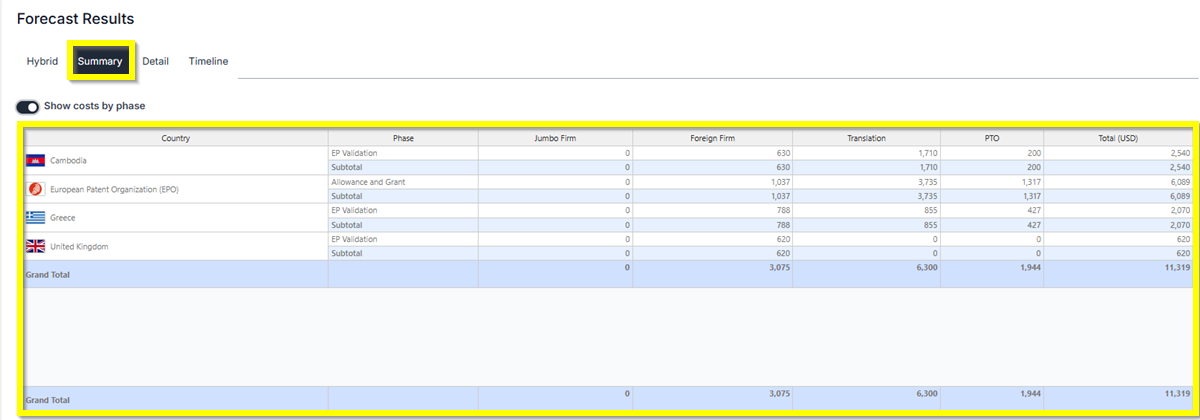
- Summary Results – Provides a concise overview of the results. Has the ability to show cost by phase.
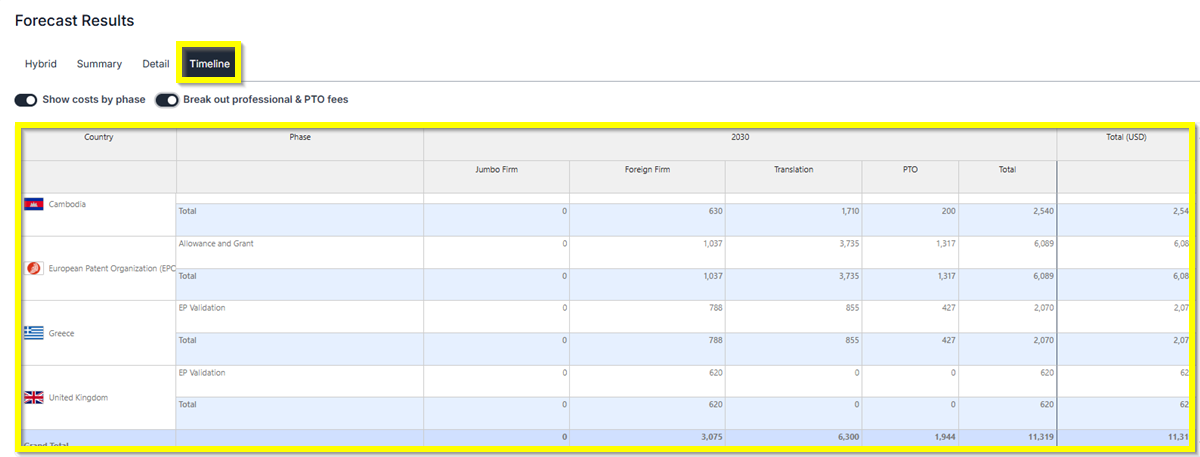
- Timeline Results– Provides the results for the current year and also the next 3 years. Has the ability to show cost by phase and show Breakout professional & PTO fees.
Validated Countries Results – Each country that is added to your forecast will have the EP Validation Phase and other phases you selected.
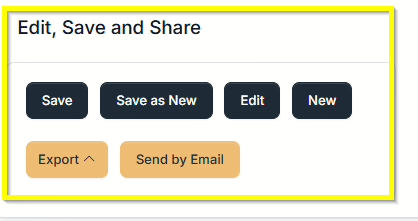
Saving and Sharing (bottom left) allows you to Save, Edit, Export, Create New, or Send by Email your forecast results.
If you need any additional assistance, please contact us at support@prokurio.com, and we’ll get you the answers you need!`