

IP Forecaster now supports utility model (UM) filings for applicable countries. The forecaster automatically detects which countries in your list offer utility model protection and lets you toggle the utility model option per country. This applies to the General Patent Forecast and to the National Forecast.
Let’s generate a forecast with 10 claims, 2 independent claims, with 30 total pages:
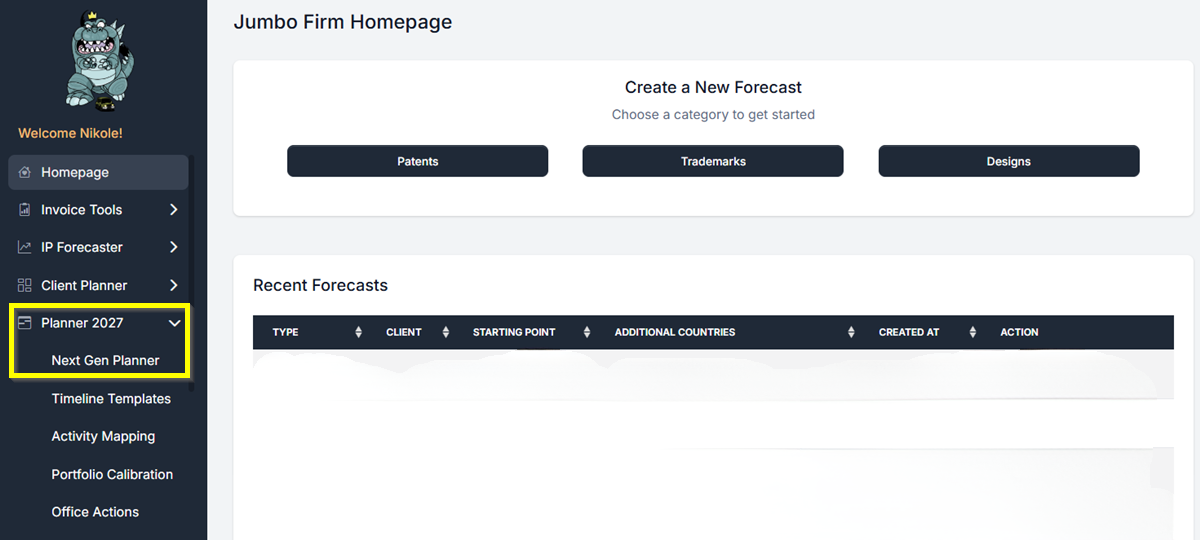
- From your Homepage, find Planner 2027 in the left-hand navigation and click it. Then click Next Gen Planner.
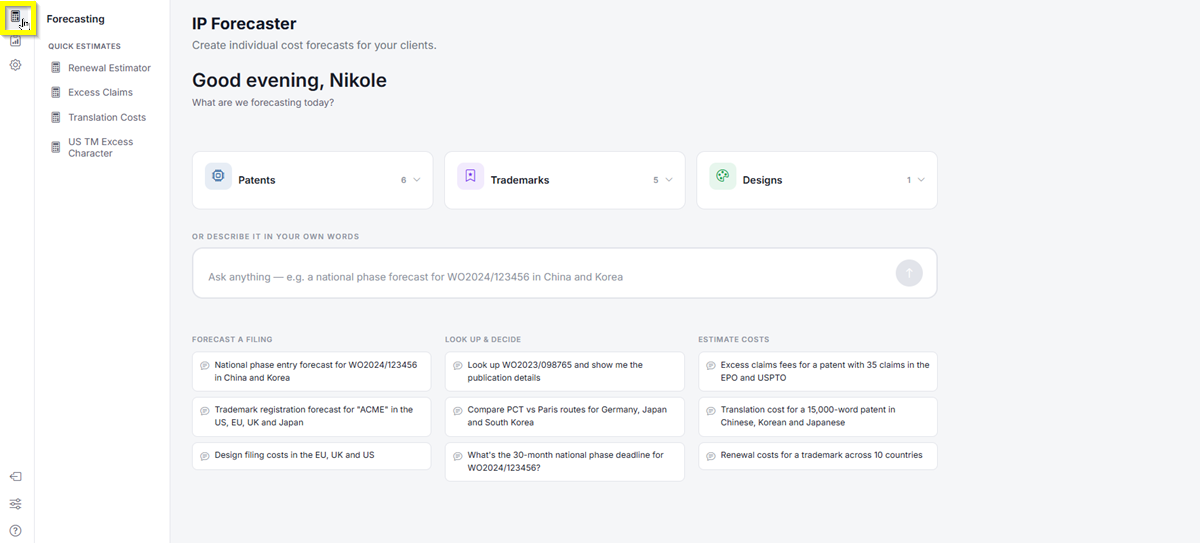
- The Next Gen Planner loads and takes you to the IP Forecaster page. In the top-left icon rail, click the Forecasting icon.
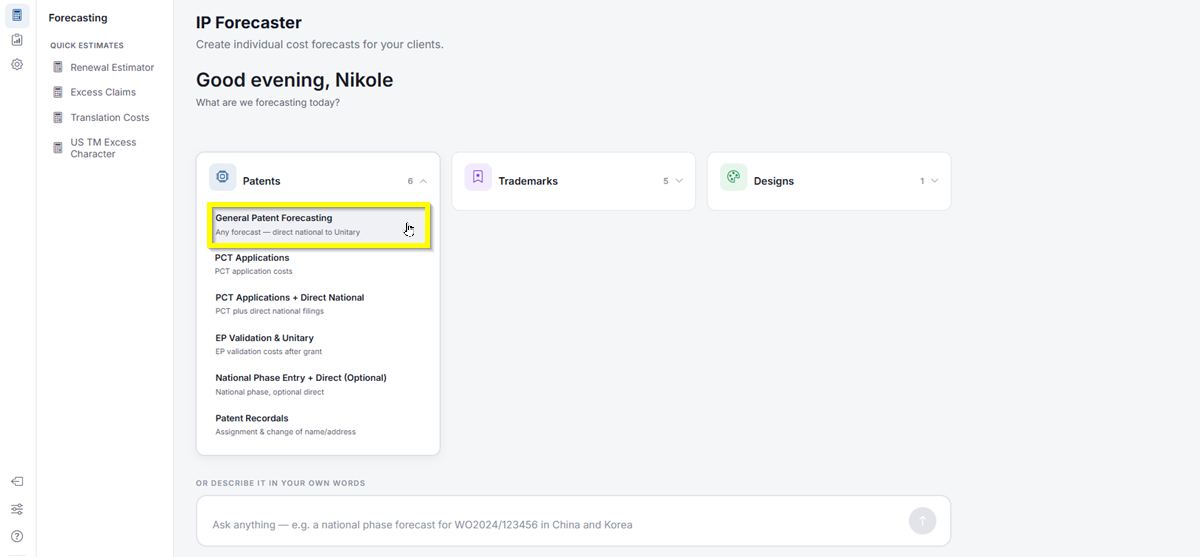
- Click Patents, then select General Patent Forecasting. This will take you directly to the Patent Forecast Request screen.
- From the General Patent Forecasting Request screen, select your Starting Point (e.g., United States) and add your additional countries, including Germany.
- Under the Filing Routes section, the forecaster will automatically detect countries that offer utility model protection. A toggle will appear next to each applicable country.
- Switch the toggle on for any country where you want to forecast a utility model filing. Leave it off for countries where you are filing a standard patent.
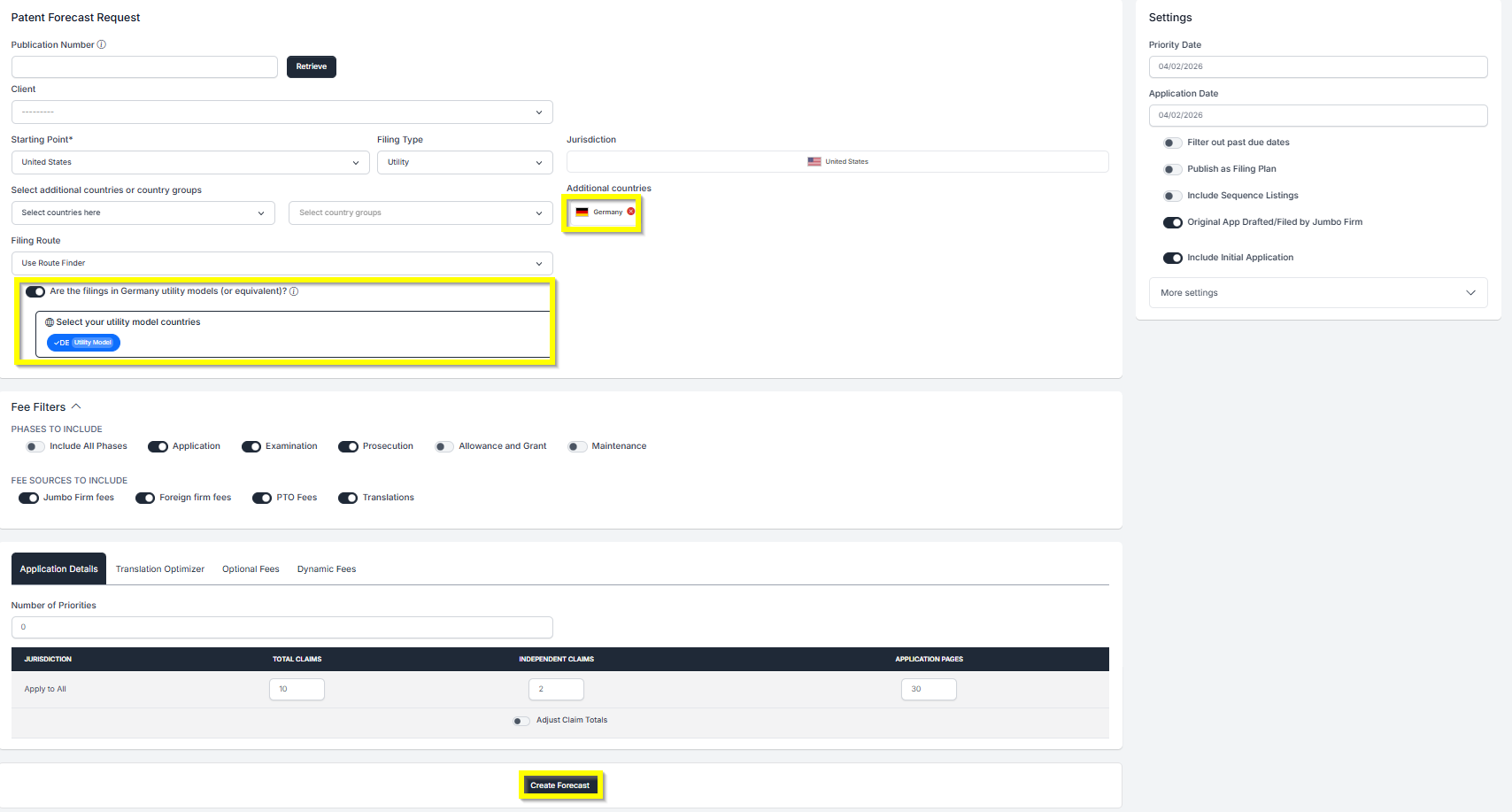
- Fill in your Application Details (claims, pages, etc.) and adjust any other settings as needed.
- Click Create Forecast at the bottom of the screen.
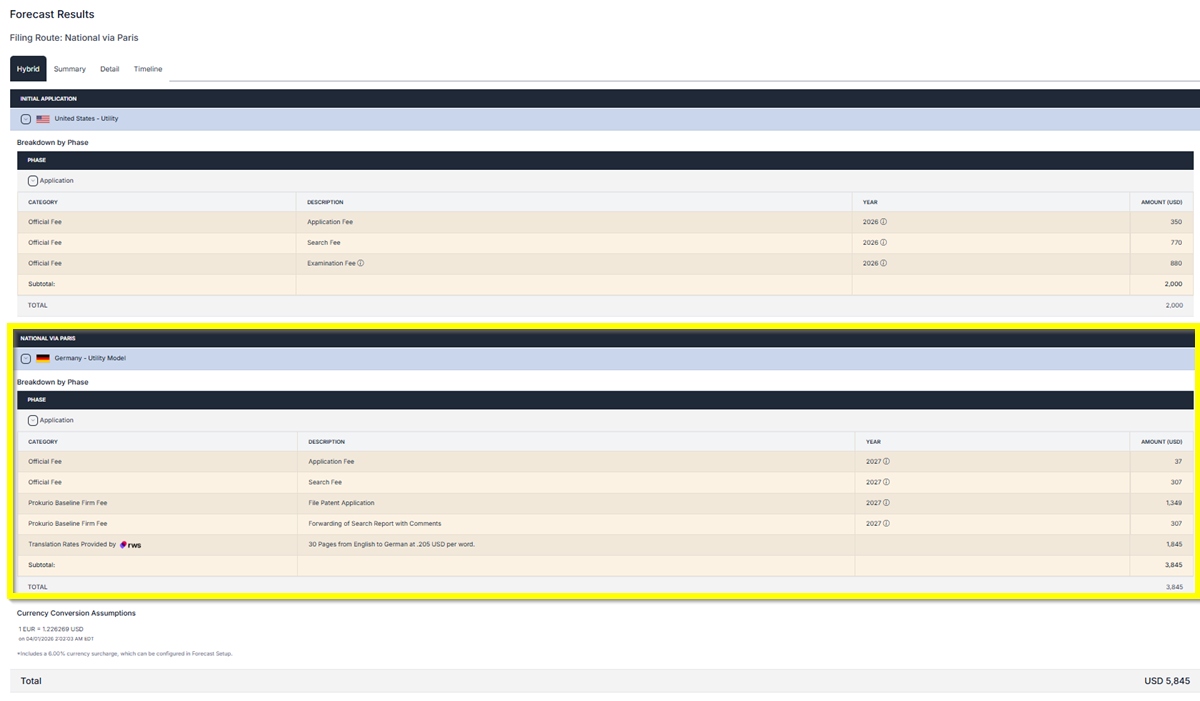
Your results will now reflect the selected filing types. Countries with a utility model selected will appear labeled accordingly in the forecast (e.g.,
Germany Utility Model). If you need any additional assistance, please contact us at
support@prokurio.com, and we’ll get you the answers you need!