

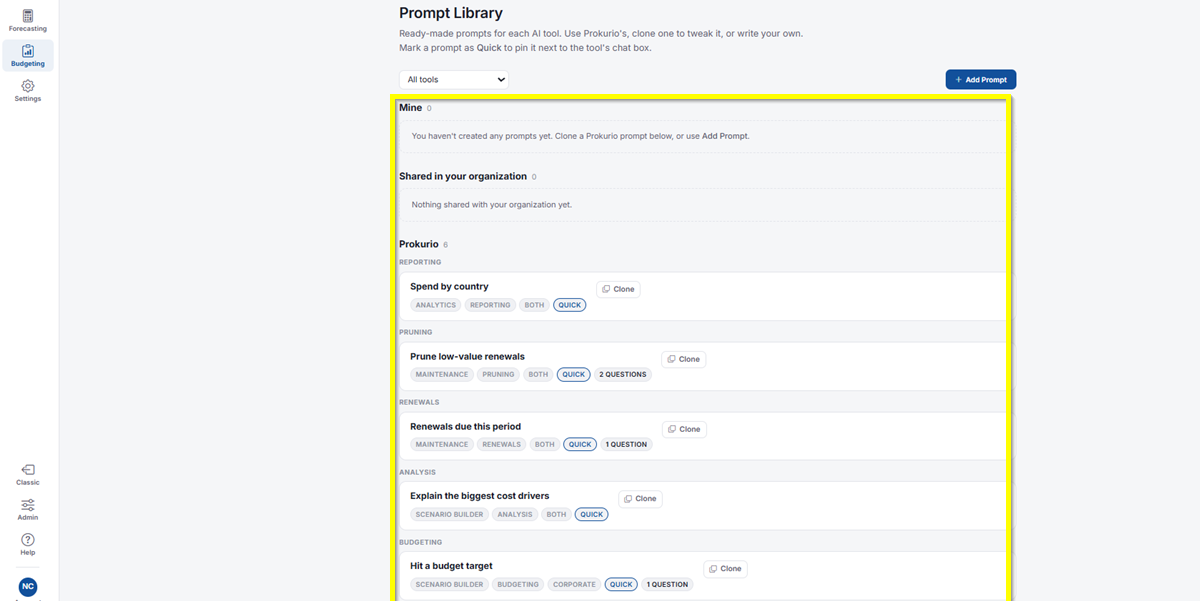
Prompt Library is where you’ll find ready-made prompts for each AI tool. Use one of Prokurio’s prompts as is, clone one to tweak it, or write your own from scratch. You can also mark any prompt as Quick to pin it next to the tool’s chat box.
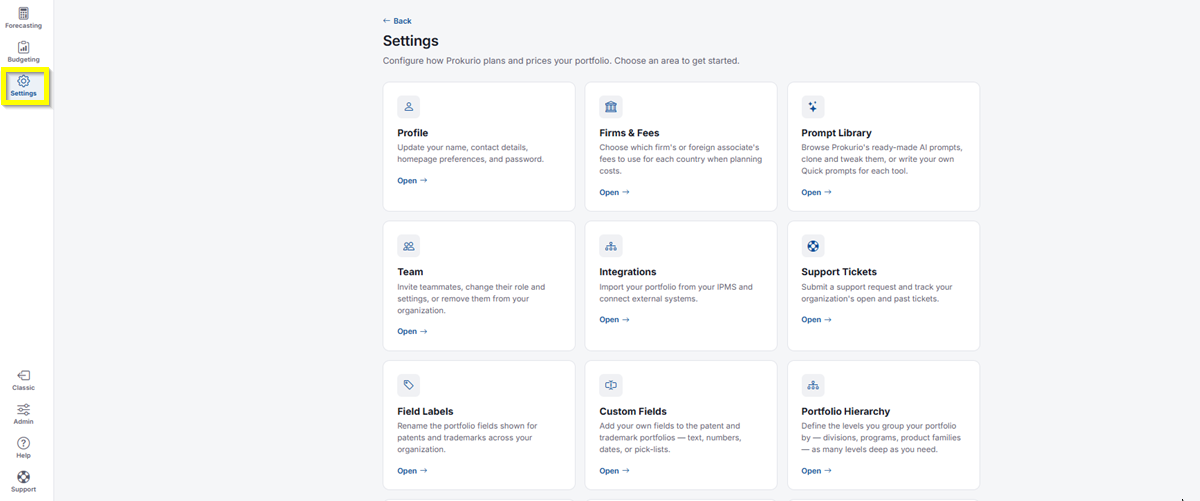
- In the left-hand navigation, click Settings.
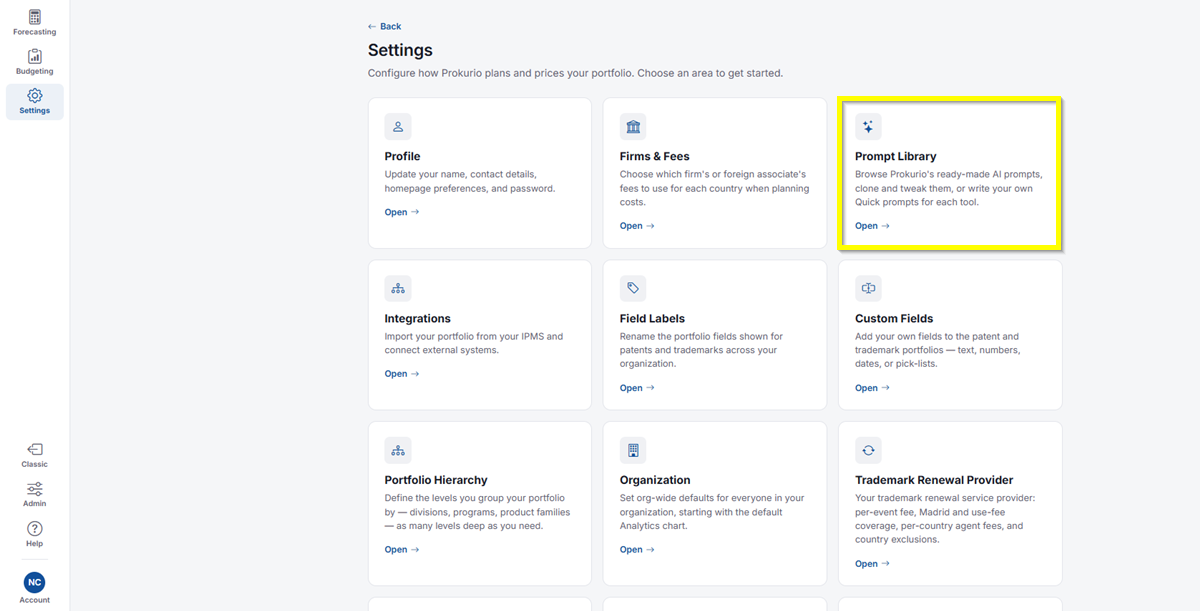
- Click Prompt Library.
- Use the All tools dropdown to filter prompts down to a specific tool, or leave it on All tools to see everything. Your options are: All tools, Scenario builder, Maintenance, Analytics, New applications, National-phase entry, Regional entry, Foreign filings, Prosecution, Forecaster, and General.
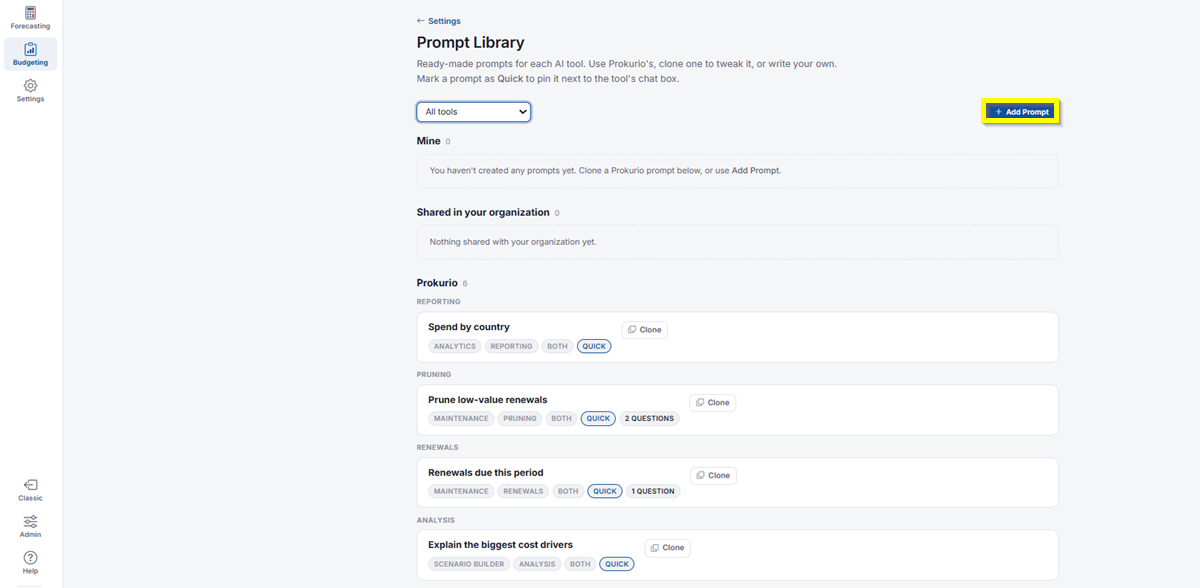
- Click Add Prompt to write one of your own.
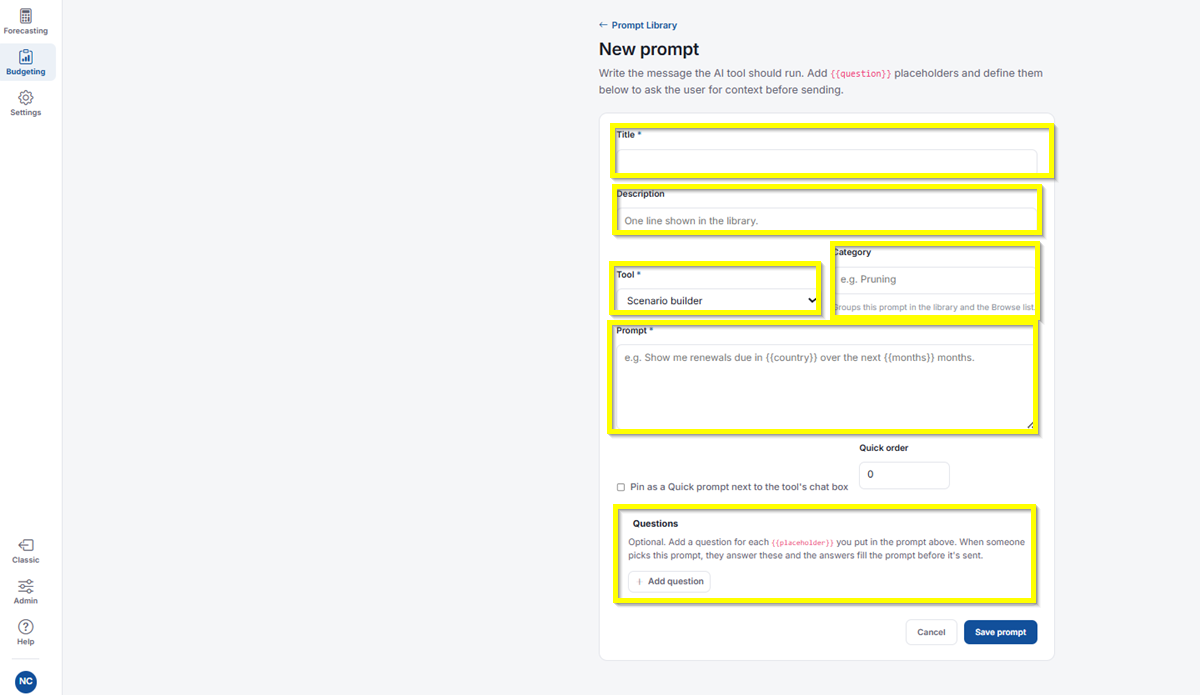
- Title: Required. The name of your prompt as it appears in the library.
- Description: A one-line summary shown in the library.
- Tool: Required. Select which tool this prompt runs in, for example Scenario builder.
- Category: Groups this prompt in the library and the Browse list, for example Pruning.
- Prompt: Required. Write the message itself, for example “Show me renewals due in
{{country}}over the next{{months}}months.” - Quick order: Sets the order this prompt appears in if pinned as a Quick prompt.
- Pin as a Quick prompt next to the tool’s chat box: Check this box to pin the prompt for quick access.
- Questions: Optional. Add a question for each
{{placeholder}}you used in the prompt above. When someone picks this prompt, they’ll answer these questions and their answers fill the prompt before it’s sent. Click Add question to add one. - Click Save prompt when you’re done, or Cancel to discard your changes.
- Prompts are grouped into different sections:
- Mine: Prompts you’ve created yourself. If you haven’t made any yet, you can clone a Prokurio prompt below or use Add Prompt.
- Shared in your organization: Prompts your teammates have shared for everyone to use.
- Prokurio: Prokurio’s own ready-made prompts, organized by category, including Reporting, Pruning, Renewals, Analysis, and Budgeting.
- Each prompt shows which tool(s) it applies to, whether it’s marked Quick, and how many questions it asks before running.
- Click Clone on any Prokurio or shared prompt to copy it into Mine, where you can edit it to fit your needs.
If you need any additional assistance, please contact us at support@prokurio.com, and we’ll get you the answers you need!