

If an annuity service provider, such as Dennemeyer or CPA Global, administers your patent annuities, this is where you record them. The details are saved with your provider configuration, and patent annuity costing uses them in a follow-up step.
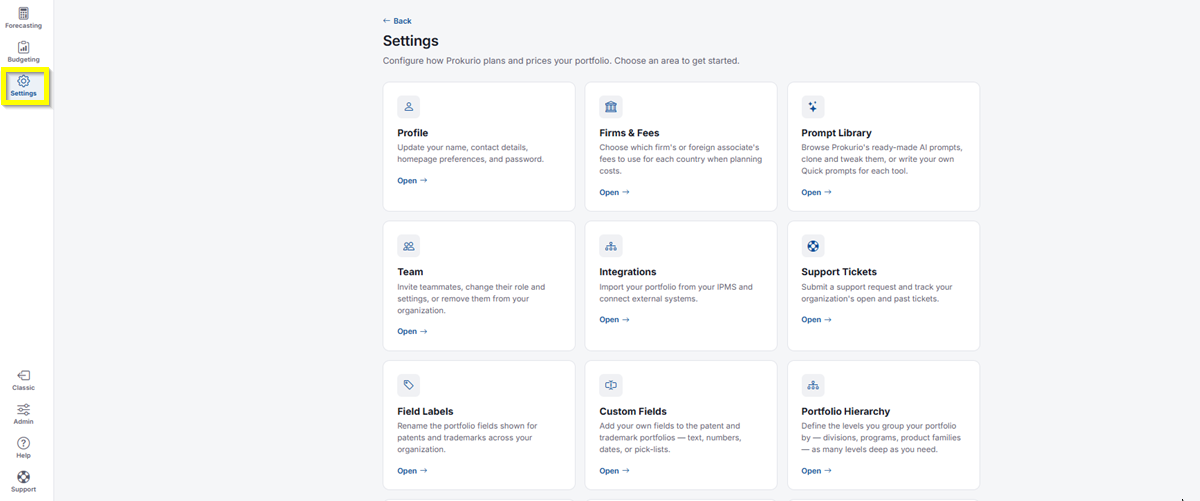
- In the top-left icon rail, click the gear icon to open Settings.
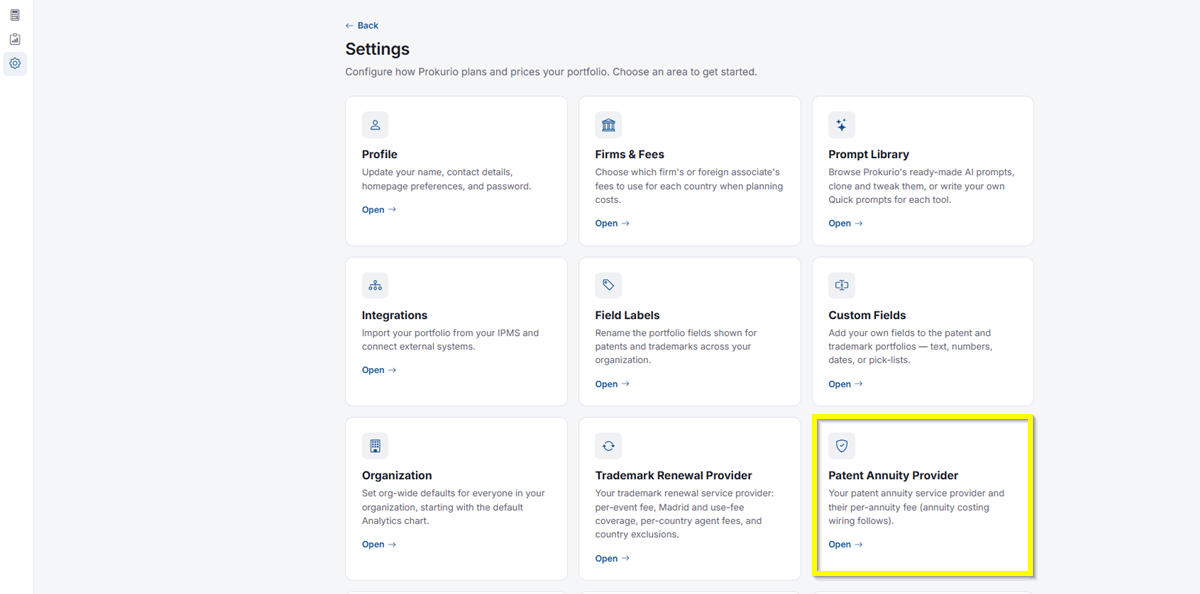
- Click Patent Annuity Provider.
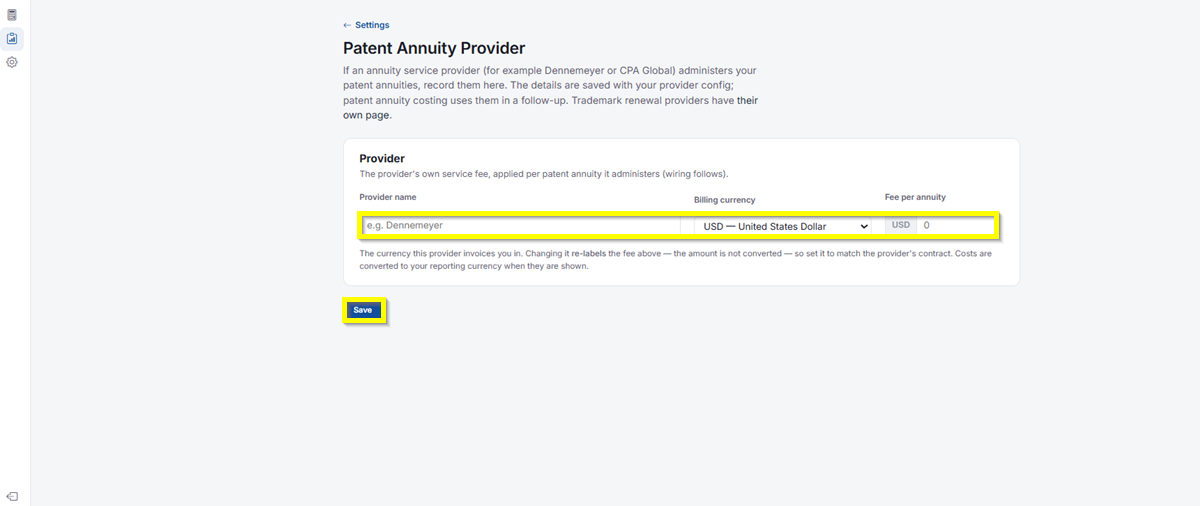
- Under Provider, enter the provider’s own service fee, applied per patent annuity it administers (wiring follows).
- Provider name: Enter the name of your annuity service provider, for example Dennemeyer.
- Billing currency: Select the currency this provider invoices you in. Changing it re-labels the fee below; the amount is not converted, so set it to match the provider’s contract. Costs are converted to your reporting currency when they’re shown.
- Fee per annuity: Enter the provider’s fee per annuity, in the billing currency you selected.
- Click Save to apply your changes.
If you need any additional assistance, please contact us at support@prokurio.com, and we’ll get you the answers you need!