

Upload your docket export, and its activities and due dates will feed your prosecution projections.
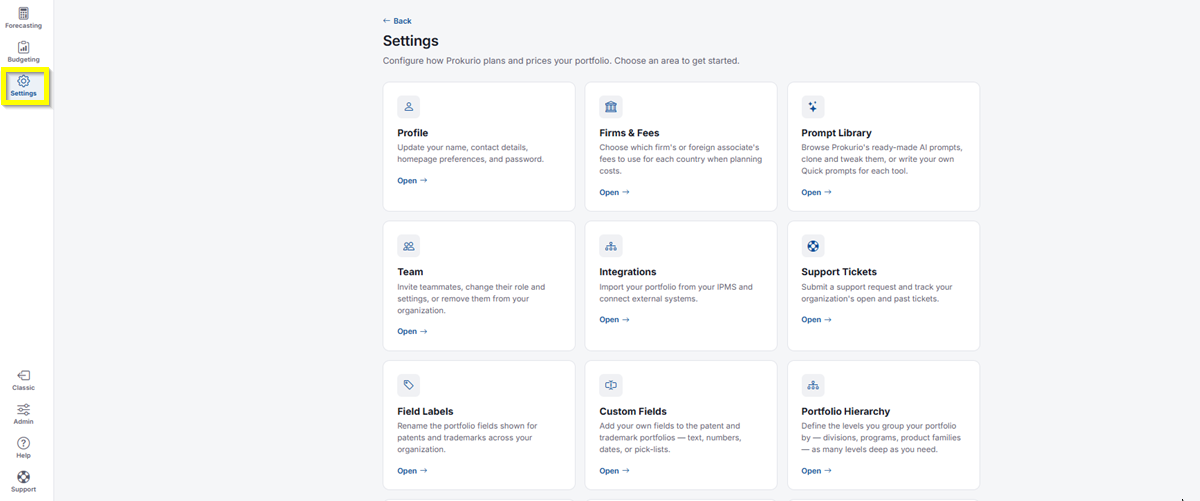
- In the top-left icon rail, click the gear icon to open Settings.
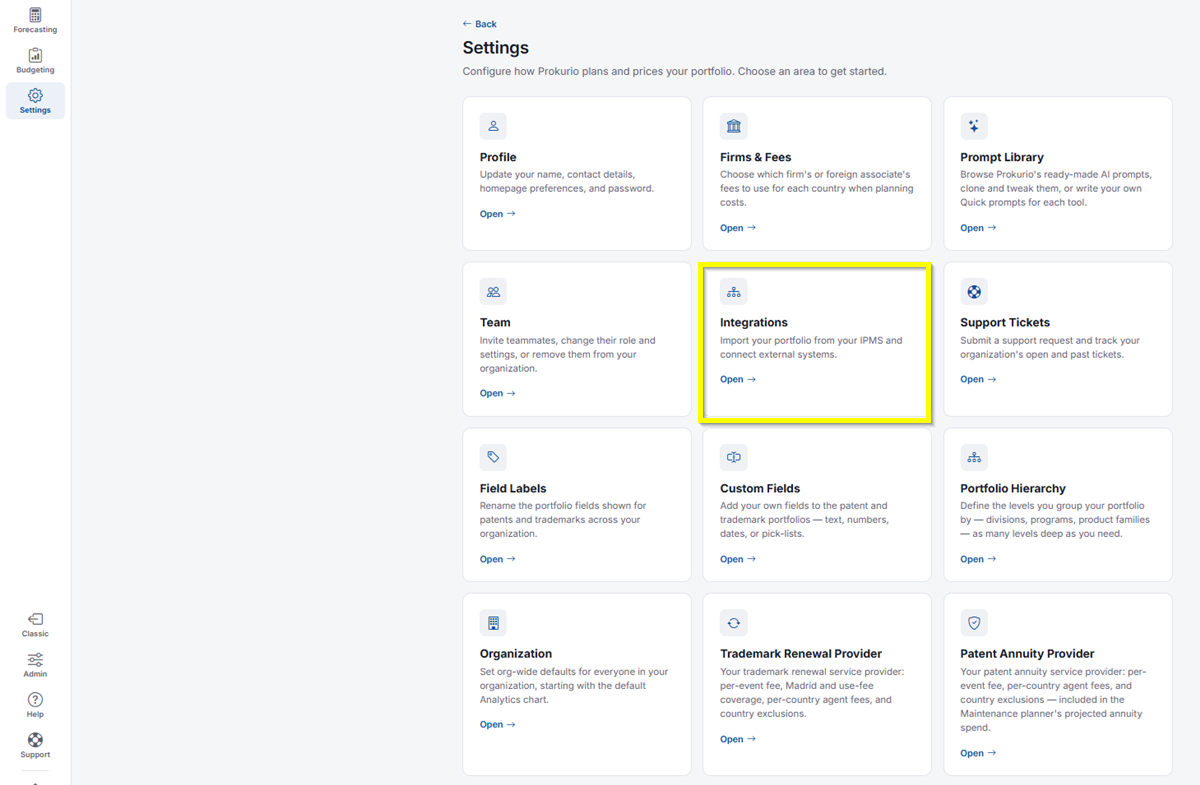
- Click Integrations.
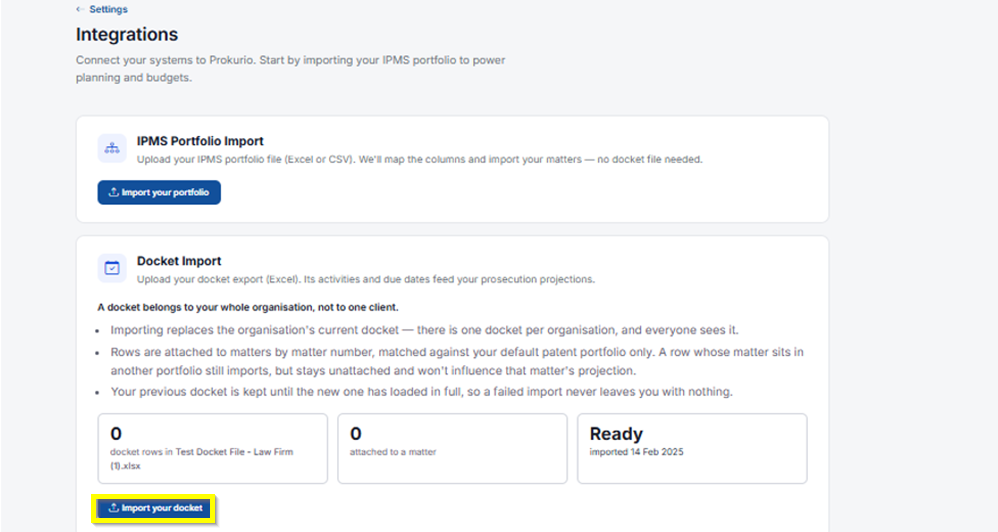
- Under Docket Import, click Import your docket. This opens the Import your docket dialog.
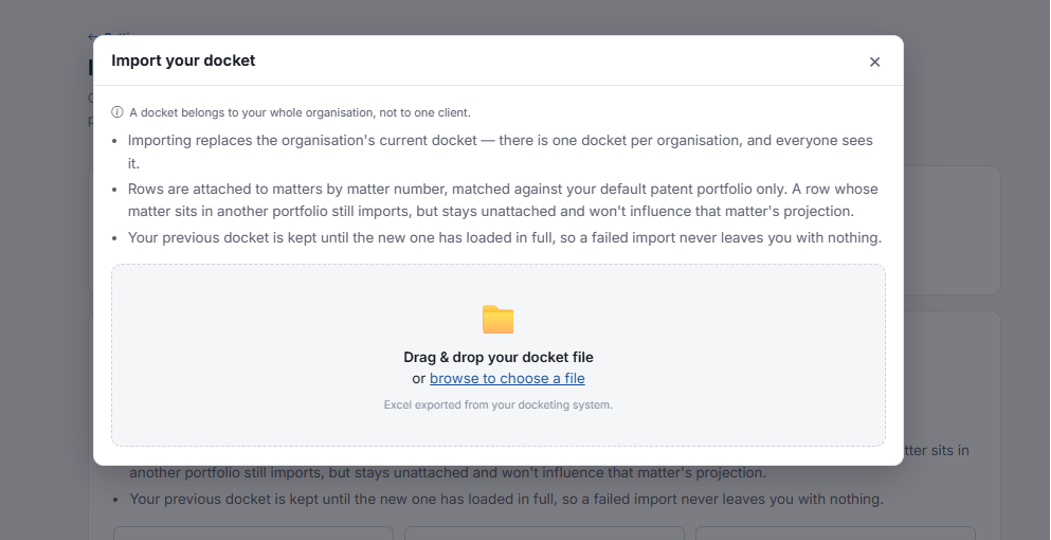
Uploading Your File
Import your docket dialog repeating the docket rules, plus a drag-and-drop file area
- Drag and drop your docket file, or click Browse to choose a file. It should be an Excel file exported from your docketing system.
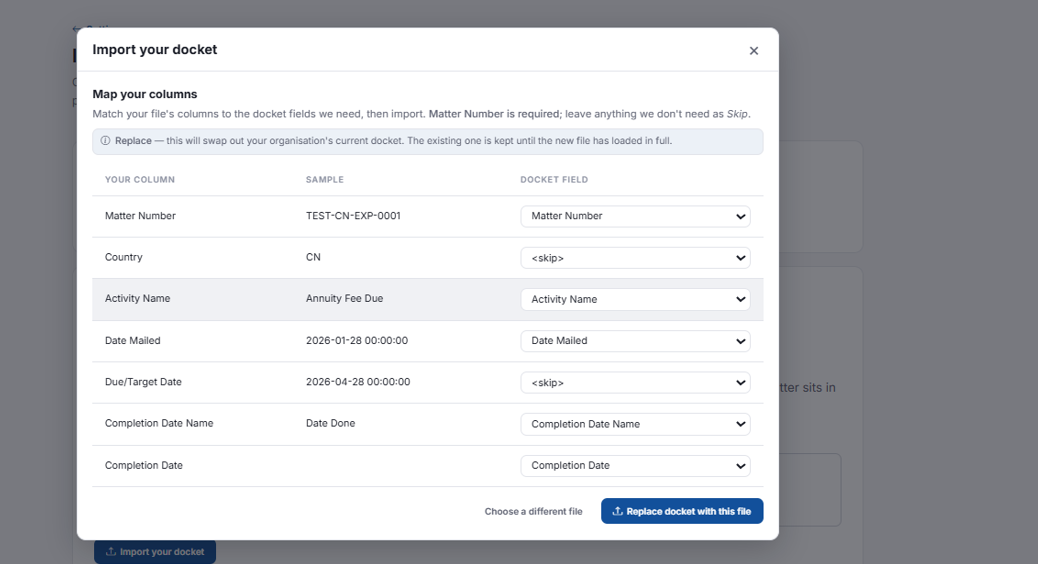
Once your file is uploaded, you’ll move to Map your columns. Match your file’s columns to the docket fields Prokurio needs, then import. Matter Number is required; leave anything you don’t need as Skip.
Import your docket: Map your columns screen showing Your Column, Sample, and Docket Field
- You’ll see a note confirming this is a Replace: it will swap out your organization’s current docket, and the existing one is kept until the new file has loaded in full.
- For each Your Column row, review the Sample value, then use the Docket Field dropdown to map it to the matching field, such as Matter Number, Activity Name, Date Mailed, or Completion Date, or leave it as <skip> if it’s not needed.
- Click Choose a different file to start over, or click Replace docket with this file to complete the import.
If you need any additional assistance, please contact us at support@prokurio.com, and we’ll get you the answers you need!