

PMS Renewal Data lets you plan trademark renewals straight from the data in your IPMS instead of Prokurio’s calculated renewal schedule. When this is on, the Maintenance tool dates each trademark renewal from the matter’s imported next-action date and prices it from your organization’s IPMS fee mappings. Nothing is recalculated.
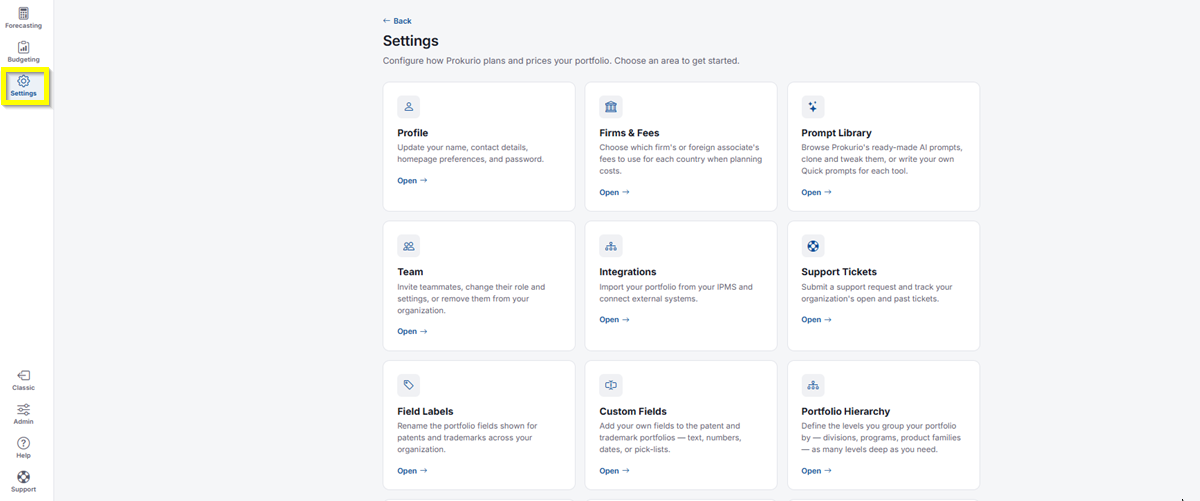
- In the top-left icon rail, click the gear icon to open Settings.
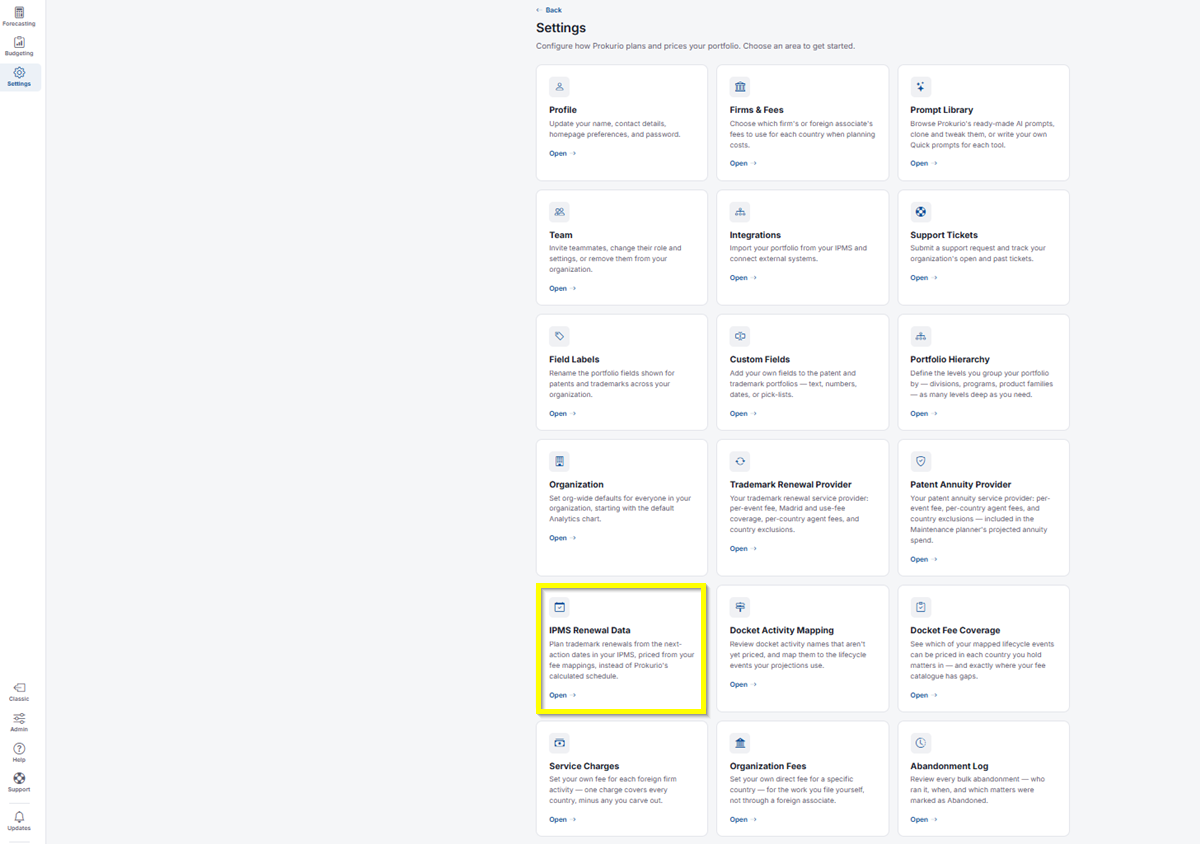
- Click IPMS Renewal Data.
-
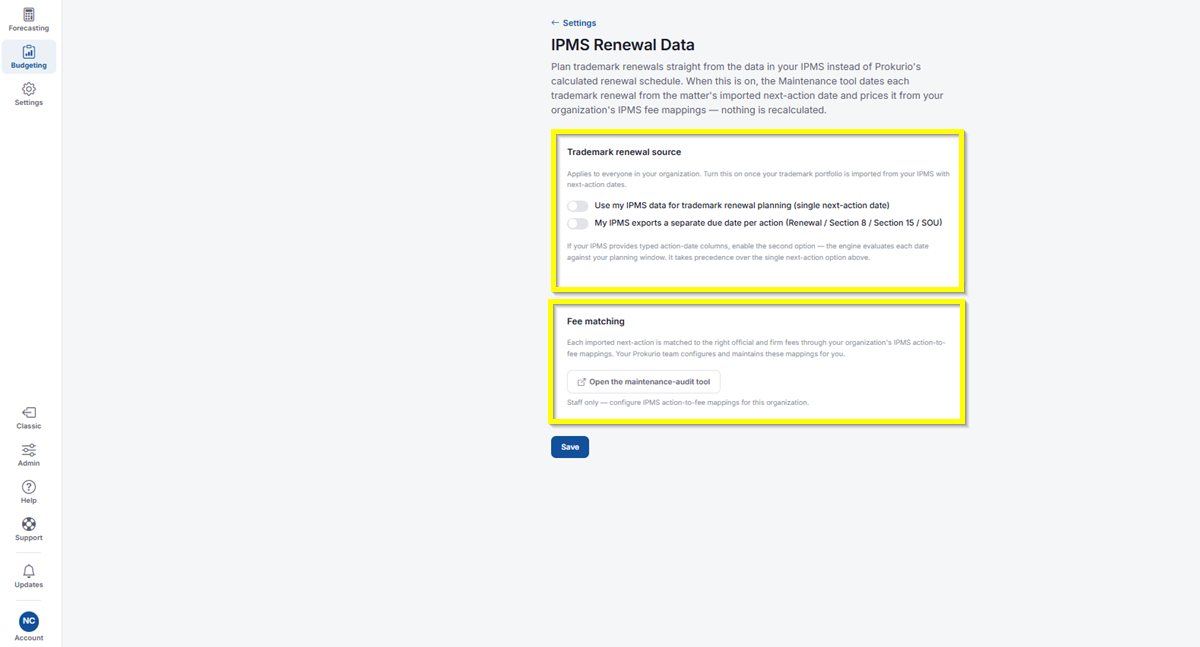
Trademark Renewal Source
This applies to everyone in your organization. Turn it on once your trademark portfolio is imported from your IPMS with next-action dates.- Use my IPMS data for trademark renewal planning (single next-action date): Toggle on to date each renewal from a single imported next-action date.
- My IPMS exports a separate due date per action (Renewal / Section 8 / Section 15 / SOU): Toggle on if your IPMS provides typed action-date columns. The engine evaluates each date against your planning window, and this option takes precedence over the single next-action option above.
-
Fee Matching
Each imported next-action is matched to the right official and firm fees through your organization’s IPMS action-to-fee mappings. Your Prokurio team configures and maintains these mappings for you.- Click Open the maintenance-audit tool to review the mapping details. This is staff-only, for configuring IPMS action-to-fee mappings for your organization.
-
Click Save to apply your changes.
If you need any additional assistance, please contact us at support@prokurio.com, and we’ll get you the answers you need!