

Support Tickets is where you create and track support tickets for your organization.
- In the top-left icon rail, click the gear icon to open Settings.
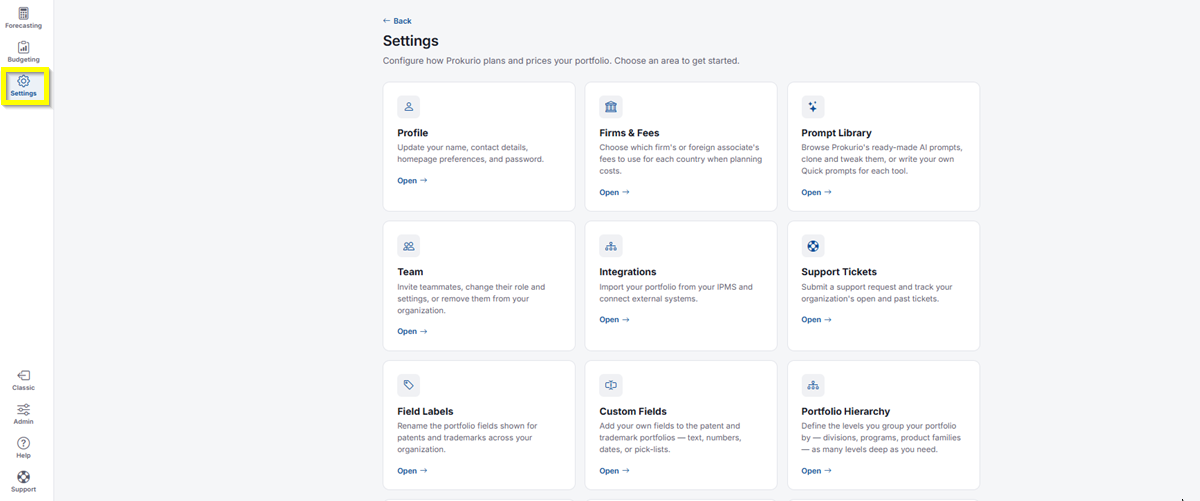
- Click Support Tickets.
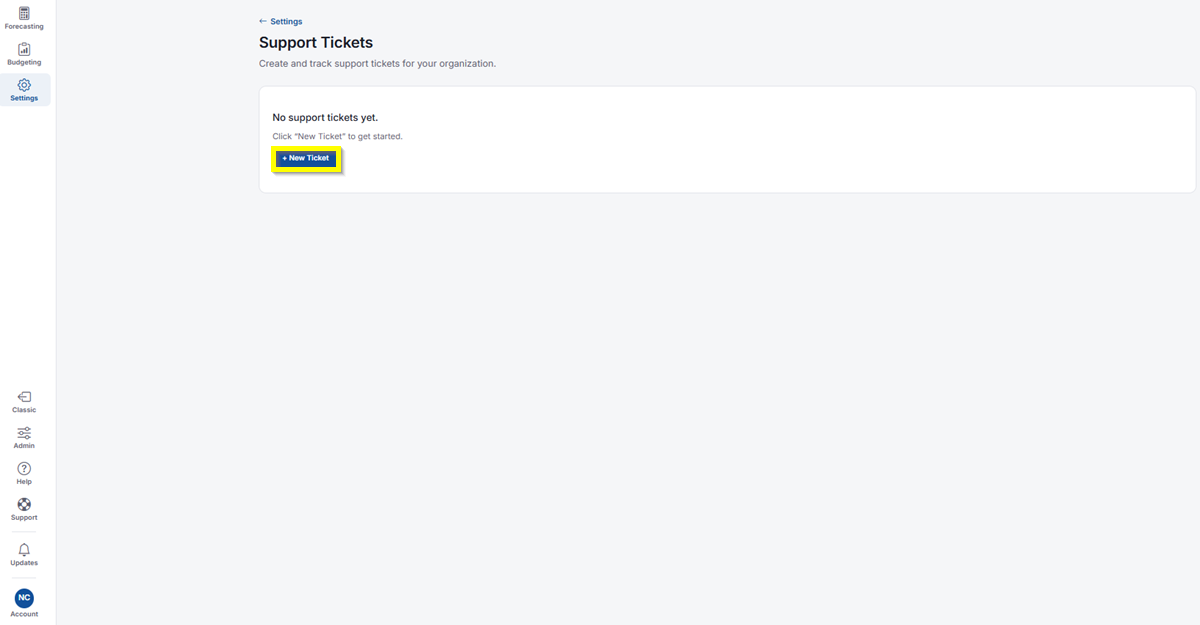
- If you don’t have any tickets yet, you’ll see a message letting you know. Click New Ticket to get started.
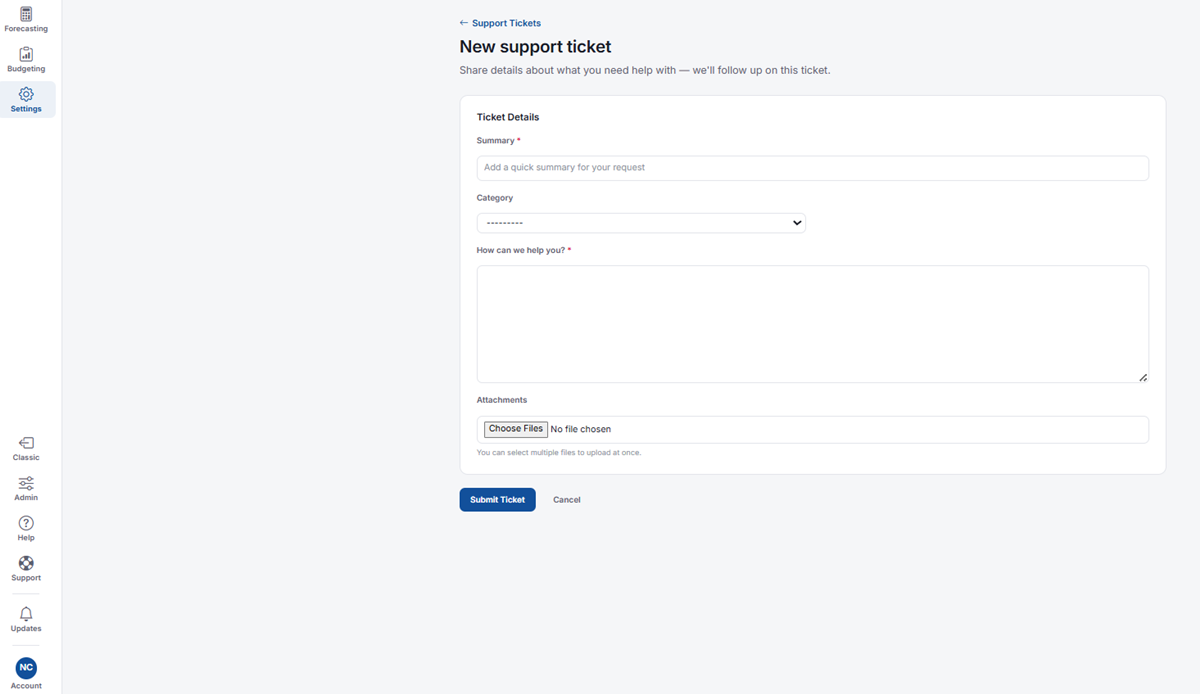
- Summary: Required. Add a quick summary for your request.
- Category: Select the category that best fits your request. Your options are Invoice Review, IP Forecaster, Fee Schedules, Forecast Results, General Issue, Software Update, and Security.
- How can we help you?: Required. Describe your request in detail.
- Attachments: Click Choose Files to attach one or more files to your ticket.
- Click Submit Ticket. Once submitted, an email will be sent to your email address, or click Cancel to discard your ticket.
If you need any additional assistance, please contact us at support@prokurio.com, and we’ll get you the answers you need!