

Account Usage shows how many forecasts your organization has run, by IP type, by user, and by country, over a selectable time window.
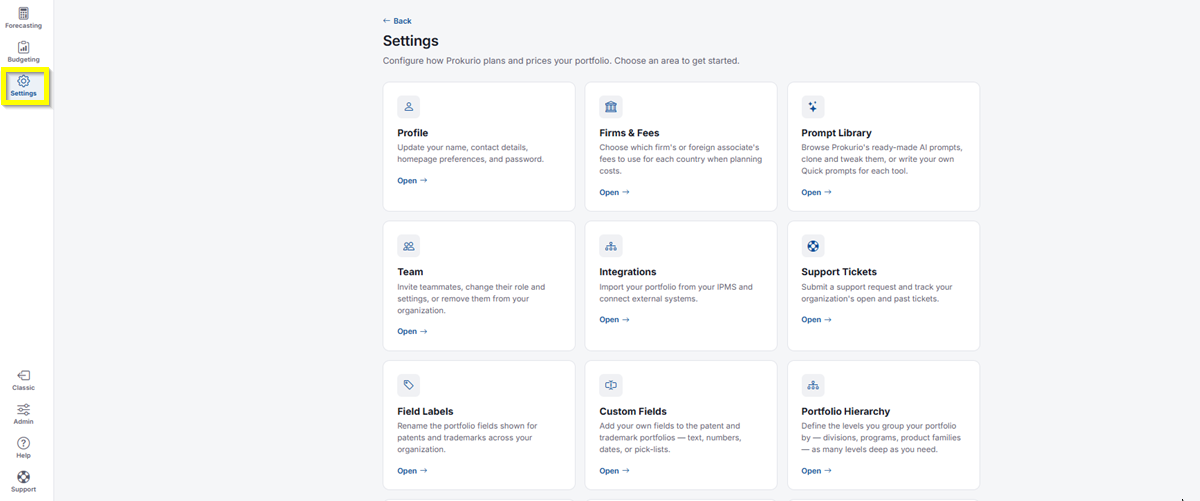
- In the top-left icon rail, click the gear icon to open Settings.
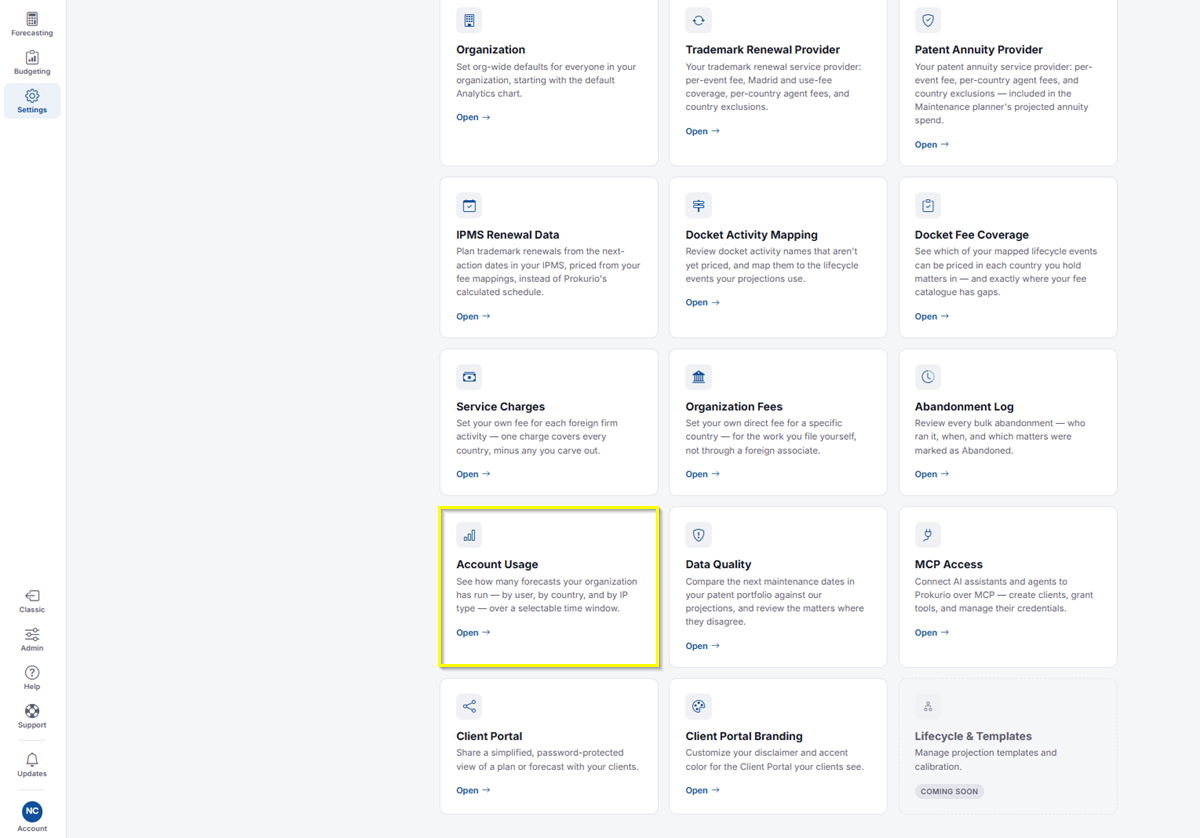
- Click Account Usage.
Choosing a Period and Reviewing Totals
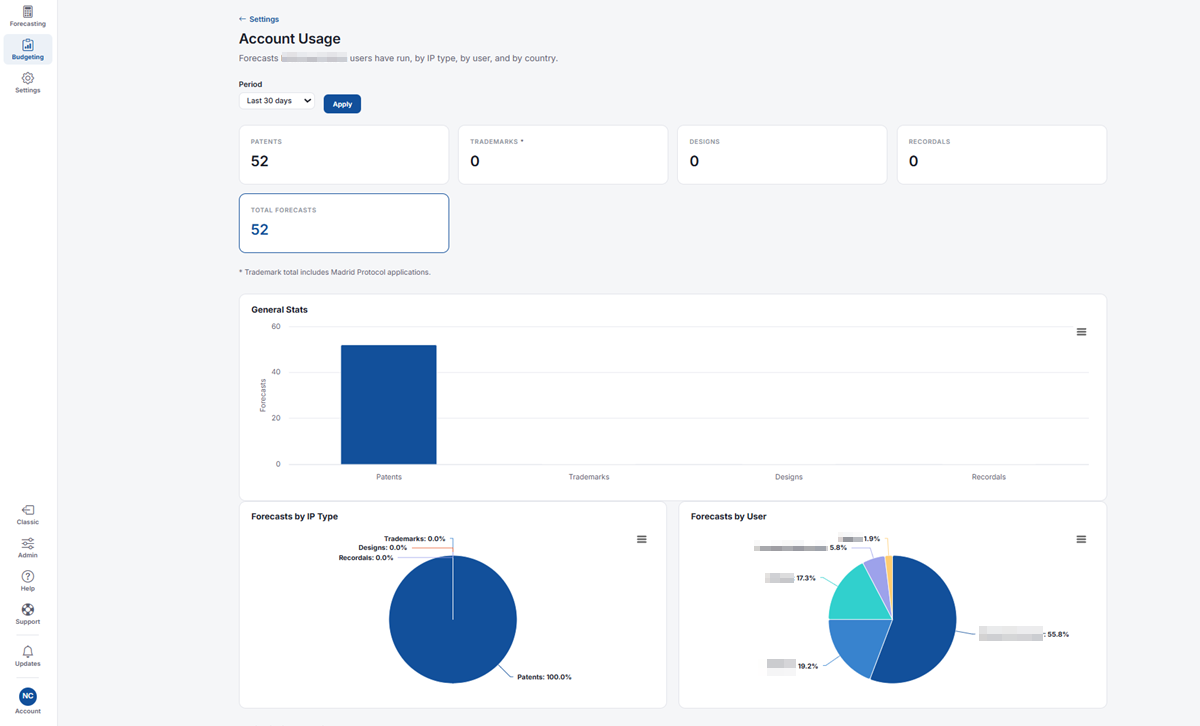
- Use the Period dropdown to choose the time window you want to review, for example, Last 30 days, then click Apply.
- Across the top, you’ll see forecast counts for Patents, Trademarks, Designs, and Recordals, along with your Total Forecasts. The Trademarks total includes Madrid Protocol applications.
Charts
- General Stats: A bar chart comparing the number of forecasts run for Patents, Trademarks, Designs, and Recordals.
- Forecasts by IP Type: A pie chart showing what share of your forecasts each IP type makes up.
- Forecasts by User: A pie chart showing what share of your forecasts each user has run.
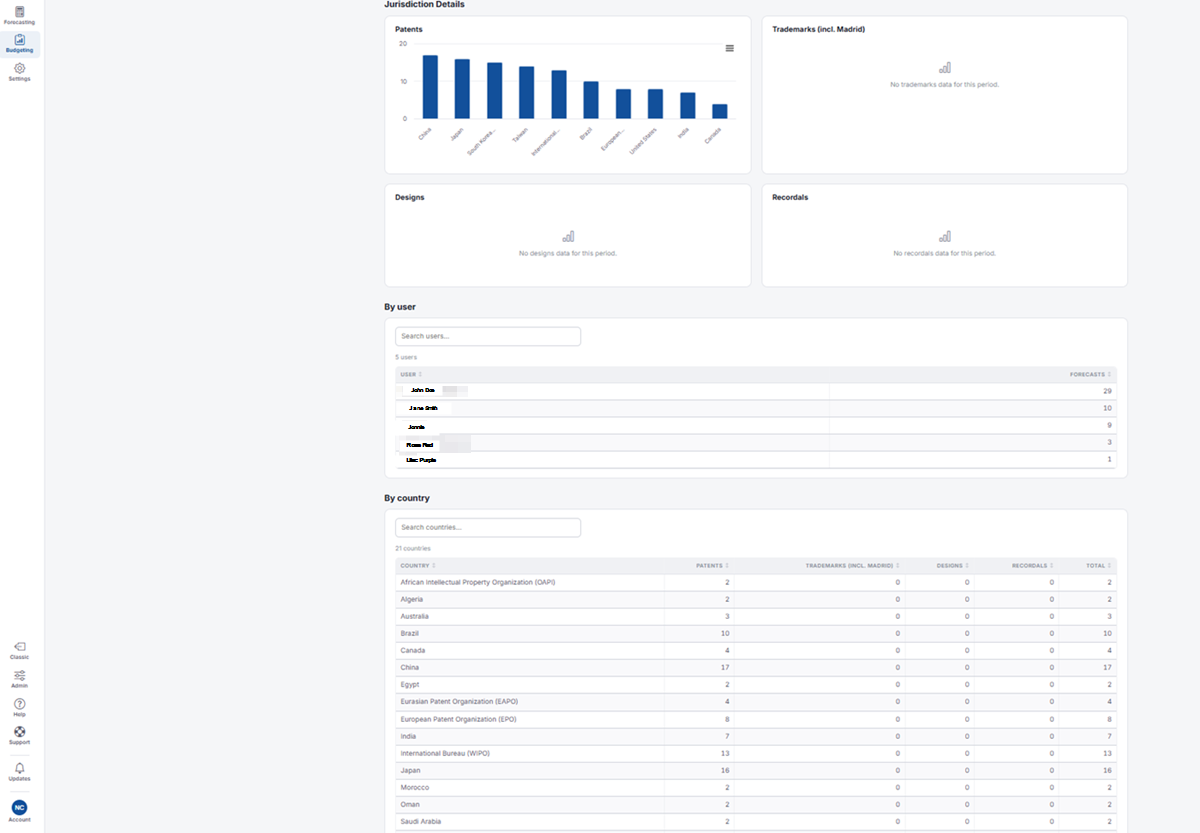
Jurisdiction Details shows a separate chart for each IP type: Patents, Trademarks (incl. Madrid), Designs, and Recordals. Each chart breaks down forecasts by country or office. If no forecasts were run for an IP type during the selected period, you’ll see a message letting you know there’s no data for that period.
By user lists every user in your organization alongside the number of forecasts they’ve run.
- Use Search users to find a specific person.
- Click the User or Forecasts column heading to sort the list.
By country lists every country or office your organization has forecasted in, with the number of forecasts for each IP type.
- Use Search countries to find a specific country.
- Columns show Patents, Trademarks (incl. Madrid), Designs, Recordals, and Total for each country.
- Click any column heading to sort the list.
If you need any additional assistance, please contact us at support@prokurio.com, and we’ll get you the answers you need!