

For each country where you have a foreign associate configured, in Firms & Fees you choose whose fees your planning tools should use. It’s a set-and-forget default that’s applied to every cost estimate as we advance.
Getting to Firms & Fees
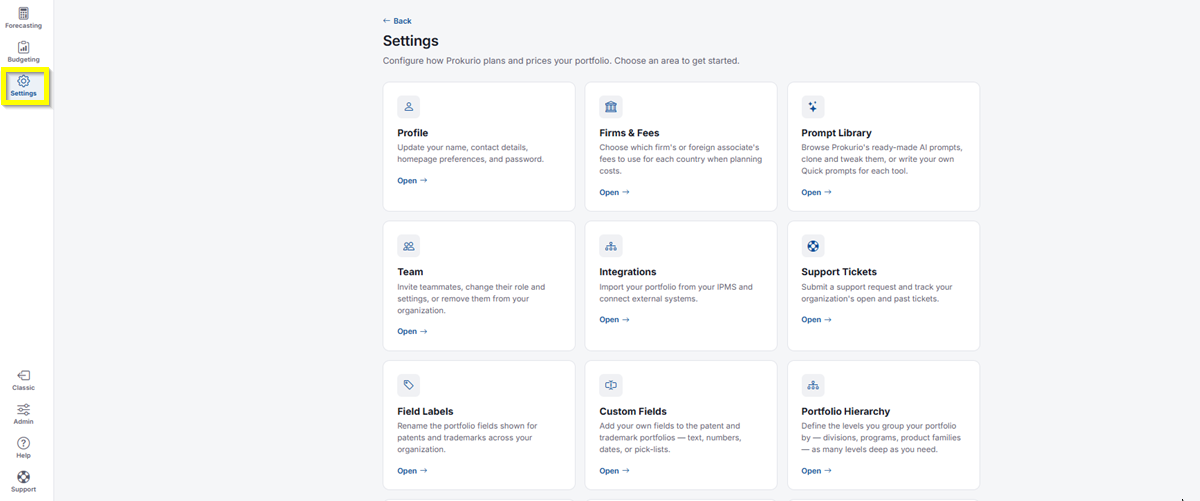
- In the top-left icon rail, click the gear icon to open Settings.
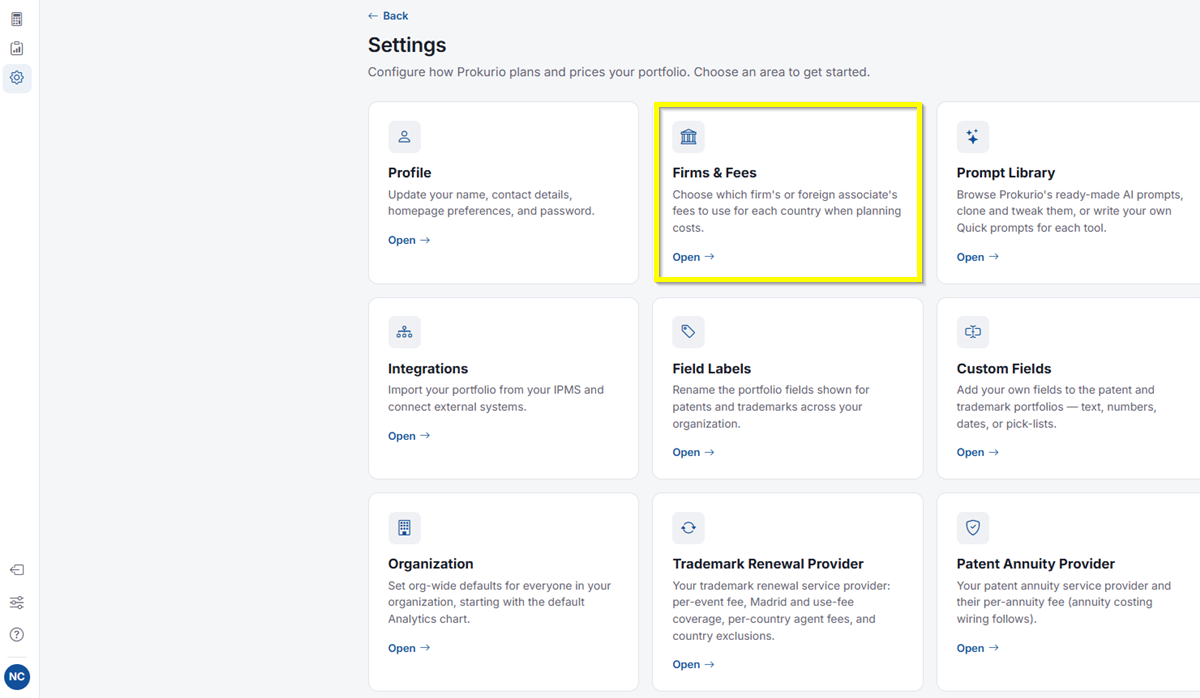
- Click Open under Firms & Fees.
Setting Your Default Fees
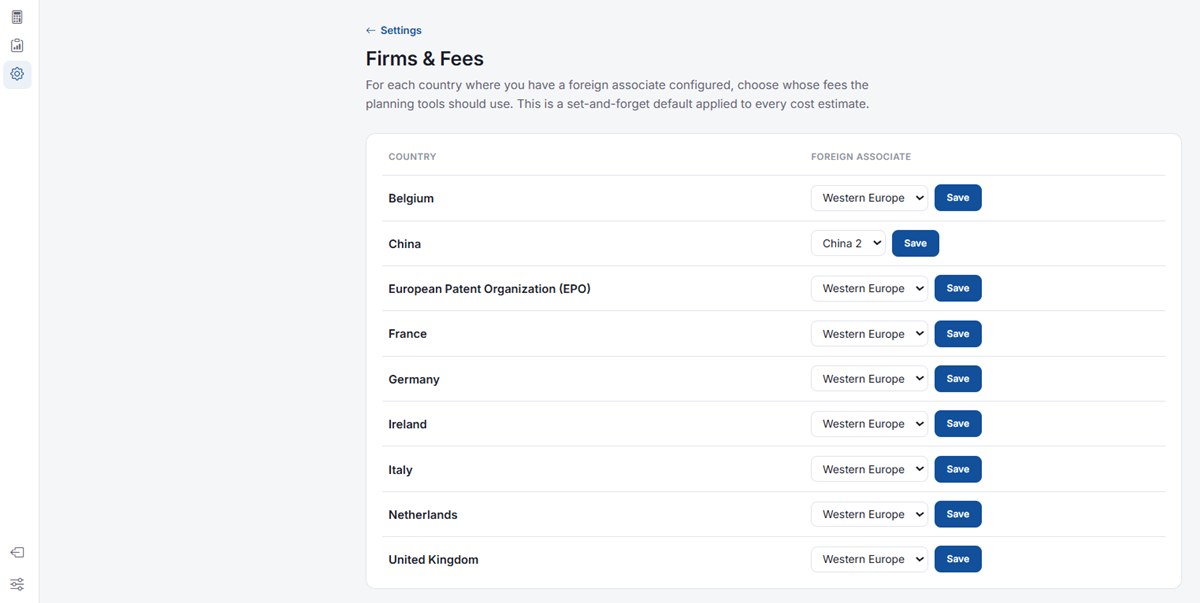
- You’ll see a table listing each Country where you have a foreign associate configured, alongside a Foreign Associate dropdown.
- Use the dropdown to select which foreign associate’s fees should be used for that country. For example, you might use Western Europe for most of Western Europe, or a more specific option like China 2 for China.
- Click Save next to that country to apply your selection.
If you need any additional assistance, please contact us at support@prokurio.com, and we’ll get you the answers you need!