

Integrations are where you connect your systems to Prokurio. Start by importing your IPMS portfolio to power planning and budgets.
- In the top-left icon rail, click the gear icon to open Settings.
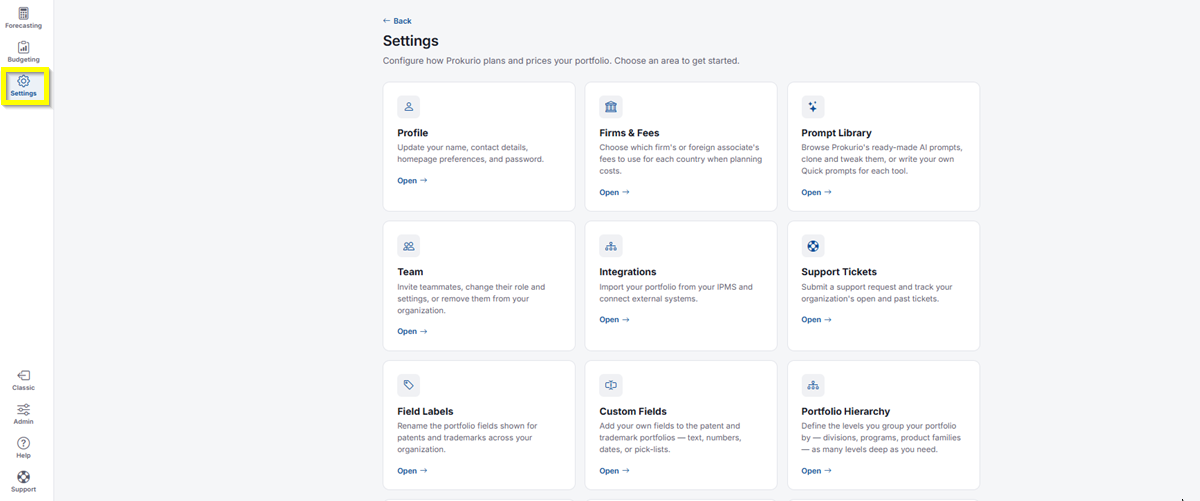
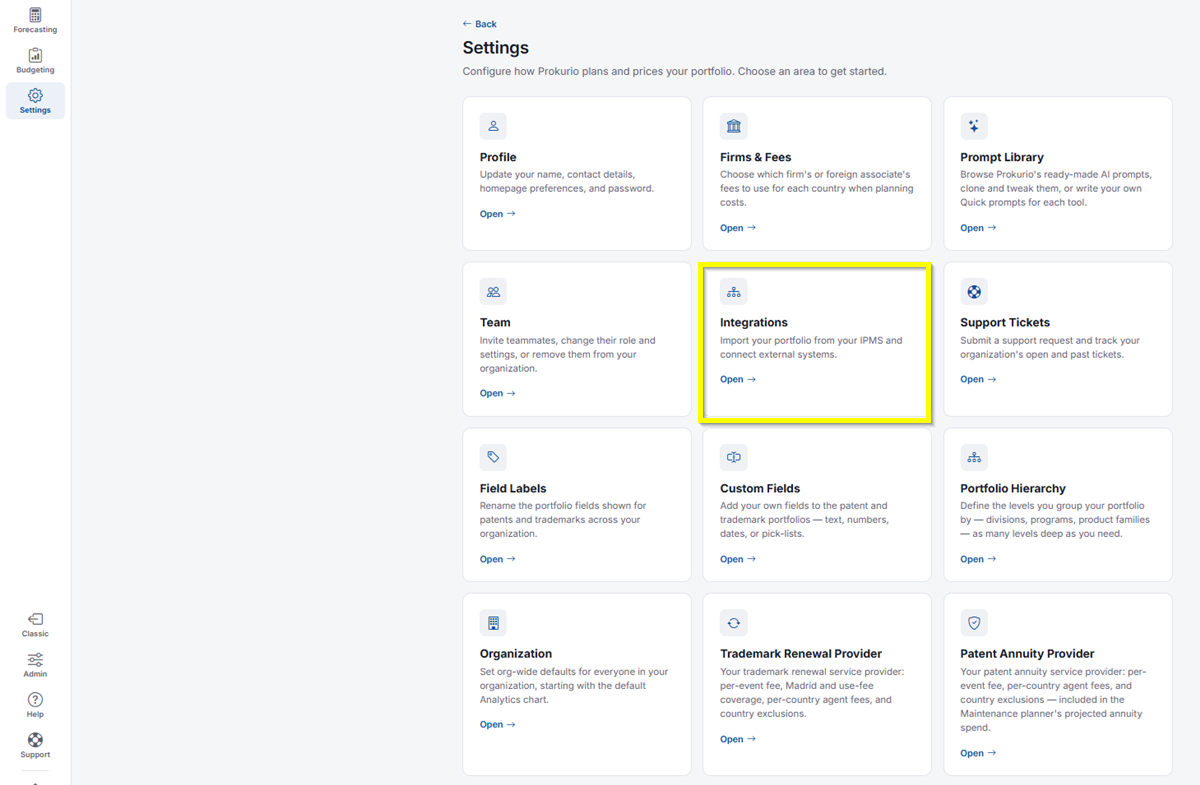
- Click Integrations.
Importing Your Data
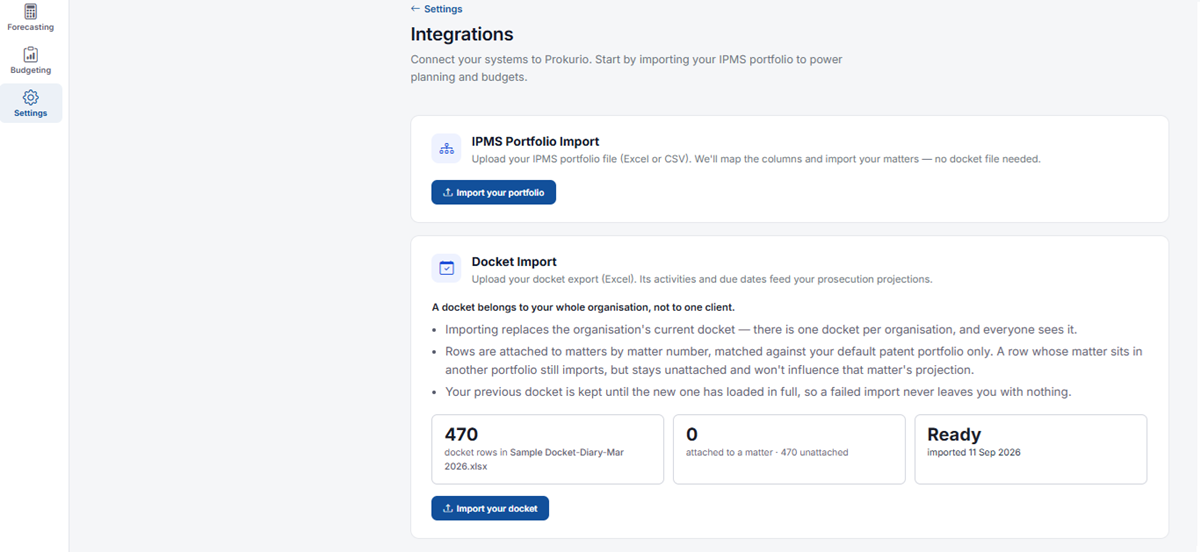
- IPMS Portfolio Import: Upload your IPMS portfolio file (Excel or CSV), and Prokurio will map the columns and import your matters. No docket file is needed. For the full steps, see Importing Your IPMS Portfolio.
- Docket Import: Upload your docket export (Excel). Its activities and due dates feed your prosecution projections. For the full steps, see Importing Your Docket.
Patent and Trademark Portfolio Overview
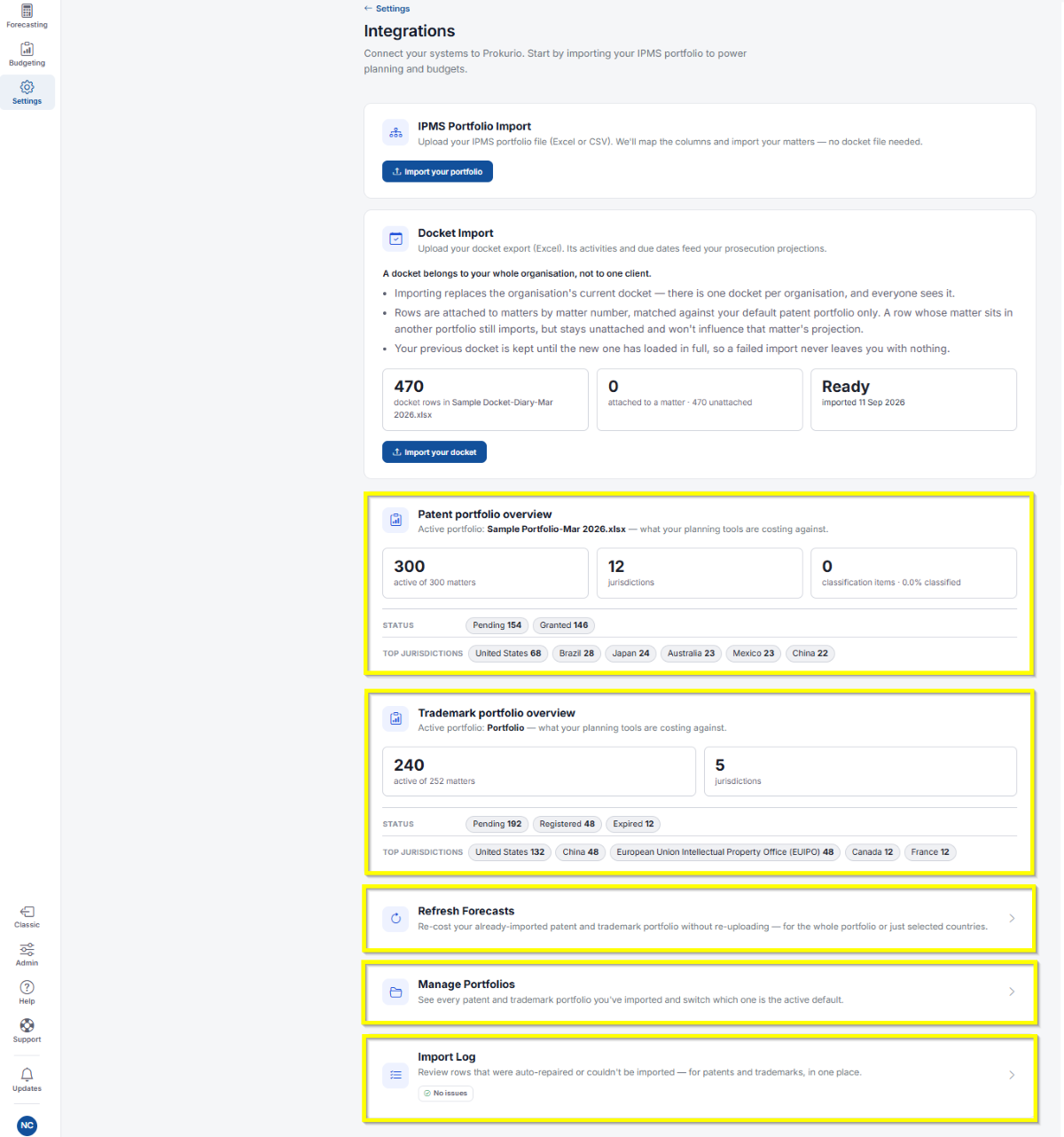
Below the import sections, you’ll see an overview of your active portfolio, what your planning tools are costing against, for both Patent and Trademark:
- Active matter count out of total matters, and number of jurisdictions.
- Status breakdown, for example, Pending, Granted/Registered, and Expired counts.
- Top jurisdictions, showing your busiest countries and offices by matter count.
- Refresh Forecasts: Re-cost your already-imported patent and trademark portfolio without re-uploading, for the whole portfolio or just selected countries.
- Manage Portfolios: See every patent and trademark portfolio you’ve imported and switch which one is the active default.
- Import Log: Review rows that were auto-repaired or couldn’t be imported, for patents and trademarks, in one place.
If you need any additional assistance, please contact us at support@prokurio.com, and we’ll get you the answers you need!