

Your profile is where you manage your account details and how Prokurio looks for you. This is your personal setup, separate from organization-wide defaults, and it won’t change much day to day.
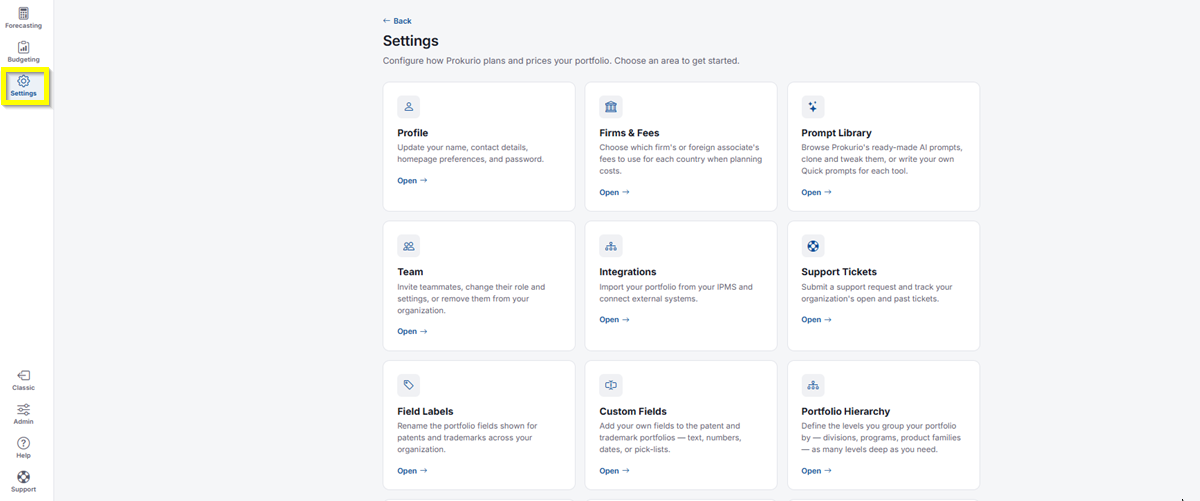
- In the top-left icon rail, click the gear icon to open Settings.
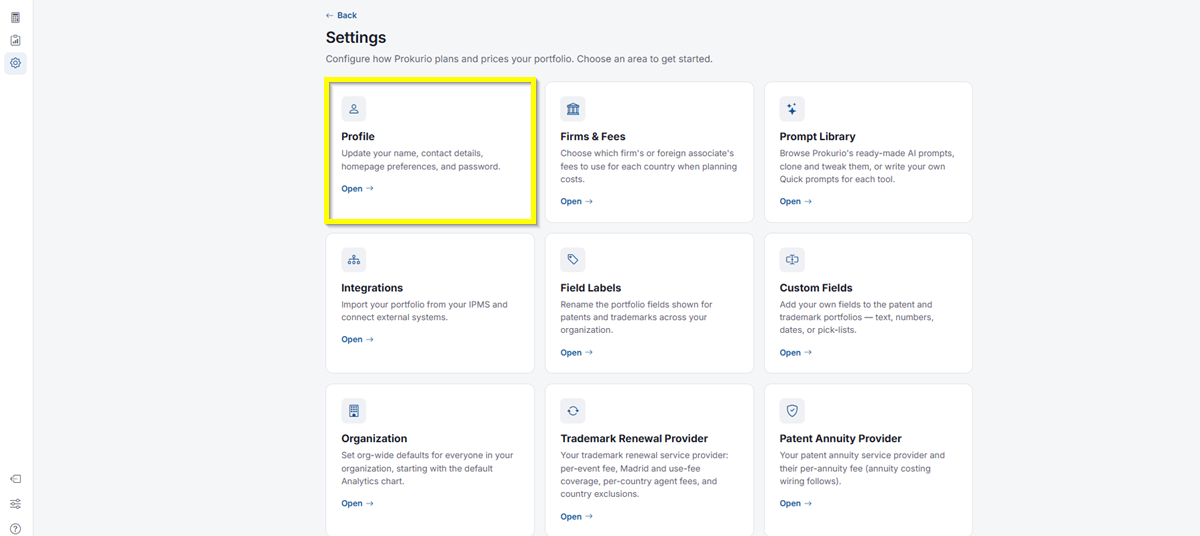
- Click Open under Profile.
What You Can Configure
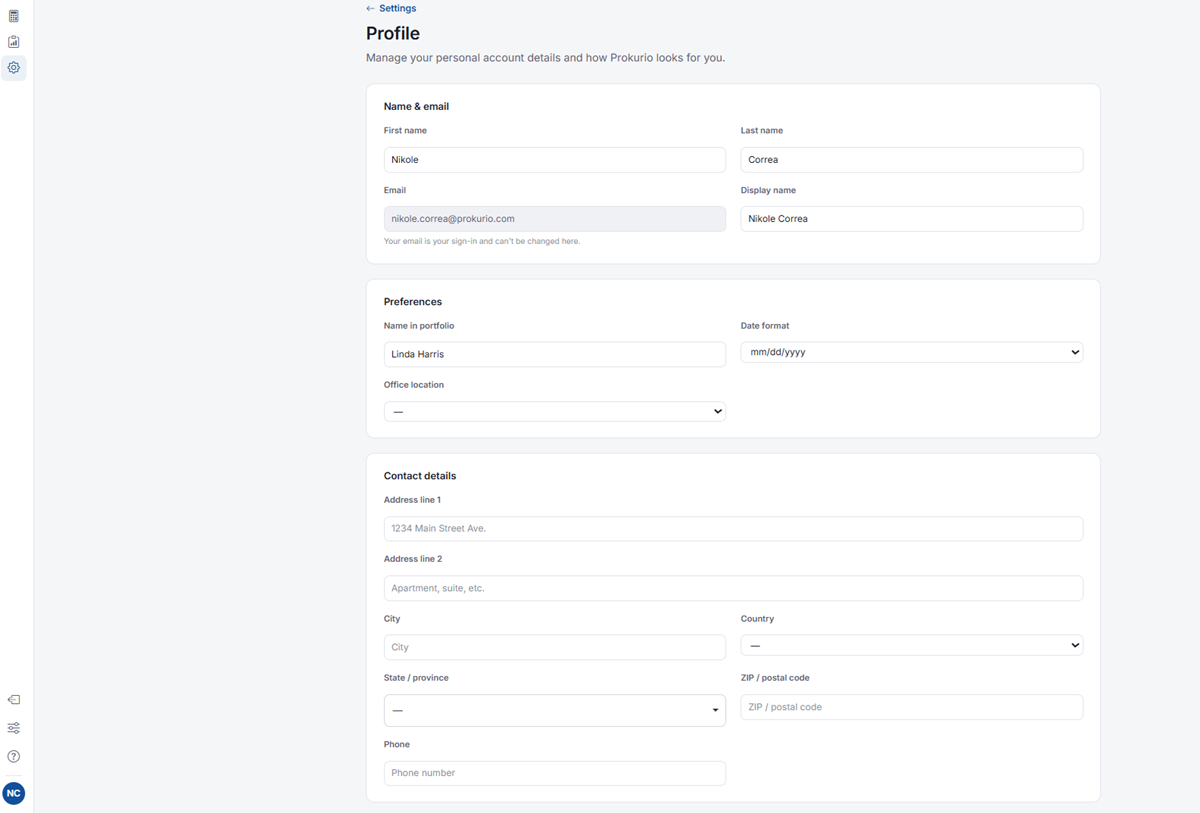
- Name & email: Your first name, last name, email, and display name. Your email is your sign-in and can’t be changed here.
- Preferences: Your name in portfolio, date format, and office location.
- Contact details: Your address, city, country, state/province, ZIP/postal code, and phone number.
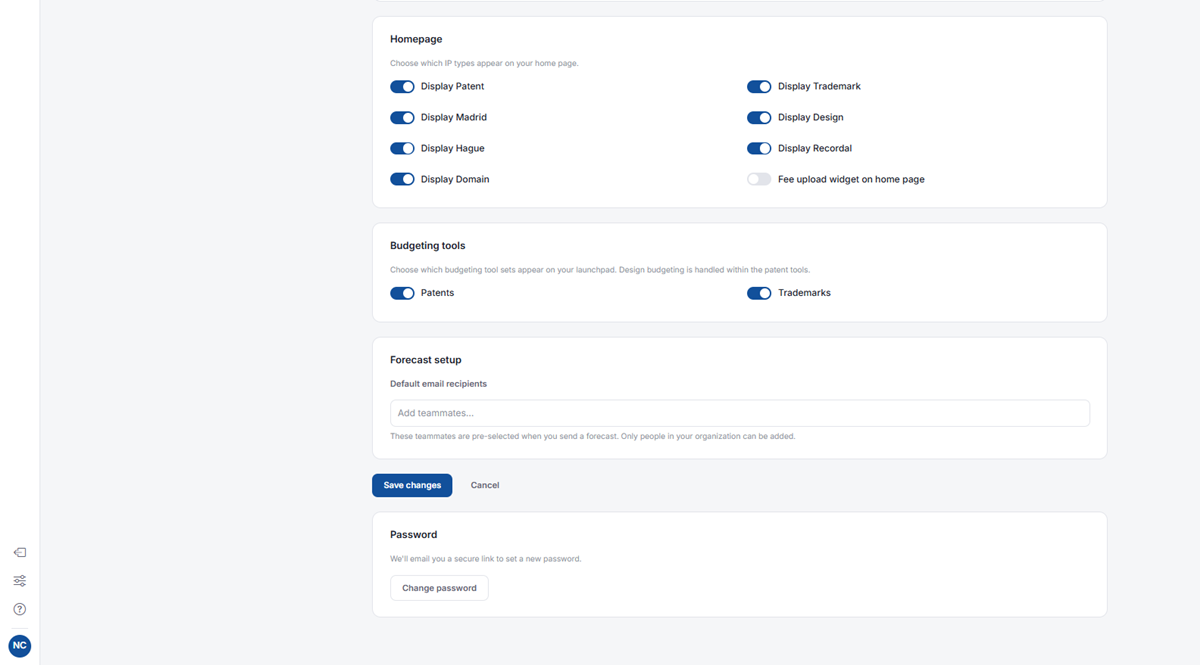
- Homepage: Toggle which IP types (Patent, Trademark, Madrid, Hague, Domain, Recordal, Design) appear on your homepage, and whether the fee upload widget shows there.
- Budgeting tools: Toggle which budgeting tool sits on your launchpad, for Patents and Trademarks. Design budgeting is handled within the patent tools.
- Forecast setup: Add default email recipients who are pre-selected whenever you send a forecast. Only people in your organization can be added.
- Click Save changes once you’re done, or Cancel to discard your edits.
- Under Password, click Change password to have a secure reset link emailed to you.
If you need any additional assistance, please contact us at support@prokurio.com, and we’ll get you the answers you need!