
IP Forecaster makes it simple to create PCT application forecasts and also add direct national filings in just one forecast. These forecasts can be Saved, Emailed, and/or Exported for later use or distribution to team members or clients to review.
Let’s forecast the costs for a PCT Application and also add Direct National filings with it.
PCT Application
- From your Homepage at the top under Create a New Forecast, click the button labeled Patent. Then select PCT Applications. This will take you directly to the PCT Forecast screen.
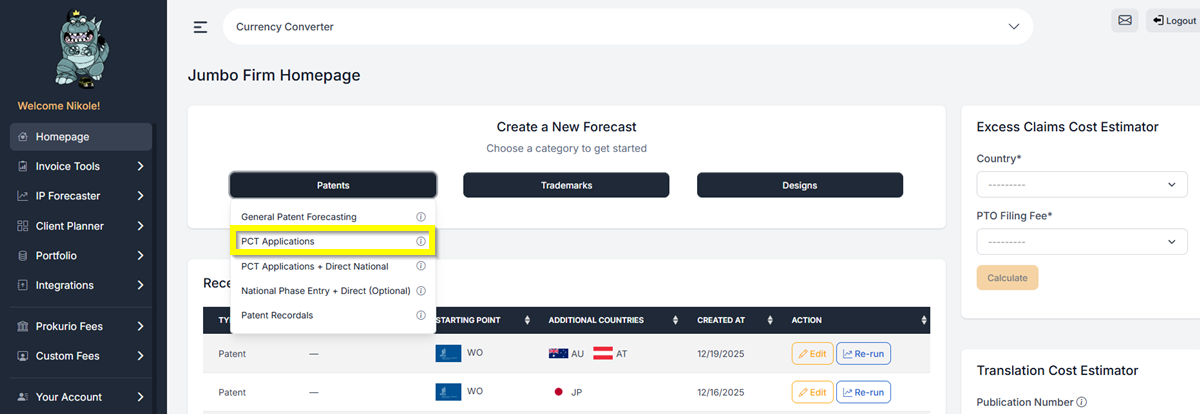
- You will see that WIPO is already selected as the Starting Point.
- Under the International Offices, you can now select the countries that will act as the Receiving Office and as the International Search Authority (ISA).
- Receiving Office – This is the office where you will file your application.
- International Search Authority (ISA)—This is the authority with which you want to search. The system will restrict the countries in the ISA list based on the Receiving Office used.
- NOTE: For pages that exceed 30 pages, an additional fee will be charged.
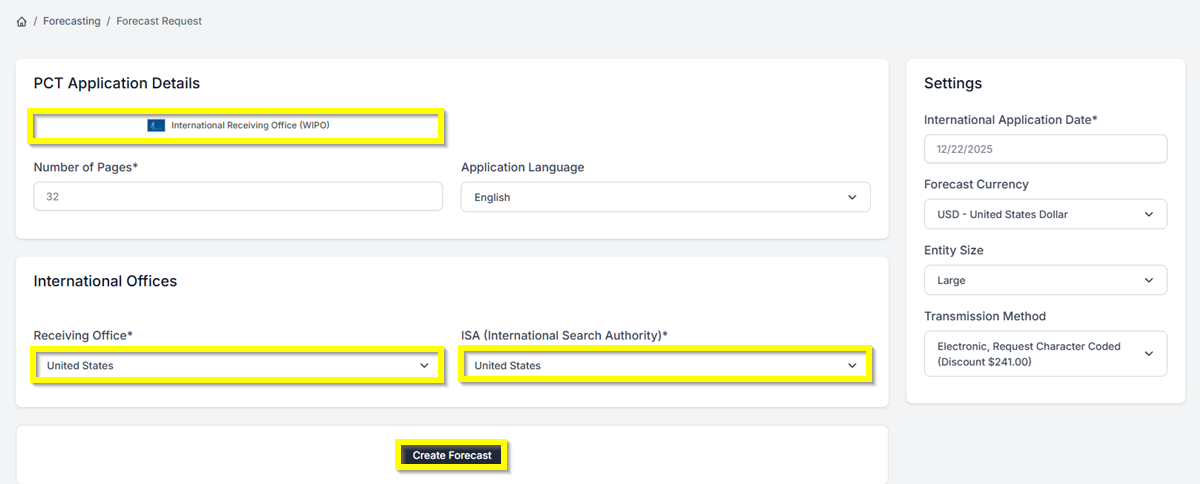
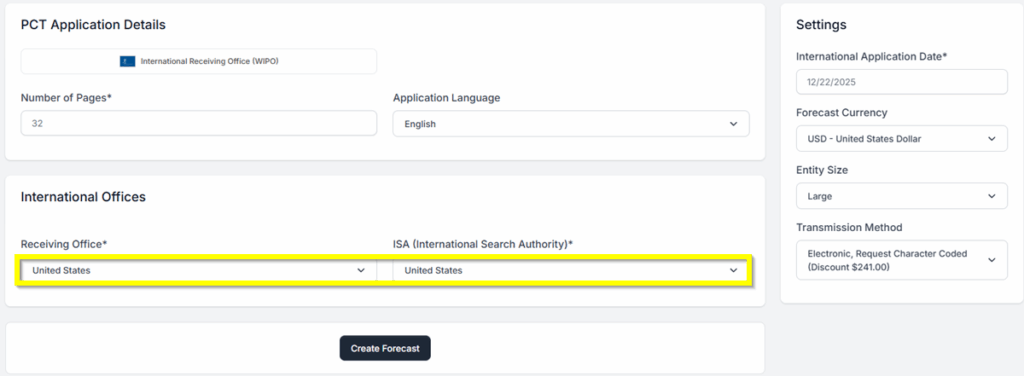
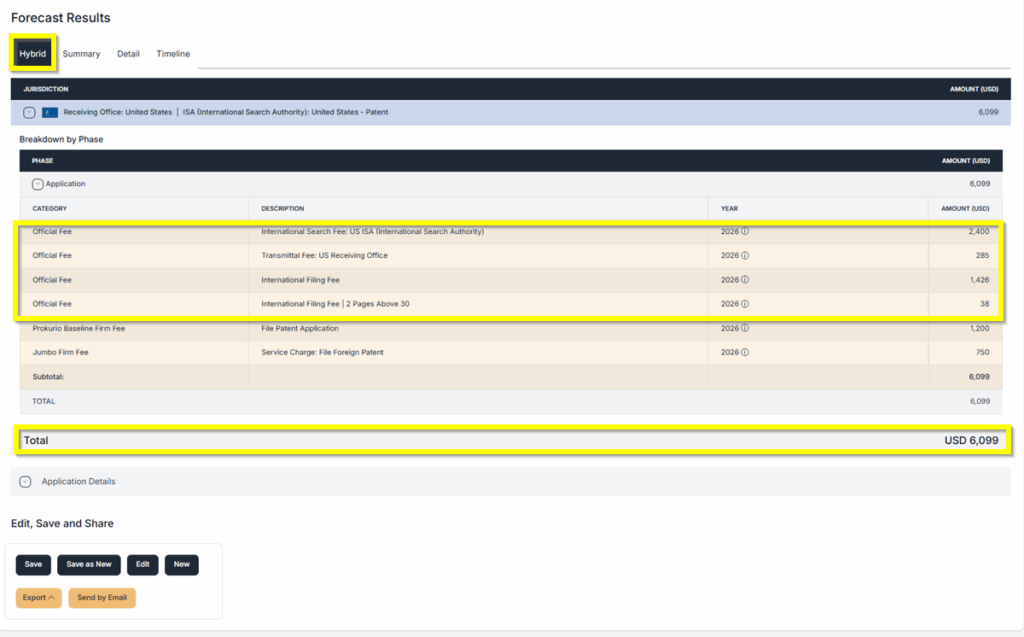
Let us set up two examples: First, we will select the “United States” as both the Receiving Office and the Search Authority.
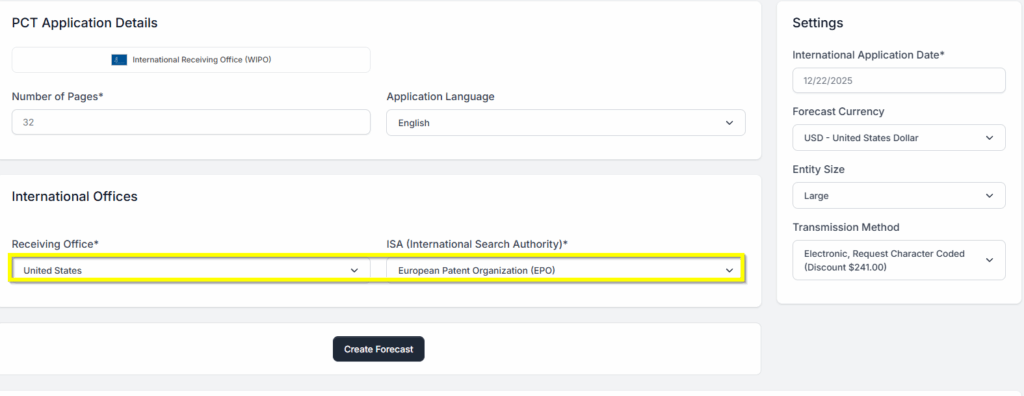
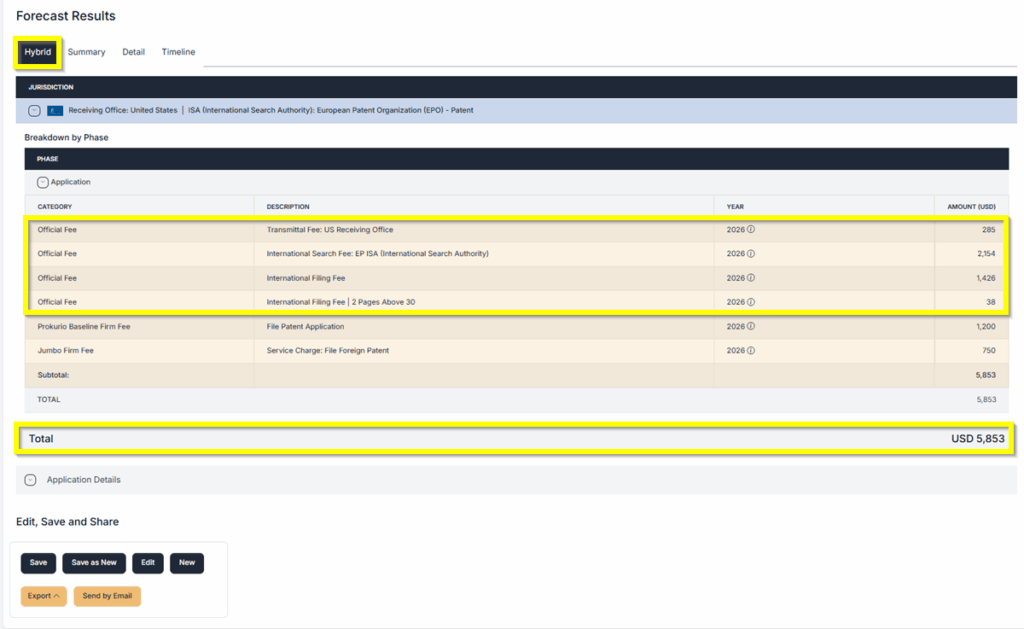
Another example would be selecting “United States as the Receiving Office, and then we use Europe as the Search Authority.
- Now, click on the Create Forecast button at the bottom to generate your results.
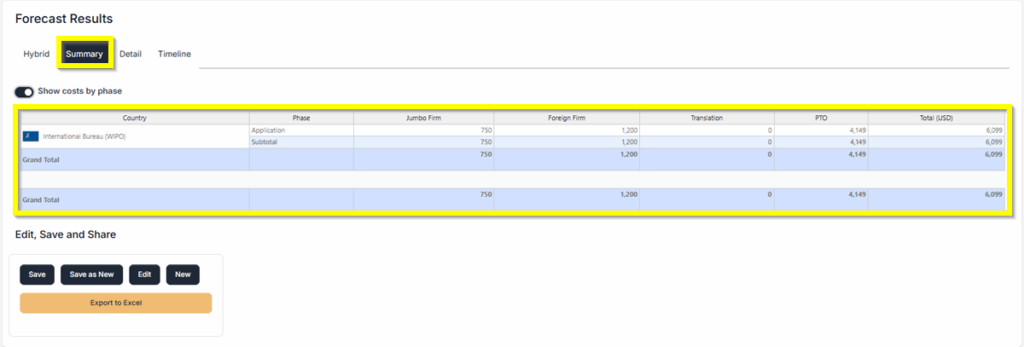
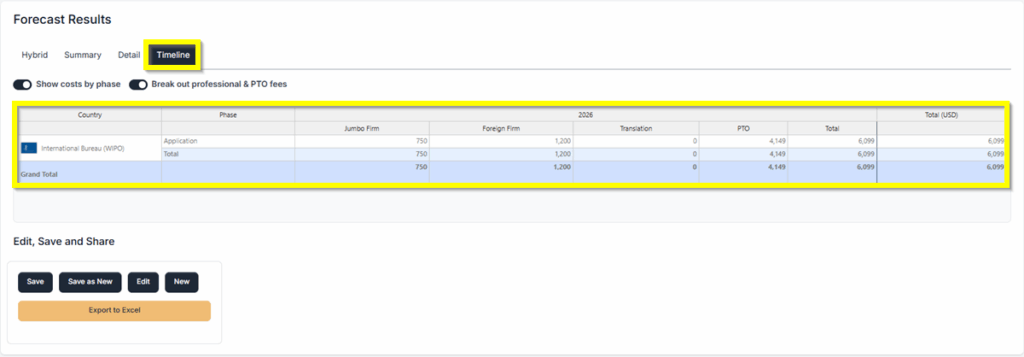
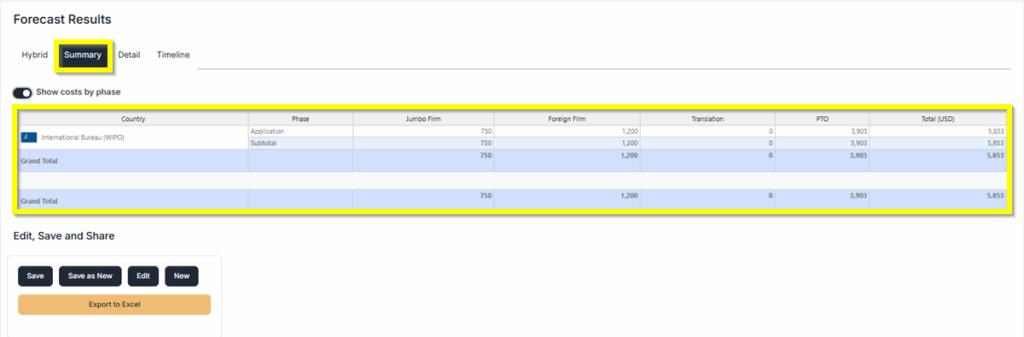
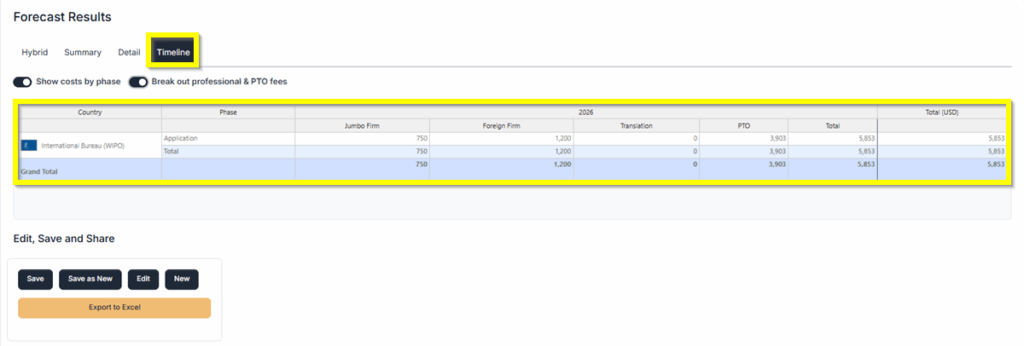
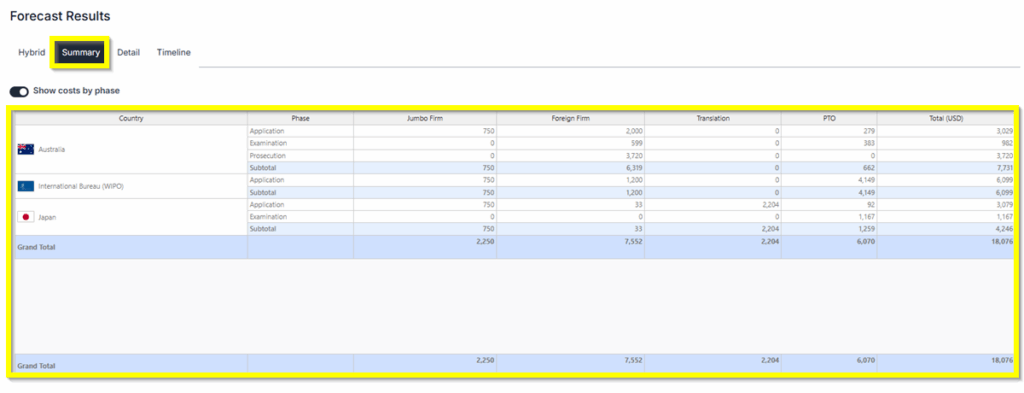
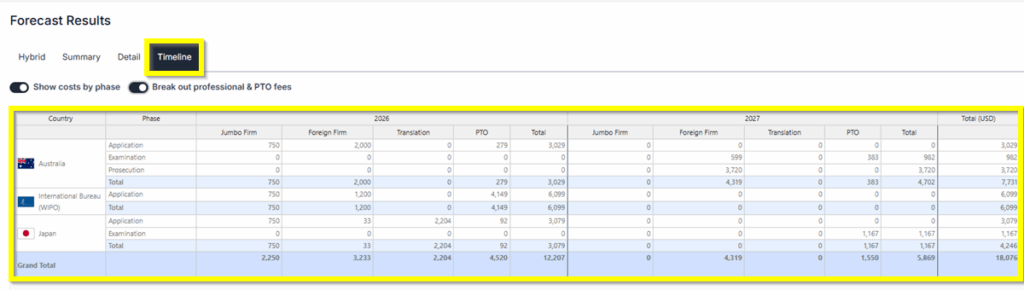
- Forecast Results: You will have 3 different views of the results: Hybrid, Summary, and Detailed Timeline.
PCT Application with Direct National Filings
- From your Homepage at the top under Create a New Forecast, click the button labeled Patent. Then select PCT Applications + Direct National. This will take you directly to the PCT Forecast screen.
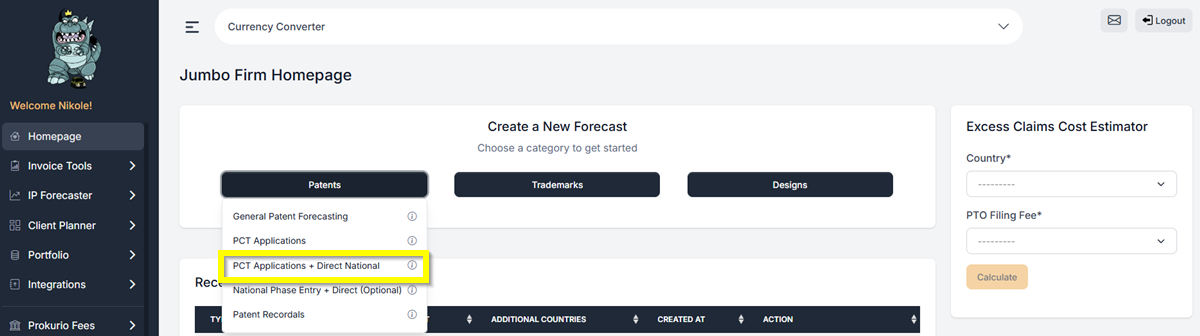
- Under the PCT Application details, select the countries that will act as the Receiving Office and as the International Search Authority (ISA).
- Enter the number of pages needed.
- Then, under the Direct National Application details, add the countries you want to be included in the filing.
- For this example, let us add Japan and Australia as the Direct national Countries. Then we will select the “United States” as both the Receiving Office and the Search Authority.
- Let’s also apply 5 Total claims and 3 independent claims.
- Then click Create Forecast to generate your forecast.
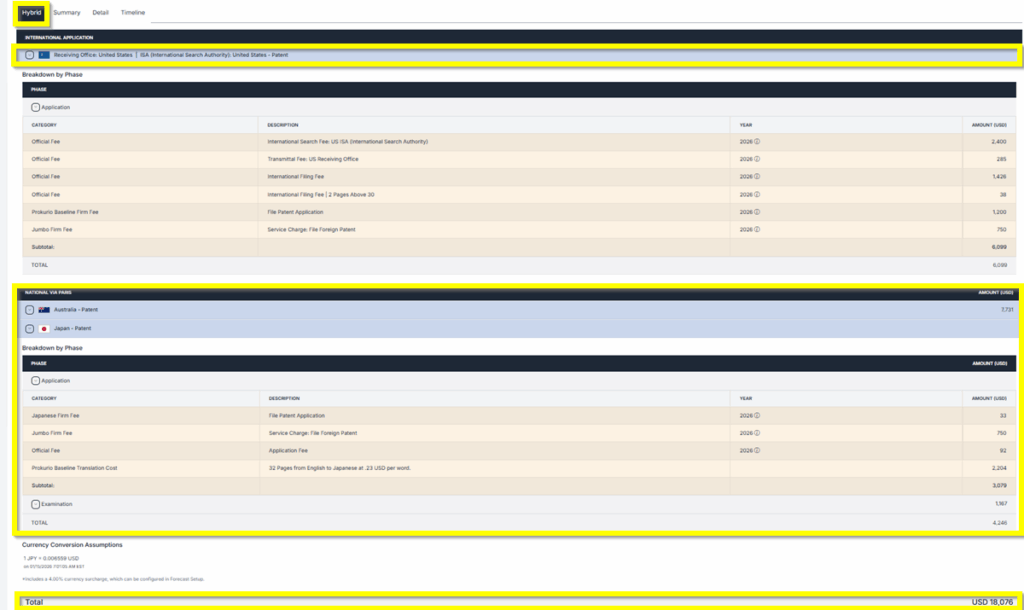
- Forecast Results: You will have 3 different views of the results: Hybrid, Summary, and Detailed Timeline.
You will now see the forecast results for both the standard PCT application and your Direct National application.
- Saving and Sharing (bottom left) allows you to Save, Edit, Export, Create New, or Send by Email your forecast results.

If you need any additional assistance, please contact us at support@prokurio.com, and we’ll get you the answers you need!

