
Prokurio’s IP Forecaster allows you to generate and compare National and Madrid Protocol trademark forecasts side by side.
Let’s generate a new trademark forecast for both a National and Madrid Protocol filing with 3 classes. The US would be the Office of Origin, and then Italy and Germany would be the Contracting Parties. Let’s also include Argentina and Mexico as national countries.
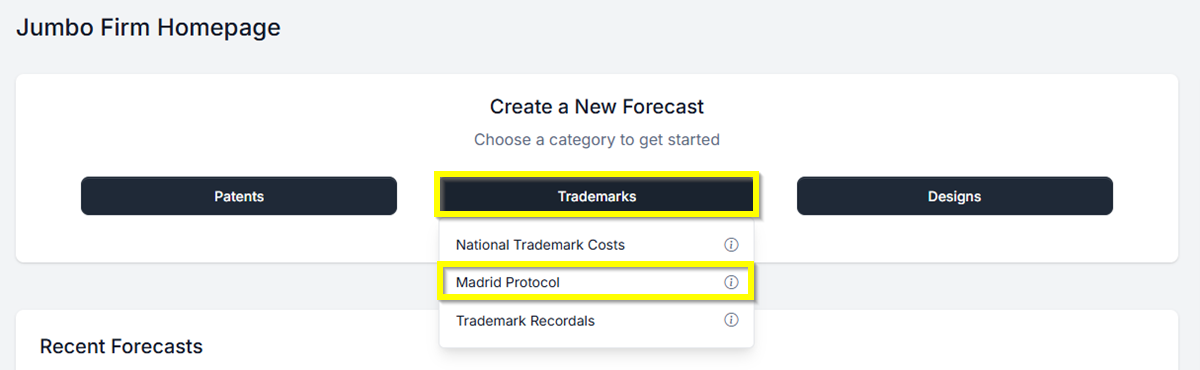
- From your Homepage at the top under Create a New Forecast, click the button labeled Trademarks. Then select Madrid Forecaster. This will take you directly to the Madrid Protocol Forecast Request screen.
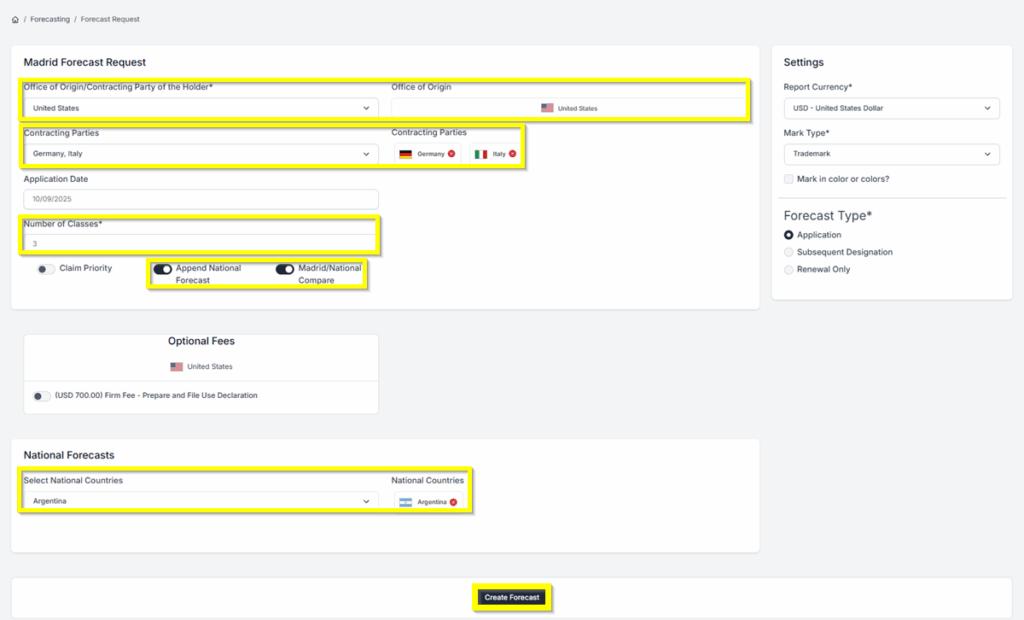
- From the Madrid Forecast Request screen, select a Starting Point of the United States. You can use type-ahead to narrow the list of countries, and either use the arrow key to select your selection and hit Enter, or click on the country to select it.
- Then, under Contracting Parties, Select Italy and Germany.
- Enter 3 for Number of Classes.
- For an effective comparison of both forecasts, ensure that the Append National Forecast and Madrid/National Compare toggles are enabled.
- Click on the Create Forecast to generate your forecast.
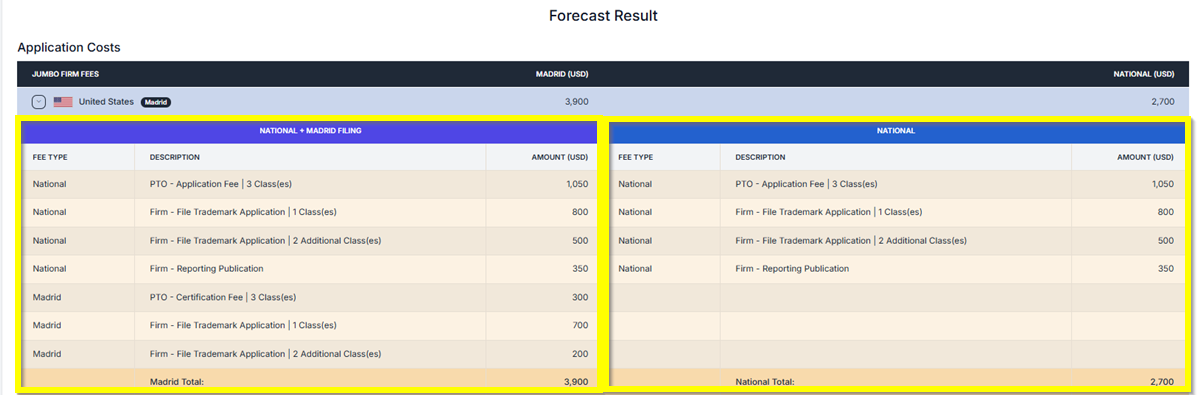
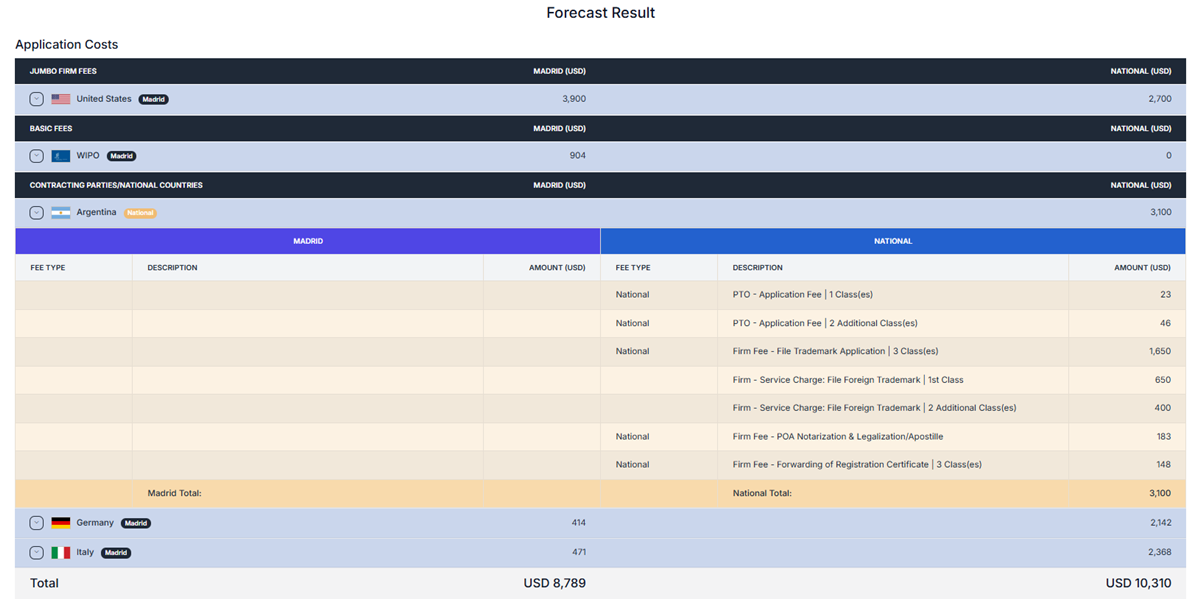
The results provide total amounts by country and an overall total. They also include a comparison between the National and Madrid forecasts. Click the arrow next to a country to expand and see more detailed information.
FORECAST RESULTS
- Results showing National with Madrid and National Filing
- Results showing Basic Fees

- Results showing National vs Madrid Filing
Additionally, you can Save, Export and/or email the reports in PDF, Word or Excel formats.
If you need any additional assistance, please contact us at support@prokurio.com, and we’ll provide you with the answers you need.

