
When creating a trademark forecast, some countries let you file one application for multiple classes (multi-class), while others require a separate application for each class (single-class). When you create a forecast in Prokurio, the system automatically adjusts the costs based on the number of classes and the countries you’ve selected.
It won’t show which countries are single-class or multi-class, but as soon as you enter the number of classes, the correct costs for each country will be applied automatically in your results.
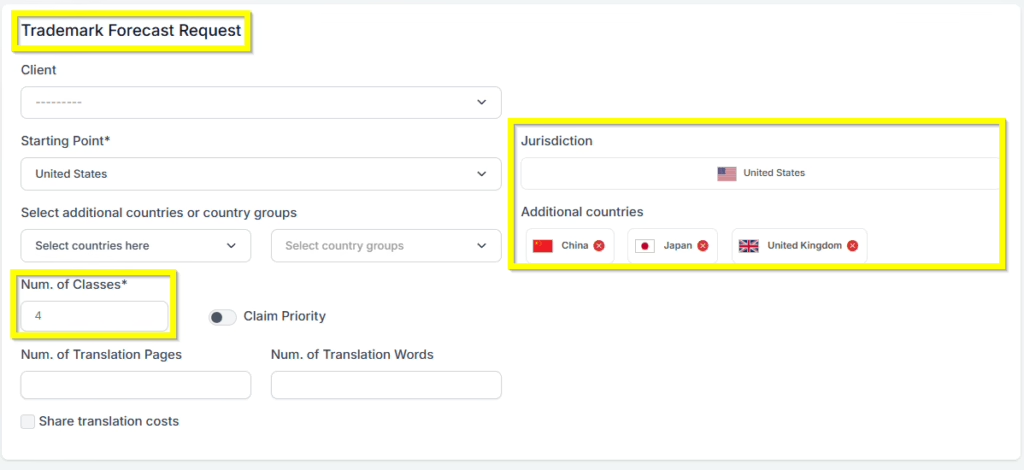
Let’s generate a new trademark forecast for a mark with 4 classes in the US, China, Japan, and the United Kingdom.
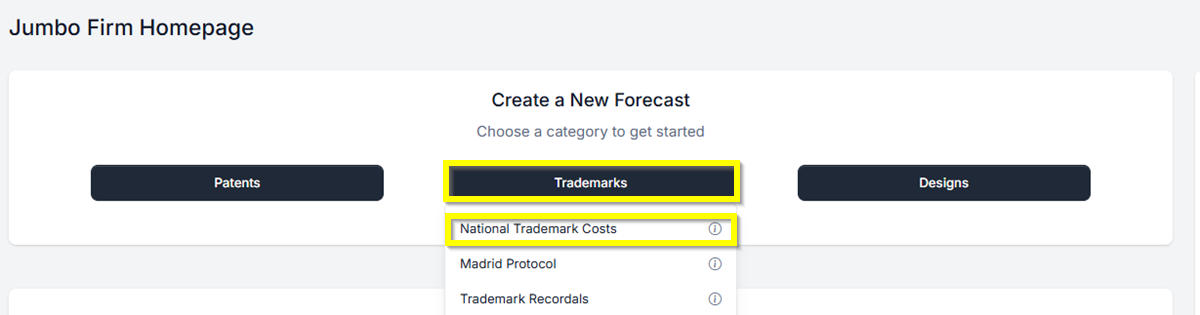
- First, from your Homepage at the top under Create a New Forecast, click the button labeled Trademarks. Then select National Trademark Cost. Trademark Forecast Request screen.
- From the Trademark Forecast Request screen, select your Starting Point of the United States. You can use type-ahead to narrow the list of countries, and either the arrow keys to select your selection and hit the enter key or click on the country to select it.
- The number of classes is required and must be entered to proceed. Enter 4 for this example.
- We’ve added smart country selection to Trademark Forecasts. If you select EUIPO from any dropdown, we automatically remove the EU member countries from lists and selections, simplifying your forecast experience.
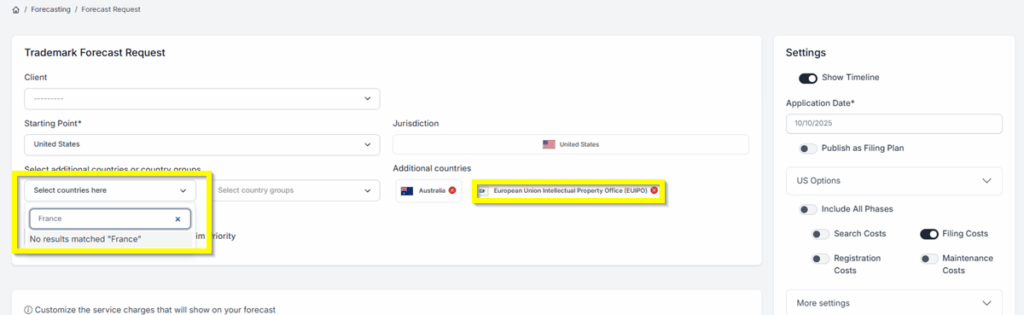
- Click on the Create Forecast button to generate your forecast.
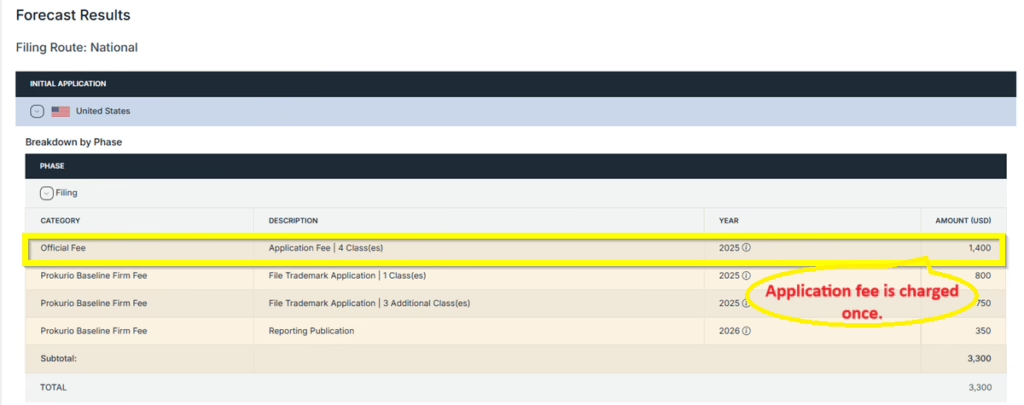
Forecast Results: You are now at your forecast results screen. You may click on the expansion arrows on each phase to view more details.
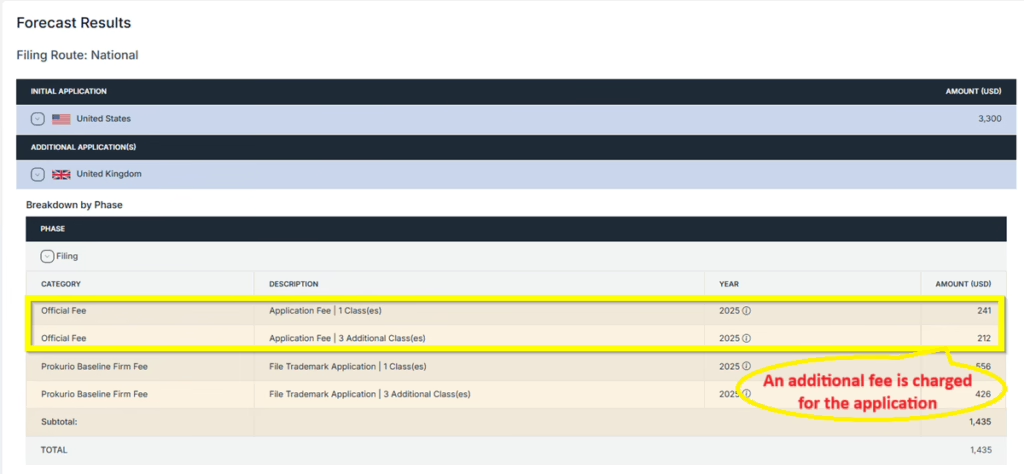
US Forecast – There is only one application fee charged for a total of 4 classes.
UK Forecast – There is an additional fee charged for the application for a total of 4 classes.
- Saving and Sharing (bottom left) allows you to Save, Edit, Export, Create New, or Send by Email your forecast results.
If you need any additional assistance, please contact us at support@prokurio.com, and we’ll get you the answers you need!

