
Prokurio includes baseline translation costs for most jurisdictions worldwide. Additionally, if you have translation services or law firms with negotiated rates, they can be easily integrated into your environment. Once in the system, when/where translations are needed, your custom rates will be used in forecast calculations.
Let’s first look at where the baseline translation costs are stored and how to view them.
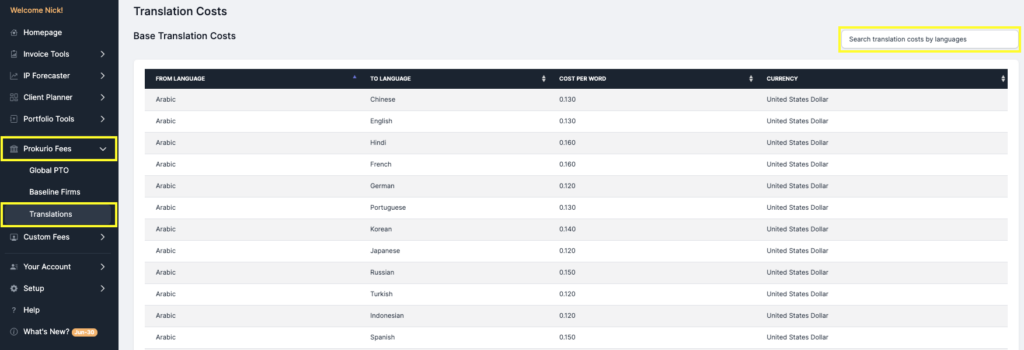
- From your homepage in the sidebar to the left, click on Prokurio Fees to expand the section.
- Now, click on Translations
- You now see a list of all base average translation costs in Prokurio
- To the right of your screen, you may search the costs by language to narrow the results.
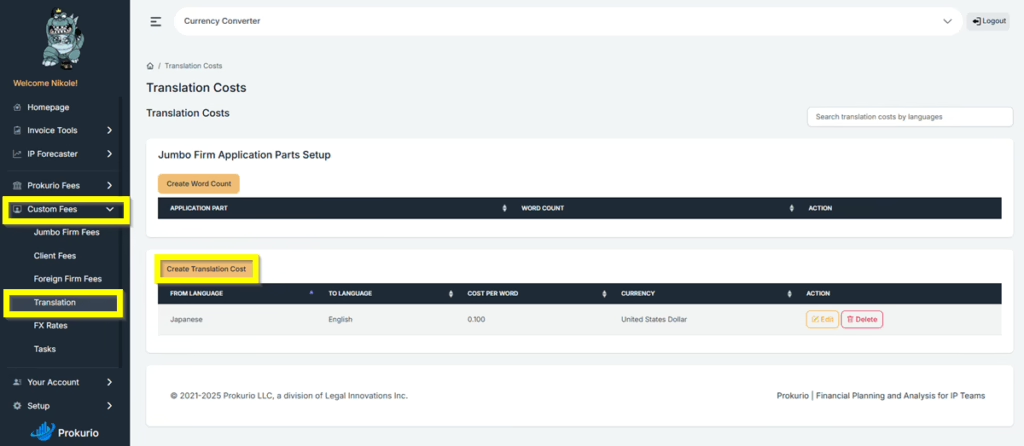
Now let’s take a look at where your custom translation costs are entered and stored. There are 2 locations to enter your translation costs.
- The first is under “Custom Fees”, then under Translation, click Create Translation Cost.
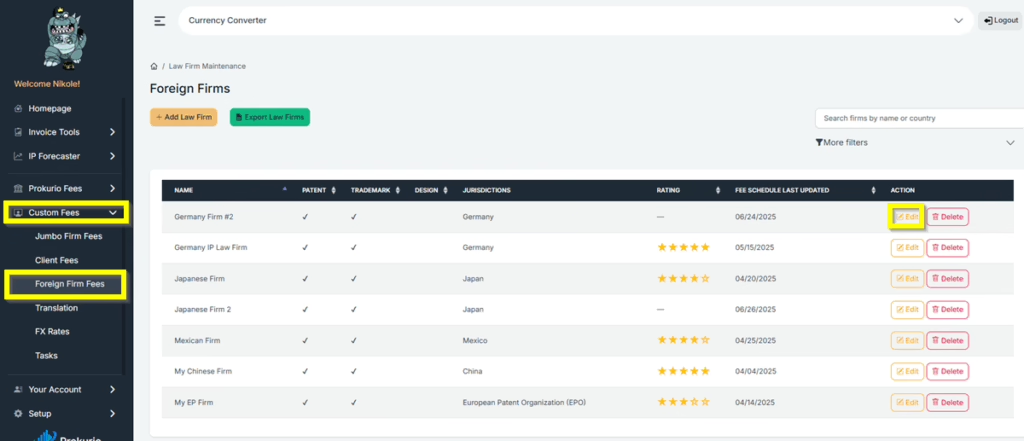
- Second is under “Foreign Firm Fees”, then select the firm of your choice, then click Edit. Scroll down until you see Translation Cost, click Add Translation Cost,
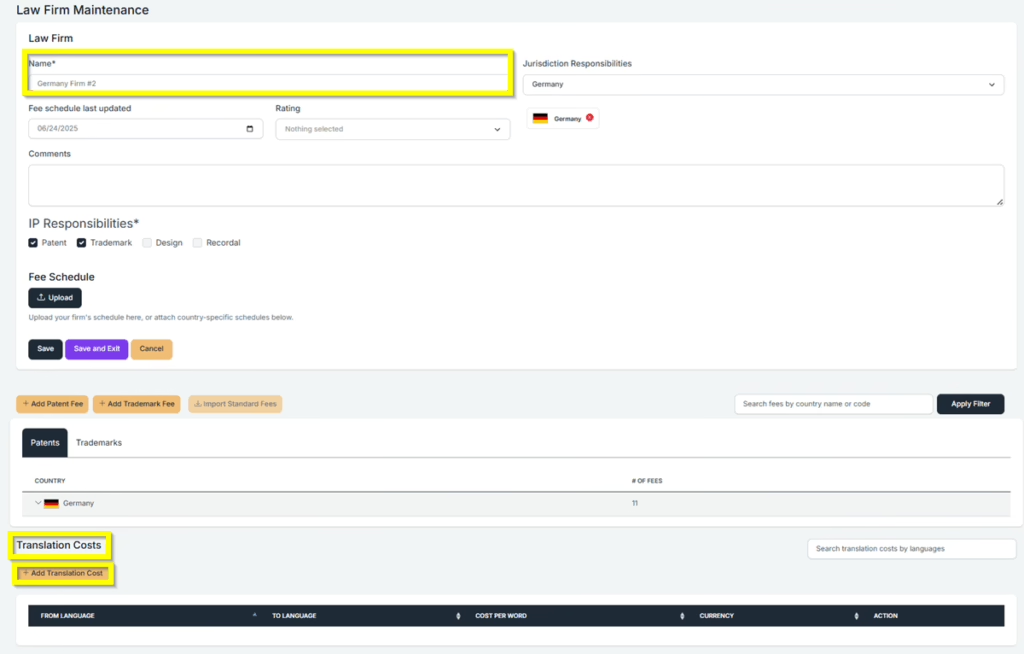
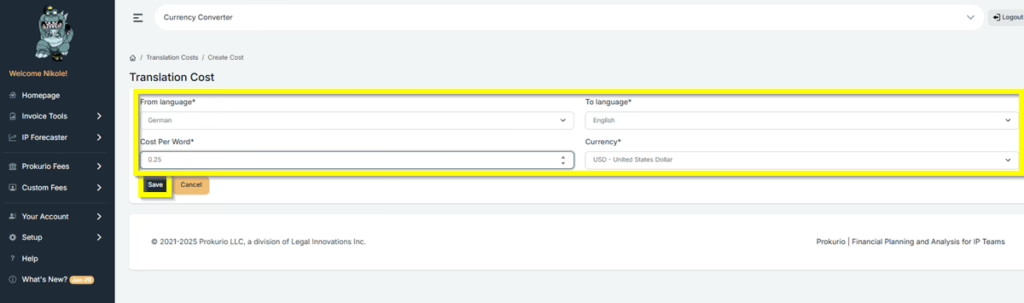
- In the From Language field, select the Source language.
- In the To Language field, select the target language for translation.
- Under Cost per Word, input the amount you want to set.
- Then, under Currency, select the default currency you want to use.
- Click Save to set your default “Translation Cost”.
If you need any additional assistance, please contact us at support@prokurio.com, and we’ll get you the answers you need!

