
With Prokurio’s IP Forecaster, you can set entity sizes like small, micro and large to tailor IP forecasts based on client profiles, helping you generate more accurate and relevant cost estimates.
Let’s take a look at where you can set and change client entity sizes as needed in IP Forecaster. There are two ways to set it up.
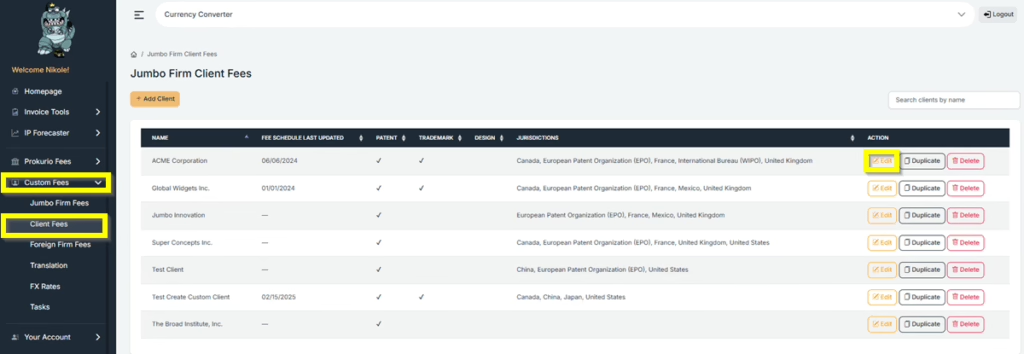
- First, under “Custom Fees”, select Client Fees.
- Then select the name of the client where you need to configure the entity size, and click “Edit”.
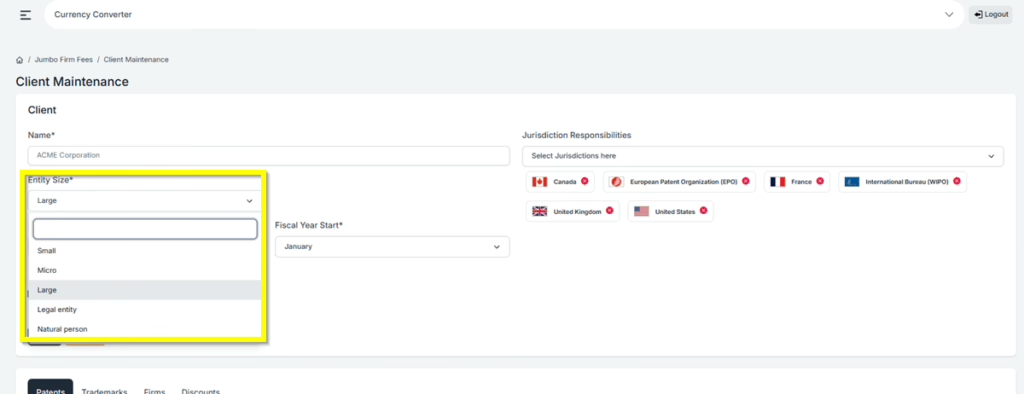
- Under Entity Size, you can click on the drop-down and select from 5 options: Small, Micro, Large, Legal Entity, and Natural Person.
- Then click Save once you are done.
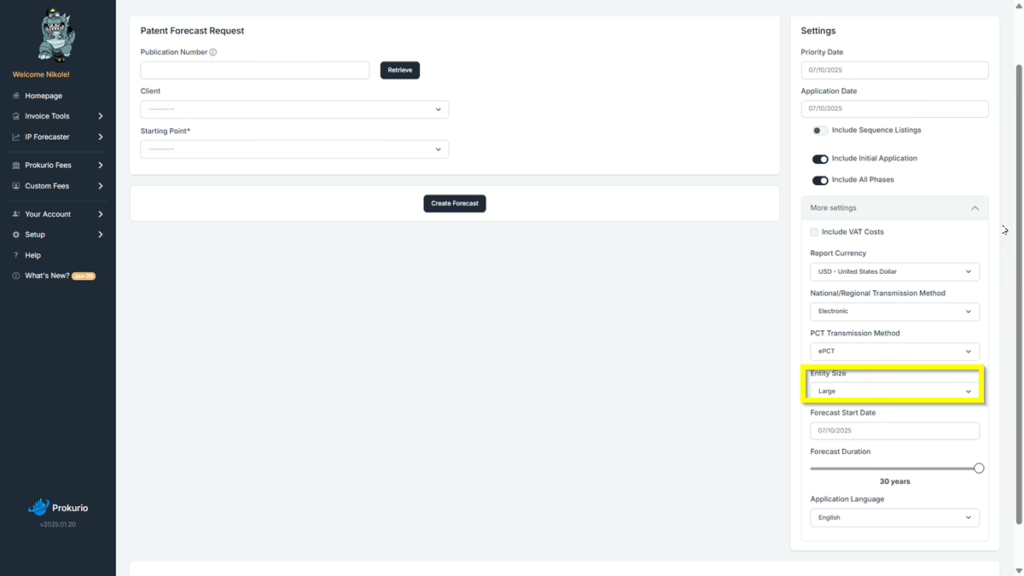
- The second option is to click the More Settings drop-down when creating any forecast.
- You may then proceed with clicking the Create Forecast once you are done with all the information needed for that particular forecast.
If you need any additional assistance, please contact us at support@prokurio.com, and we’ll get you the answers you need!

