
Client Planner makes importing simple. Upload your Excel file, map your data fields, and start forecasting patent and trademark costs right away.
Let’s go ahead and import your Patent and Trademark portfolio.
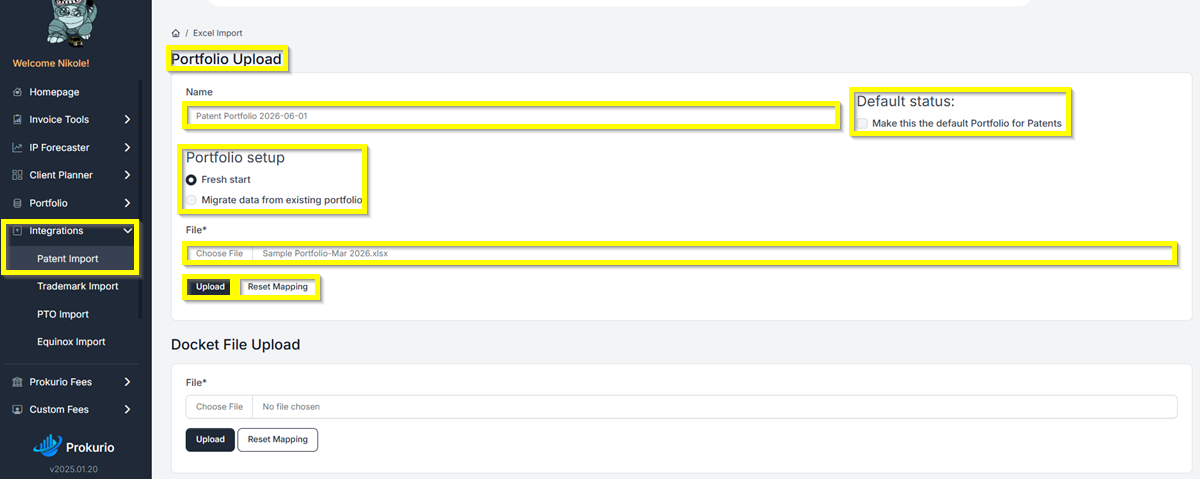
- On the right side of your homepage, under Integrations. Click Patent Import or Trademark Import. Then click Reset Mapping. Once done, click on Upload.
- Under Portfolio Setup, you can either choose a Fresh start or Migrate data from an existing portfolio.
Patent Import
Trademark Import

- You can give your portfolio a name
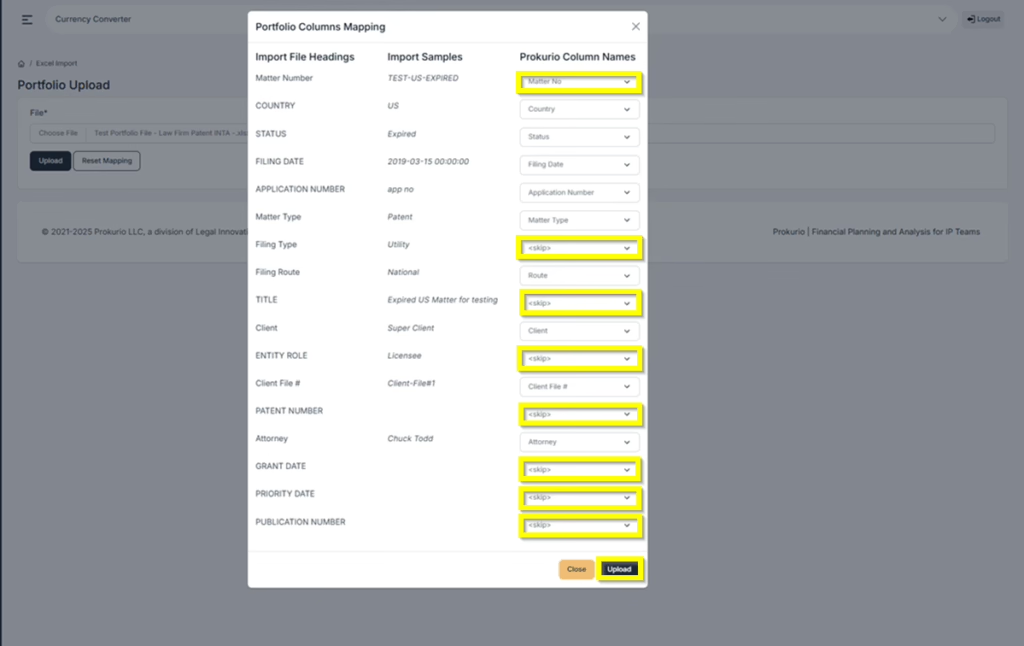
- A pop-up window will appear, enabling you to sync or map the columns in your file to the portfolio. You will need to match the Import File Heading column and the Prokurio Column Names.
Patent Mapping
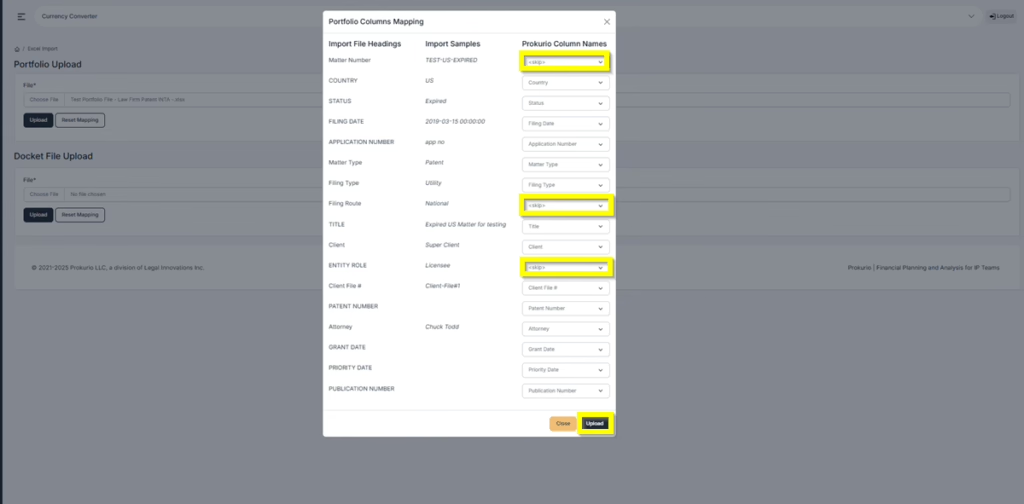
Trademark Mapping
- Once completed, you will receive a confirmation that the upload was successful.

| Import File Heading | Prokurio Column Names |
| Matter Number | Unique identifier for each item (e.g., patent/trademark) |
| Country | Filing location |
| Status | Current state (e.g., pending, registered, expired) |
| Filing Date | Application submission date |
| Application Number | Government-assigned number upon receipt |
| Matter Type | Patent, Trademark, or Design |
| Filing Type | Specific type within matter category (e.g., utility model, provisional) |
| Filing Route | Filing method (e.g., PCT, national) |
| Title/Mark Name | Name of the matter |
| Client | Owner of the intellectual property |
| Entity Role/ Licensee | Entity paying to use the intellectual property |
| Client File Number | Client’s internal reference number |
| Patent Number | Issued upon approval |
| Attorney | Responsible person at the law firm |
| Grant Date | Approval date (called Registration Date for trademarks) |
| Priority Date | First filing date in a patent family |
| Publication Number | Assigned when application is made public |
| Classes (Trademarks only) | Number of classes covered, affecting fees |
If you need any additional assistance, please contact us at support@prokurio.com, and we’ll get you the answers you need!

