
Filing an EP application is the first step in securing European patent protection. The process is built to be user-friendly, making it easy to save, share, and export your application details for future use or collaboration with colleagues and clients.
Let’s create your EP application forecast by starting with an application with 10 total claims, 2 independent claims, and 30 pages.
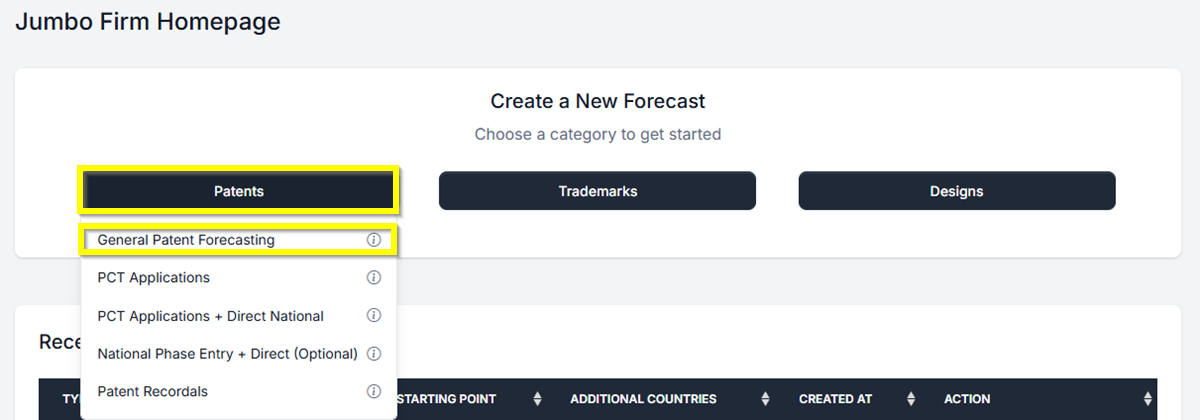
- From your Homepage, at the top under Create a New Forecast, click the button labeled Patent. Then select General Patent Forecasting. This will take you directly to the Patent Forecast Request screen.
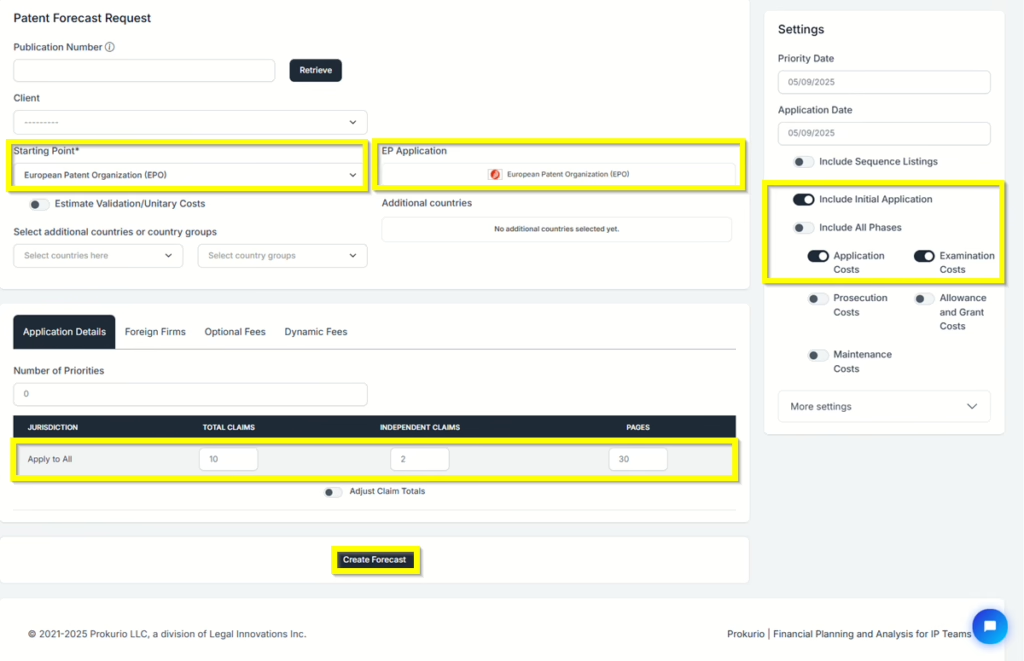
- Select your Starting Point of “European Patent Organisation (EPO)” from the Patent Forecast Request screen. You can use type-ahead to narrow the list, and either use the arrow keys to select your selection and hit the enter key, or just type in EPO to select it. Now the system has loaded the additional questions needed for your forecast below.
- Under the Application Details tab, enter 10 for Total Claims, 2 for Independent Claims, and 30 for pages.
NOTE: Since this is the initial stage of the application, in the Settings (right side of the screen), make sure that the toggle switch is on for Application Cost and Examination Cost. - Now, click the Create Forecast button at the bottom to generate your results.
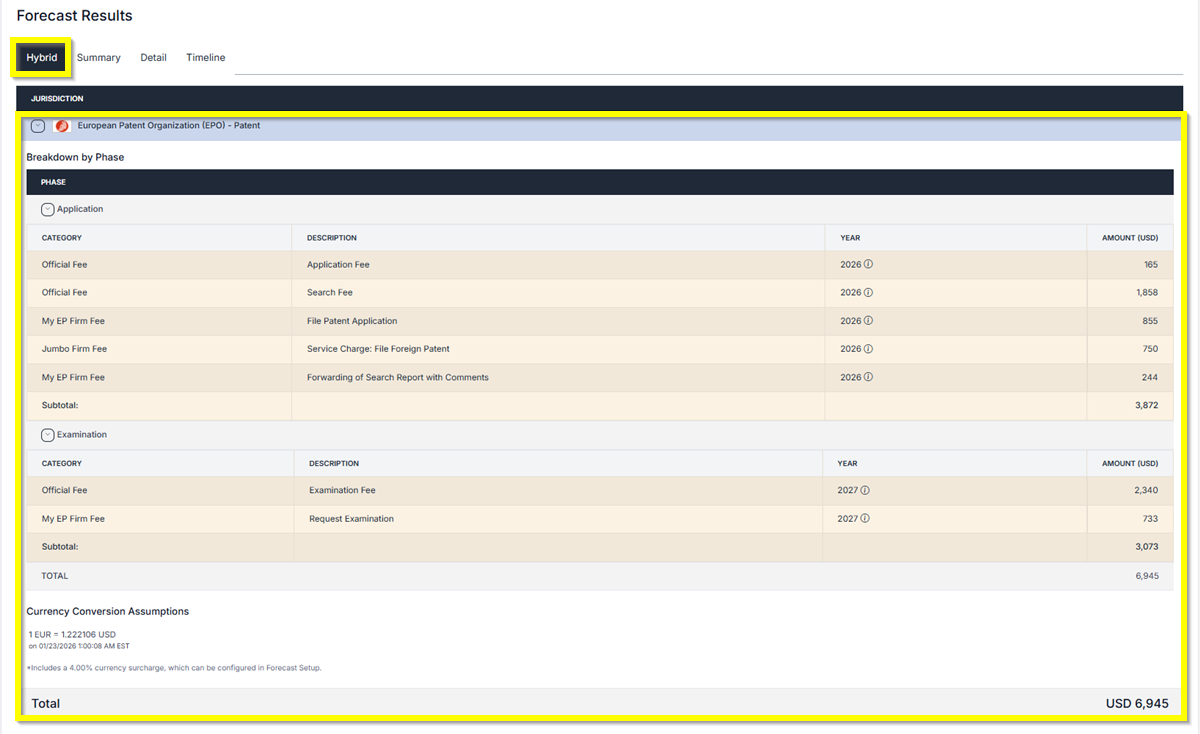
Forecast Results Screen: You will have 3 different views of the results: Hybrid, Summary, and Detailed Timeline.
- Hybrid Results – Detailed results of the forecast.
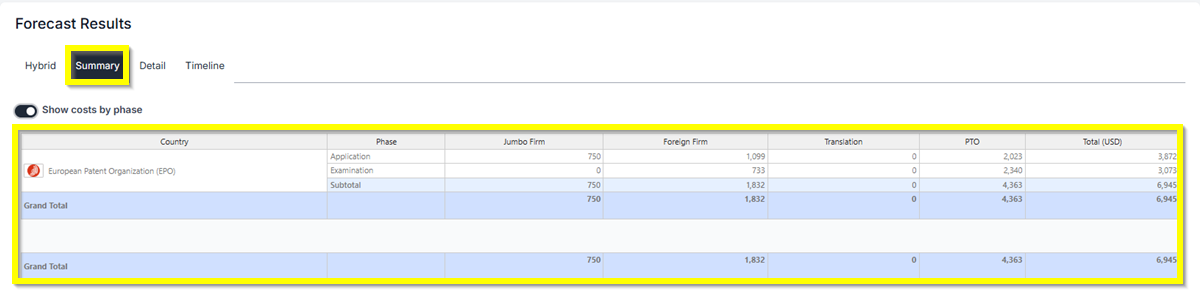
- Summary Results – Provides a concise overview of the results. Has the ability to show cost by phase.
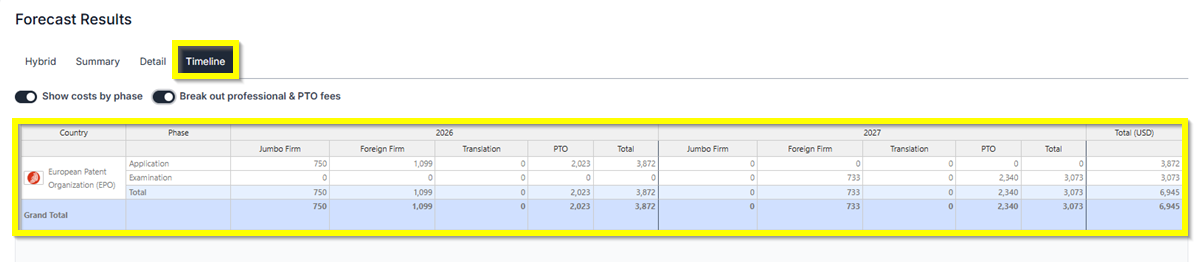
- Timeline Results– Provides the results for the current year and also the next 3 years. Has the ability to show cost by phase and show Breakout professional & PTO fees.
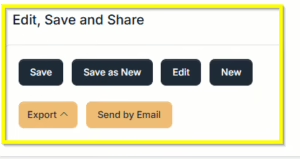
Saving and Sharing (bottom left) allows you to Save, Edit, Export, Create New, or Send by Email your forecast results.
You are now done with the initial steps of your EP Application.
If you need any additional assistance, please contact us at support@prokurio.com, and we’ll get you the answers you need!

