
With Service Charges, you can add your firm’s fees on top of official and foreign firm fees in client forecasts. These charges cover the services you provide — such as filing coordination, communication management, deadline monitoring, renewal handling, and others.
For example, if you file a patent in China, Japan, and Korea through local partners, you may apply a $750 service charge on top of the country’s official fees and foreign firm fees.
There are 4 different service charges that we can set up: Patents, Trademarks, Design, and Recordal Service Charges
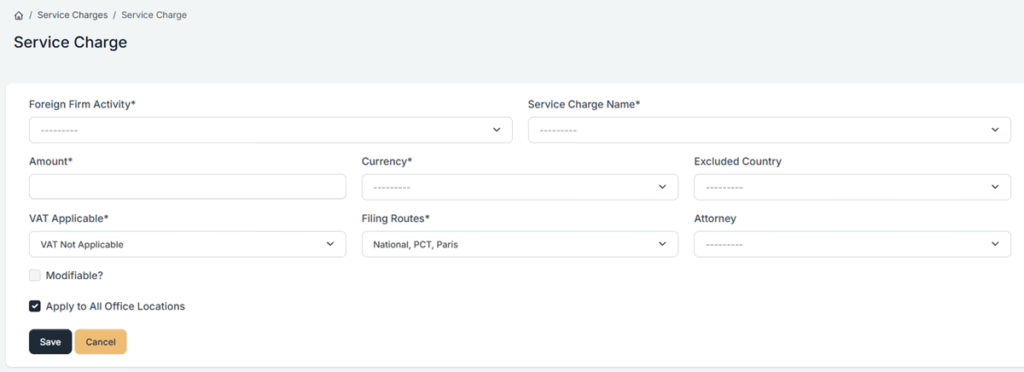
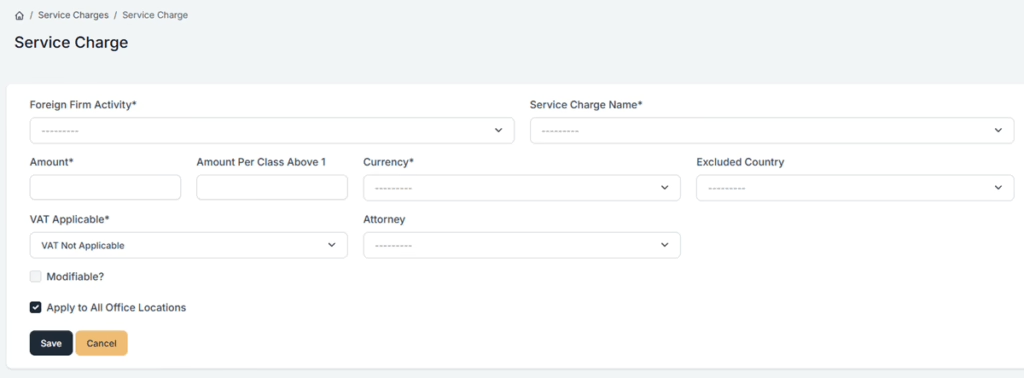
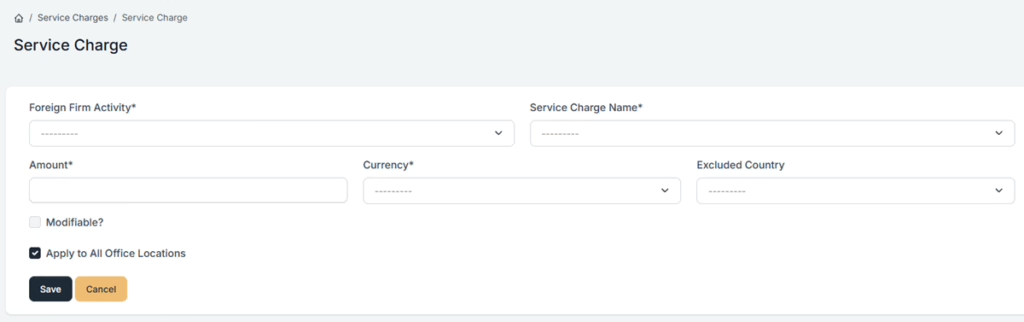
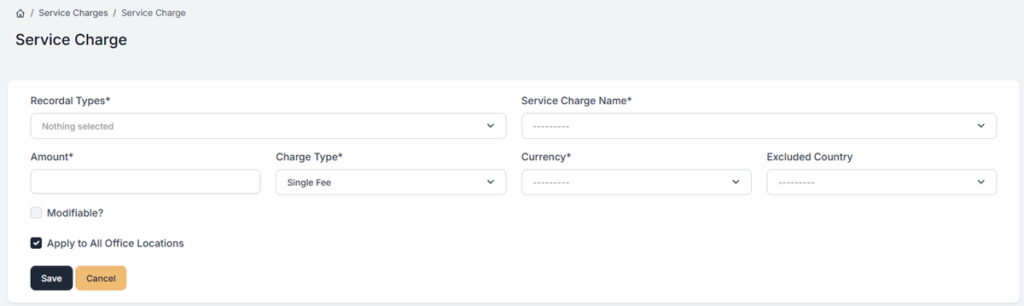
From your Homepage, select “Custom Fees”. Then click your {Firm Name} Fees. You can now select the service charge you want to create by clicking on Add Patent Service Charge, Add Trademark Service Charge, Add Design Service Charge, or Add Recordal Service Charge.

Once you reach the service charge page, please complete the required fields. The field with the * sign is needed.
- Foreign Firm Activity* – Select the type of activity carried out by the foreign firm.
- Service Charge Name* – This is what will serve as the name of the particular service charge that you want to add.
- Amount* – Enter the fee amount to be charged.
- Amount Per Class Above 1* – Enter the fee amount to be charged. (applicable for Trademarks)
- Recordal Type* – Select the type of recordal ( applicable for Recordals)
- Charge Type – Select the charge type (Single or Per Recordal; applicable for Recordals)
- Currency* – Choose the applicable currency for the charge.
- Excluded Country – Specify any countries where the charge should not apply.
- VAT Applicable* – Define if VAT applies (e.g., Not Applicable, Standard Rate).
- Filing Routes* – Select the filing routes where the charge applies (e.g., National, PCT, Paris).
- Attorney – Assign the charge to a specific attorney, if required.
- Modifiable? – Enable this option if the charge can be edited later.
- Apply to All Office Locations – Select this to apply the charge across all office locations.
To know more information about these Service Charges, you can click on the links below.
Patent Service Charge – Link
Trademark Service Charge – Link
Design Service Charge – Link
Recordal Service Charge – link
If you need any additional assistance, please contact us at support@prokurio.com, and we’ll get you the answers you need!

