
You can now create and manage country groups right from your forecast screen. Easily reuse common groups of countries.
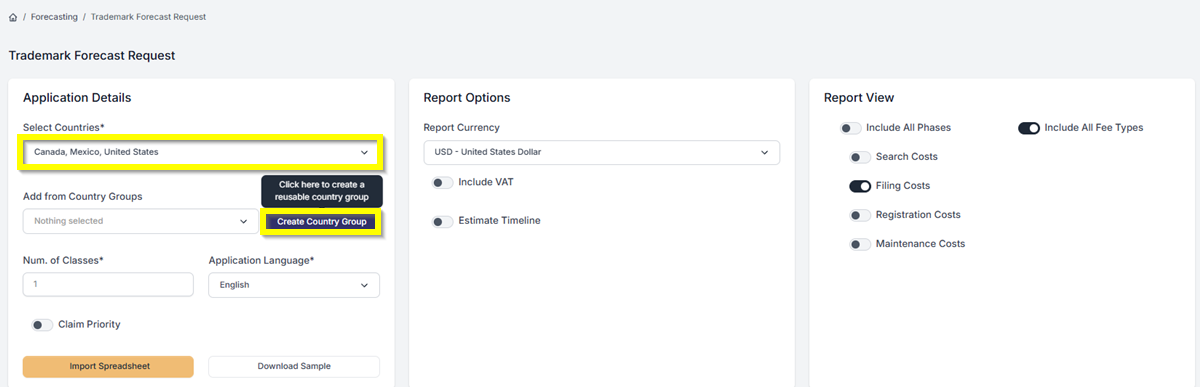
- Under Application Details, click the Select Countries drop-down. Enter a country name in the search field and select it from the list. Let’s select Canada, Mexico, and the United States for this example.
- Once your countries are added, click Create Country Group to group them.
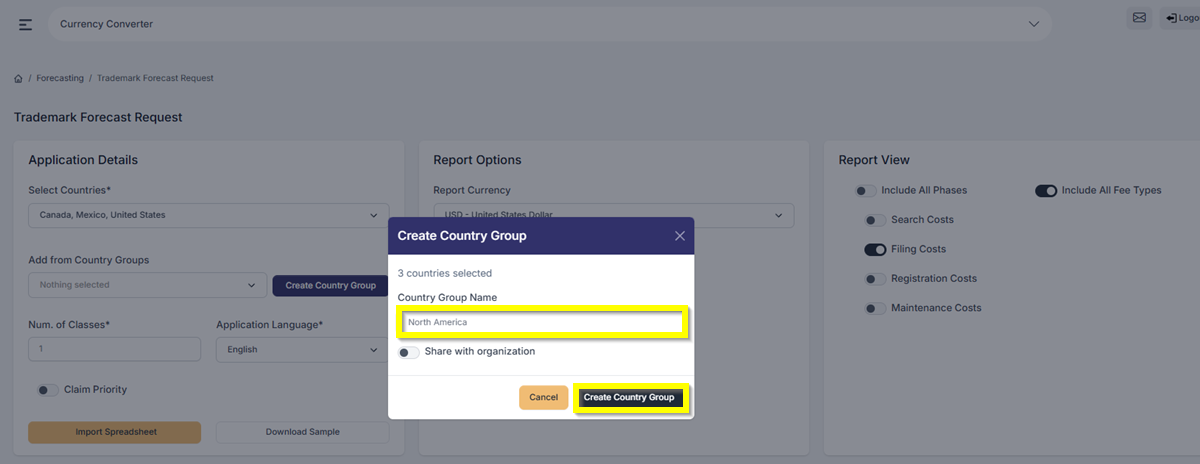
- A pop-up window will appear where you can name the group and share it with your organization if needed. After naming the group, click Create Country Group to finish creating it.
- Once the Country has been created, you can now easily reuse this group for your forecast.
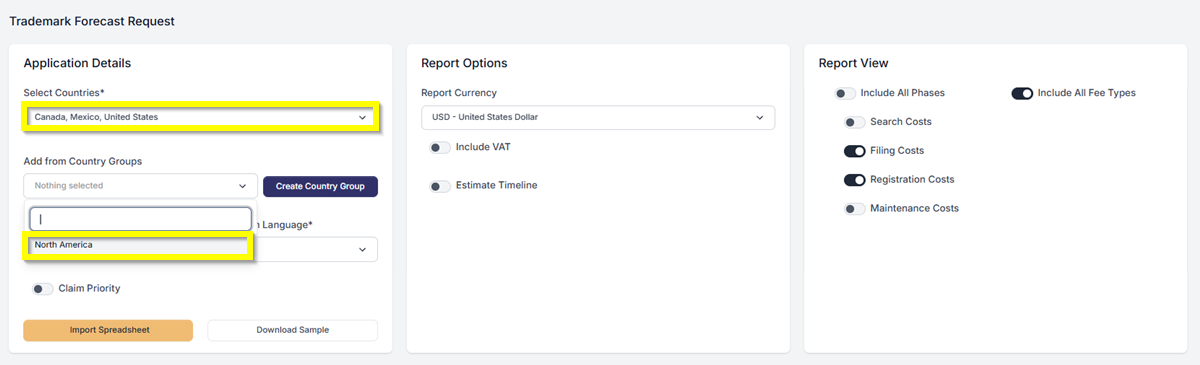
You’re all set! A quick and easy way to manage and reuse your country group.
If you need any additional assistance, please contact us at support@prokurio.com, and we’ll get you the answers you need!

